Computers perform calculations, store information, and process instructions using a system called binary. Unlike humans, who commonly use decimal numbers containing ten digits from 0 to 9, computers represent information using only two digits: 0 and 1. These digits form the foundation of digital computing, allowing computers to represent numbers, letters, images, sounds, and many other types of data.
But how can a computer represent zero, positive numbers, negative numbers, and even very large values using just two digits? The answer lies in the binary number system and the way electronic circuits work. By combining binary digits in different patterns, computers can store and process a wide range of numerical values. Understanding this system helps explain how computer memory, processors, and digital devices work at their most fundamental level.
What Is the Binary Number System?
The binary number system is a positional number system with a base of 2. It uses only two digits, 0 and 1, to represent all numbers.
In comparison, the decimal number system has a base of 10 and uses ten digits, from 0 to 9. Each position in a decimal number represents a power of 10, while each position in a binary number represents a power of 2.
For example, the decimal number 345 can be expanded as:
345 = 3 × 100 + 4 × 10 + 5 × 1
Similarly, the binary number 1011 can be expanded using powers of 2:
1011₂ = 1 × 8 + 0 × 4 + 1 × 2 + 1 × 1
Therefore:
1011₂ = 8 + 0 + 2 + 1 = 11₁₀
The subscript ₂ indicates that the number is written in binary, while the subscript ₁₀ indicates decimal notation.
Although binary numbers may appear unfamiliar at first, their underlying principle is similar to the decimal system. The main difference is the base used to determine each digit’s positional value.
Why Do Computers Use Binary?
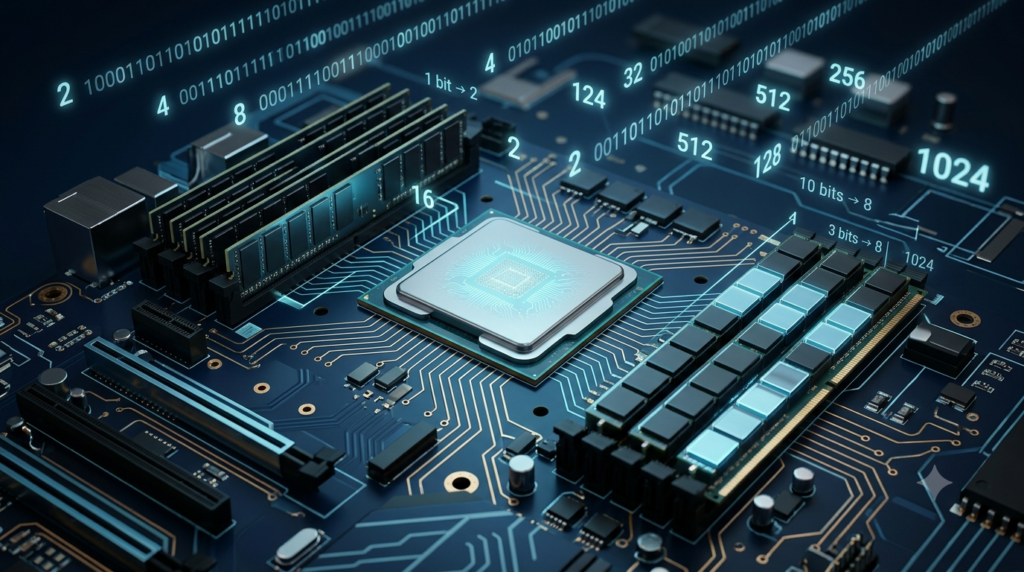
Computers use binary because their electronic circuits can reliably distinguish between two physical states. These states can be represented as 0 and 1.
For example, a digital circuit may interpret a low voltage as one logical state and a higher voltage as another. The exact voltage levels depend on the technology being used.
These states are often described as:
0: A logical LOW state.
1: A logical HIGH state.
It is important to understand that binary digits are logical representations of physical conditions. A computer does not need to contain a tiny printed 0 or 1 for every bit. Instead, electronic circuits represent these values through electrical signals and stored physical states.
Binary is particularly useful because distinguishing between two states is generally more reliable than distinguishing between many different levels. Small electrical variations, noise, and other imperfections are less likely to cause errors when a circuit needs to recognize only two valid states.
Transistors, which act as electronic switches, form the foundation of modern digital circuits. By combining enormous numbers of transistors, computers can perform logical operations, store binary data, and carry out complex calculations.
What Is a Bit in a Computer?
A bit, short for binary digit, is the smallest standard unit of digital information. A bit can have only one of two values: 0 or 1.
A computer combines multiple bits to represent larger numbers and more complex information.
For example:
0 is a single-bit binary value.
1 is another single-bit binary value.
10 is a two-bit binary pattern.
101 is a three-bit binary pattern.
1101 is a four-bit binary pattern.
Each additional bit increases the number of possible patterns that can be represented.
The number of possible combinations for a group of bits is calculated using the formula:
Number of possible combinations = 2ⁿ
Here, n represents the number of bits.
For example, two bits can form four different patterns: 00, 01, 10, and 11.
With four bits, the number of possible patterns becomes:
2⁴ = 16
This means four bits can represent 16 distinct patterns, from 0000 to 1111. When these patterns are interpreted as unsigned binary numbers, they represent decimal values from 0 to 15.
How Does a Computer Represent Zero in Binary?
Zero has a simple representation in binary: it is written as 0.
In a fixed-width binary representation, however, additional leading zeros may be included to fill the available bit positions.
For example, if a computer stores an unsigned number using eight bits, decimal zero is represented as:
00000000
All eight bits have the value 0. The number remains zero because each bit contributes zero to the total value.
Using the positional-value method:
00000000₂ = 0 × 128 + 0 × 64 + 0 × 32 + 0 × 16 + 0 × 8 + 0 × 4 + 0 × 2 + 0 × 1
Therefore:
00000000₂ = 0₁₀
The leading zeros do not change the numerical value. For example, 0001₂ and 1₂ both represent decimal 1.
This principle allows computers to store numbers in fixed-size groups of bits, even when the numbers themselves require fewer digits.
However, zero can have different representations in specialized numerical formats. For example, floating-point systems commonly support both positive zero and negative zero. These representations compare as equal in ordinary numerical comparisons, although some operations can distinguish between them.
How Does a Computer Represent Other Positive Numbers?
Computers represent positive whole numbers by converting their decimal values into binary. Each binary position has a value based on a power of 2.
Starting from the right, the positional values are:
| Binary position | Power of 2 | Decimal value |
|---|---|---|
| 1st from the right | 2⁰ | 1 |
| 2nd from the right | 2¹ | 2 |
| 3rd from the right | 2² | 4 |
| 4th from the right | 2³ | 8 |
| 5th from the right | 2⁴ | 16 |
| 6th from the right | 2⁵ | 32 |
| 7th from the right | 2⁶ | 64 |
| 8th from the right | 2⁷ | 128 |
To calculate the decimal value of a binary number, multiply each bit by its positional value and add the results.
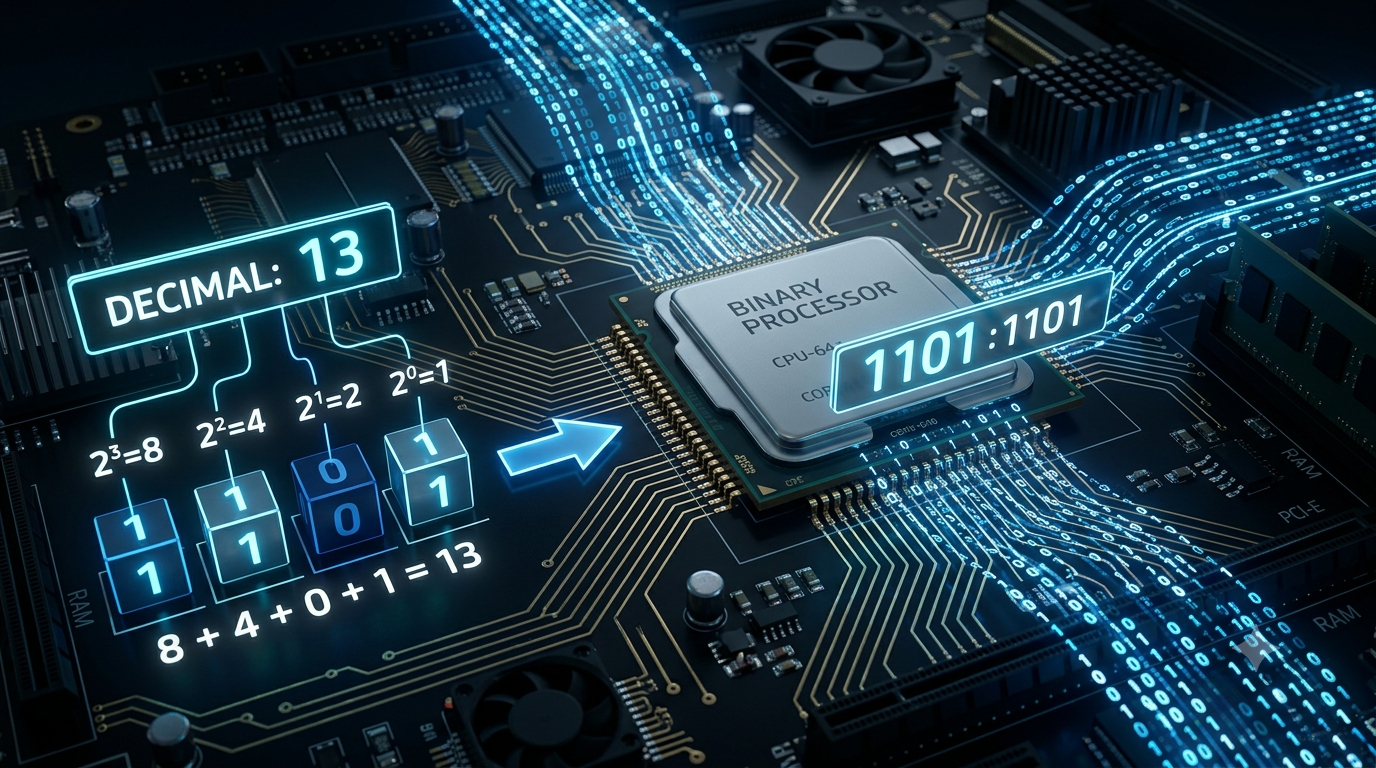
Consider the binary number 1101₂.
Its digits correspond to the values 8, 4, 2, and 1.
Therefore:
1101₂ = 1 × 8 + 1 × 4 + 0 × 2 + 1 × 1
1101₂ = 8 + 4 + 0 + 1
1101₂ = 13₁₀
This is how a binary pattern can represent the decimal number 13.
Converting a Decimal Number into Binary
One common method for converting a positive decimal integer into binary is repeated division by 2.
Consider the decimal number 13.
Divide 13 by 2. The quotient is 6 and the remainder is 1.
Divide 6 by 2. The quotient is 3 and the remainder is 0.
Divide 3 by 2. The quotient is 1 and the remainder is 1.
Divide 1 by 2. The quotient is 0 and the remainder is 1.
Read the remainders from bottom to top:
13₁₀ = 1101₂
The process ends when the quotient becomes zero. This method works because each remainder identifies a binary digit, starting with the least significant bit.
How Many Numbers Can Binary Represent?
The number of values a computer can represent depends on how many bits are available and how those bits are interpreted.
For an unsigned binary number, all bits contribute to the magnitude of the number. An n-bit unsigned integer can represent values from 0 to 2ⁿ − 1.
The formula is:
Maximum unsigned value = 2ⁿ − 1
For example, an eight-bit unsigned integer can represent:
2⁸ = 256 possible values
Its range is:
0 to 255
This happens because the 256 available patterns begin with 00000000 and end with 11111111.
Similarly, a 16-bit unsigned integer can represent values from 0 to 65,535.
As the number of bits increases, the range of representable values grows rapidly. This is one reason modern computers can work with very large integers.
How Does a Computer Represent Negative Numbers?
Representing negative numbers requires more than simply writing the magnitude in binary. Computers need a consistent method for distinguishing positive and negative values.
Modern general-purpose computers commonly use a system called two’s complement to represent signed integers.
In an n-bit two’s-complement representation, the numerical range is:
−2ⁿ⁻¹ to 2ⁿ⁻¹ − 1
For example, an eight-bit signed integer has a range of −128 to 127.
In this system, the leftmost bit has a negative positional weight, while the remaining bits have positive positional weights.
For an eight-bit number, the positional weights are:
−128, 64, 32, 16, 8, 4, 2, and 1.
Consider the binary pattern 11111111.
Its value is:
−128 + 64 + 32 + 16 + 8 + 4 + 2 + 1 = −1
Therefore:
11111111₂ represents −1 in eight-bit two’s complement.
To obtain the two’s-complement representation of a negative integer, a common method is to invert the bits of the corresponding positive value and add 1.
For example, consider −5 using eight bits.
The positive value 5 is:
00000101
Invert every bit:
11111010
Add 1:
11111011
Therefore, the eight-bit two’s-complement representation of −5 is 11111011.
This system is useful because the same basic binary addition circuits can perform both positive and negative integer arithmetic.
How Does a Computer Represent Decimal Fractions?
Computers also need to represent numbers containing fractional parts, such as 2.5, 0.75, and 3.125.
Binary fractions use negative powers of 2, just as decimal fractions use negative powers of 10.
The positional values after the binary point are:
| Binary position | Power of 2 | Decimal value |
|---|---|---|
| 1st after the point | 2⁻¹ | 0.5 |
| 2nd after the point | 2⁻² | 0.25 |
| 3rd after the point | 2⁻³ | 0.125 |
| 4th after the point | 2⁻⁴ | 0.0625 |
For example:
10.101₂ = 1 × 2¹ + 0 × 2⁰ + 1 × 2⁻¹ + 0 × 2⁻² + 1 × 2⁻³
10.101₂ = 2 + 0 + 0.5 + 0 + 0.125
10.101₂ = 2.625₁₀
However, not every decimal fraction has an exact finite binary representation. For instance, the decimal number 0.1 repeats indefinitely when represented in binary.
Computers commonly use floating-point formats, such as IEEE 754, to represent a wide range of fractional and very large or small numbers. These formats store information about the sign, significant digits, and scale of a number.
Because floating-point values have limited precision, some calculations produce small rounding differences. This is why a computer may not represent certain decimal fractions exactly.
What Is the Difference Between Binary and Decimal?
Binary and decimal are both positional number systems. Their main difference is the base they use.
| Feature | Binary system | Decimal system |
|---|---|---|
| Base | 2 | 10 |
| Available digits | 0 and 1 | 0 to 9 |
| Positional values | Powers of 2 | Powers of 10 |
| Common use | Internal digital representation | Everyday counting and calculations |
| Example | 1010₂ | 10₁₀ |
Humans often prefer decimal because it is familiar and convenient for everyday activities. Computers use binary internally because electronic digital systems can represent and process two-state information reliably.
A computer can display the number 10 on a screen even when the value is stored internally as a binary pattern such as 00001010 in an eight-bit unsigned representation.
The displayed decimal characters and the underlying binary value are different representations of the same numerical quantity.
How Do Computers Perform Calculations Using Binary?
Computers perform arithmetic through digital circuits that implement logical operations.
Binary addition follows a few basic rules:
0 + 0 = 0
0 + 1 = 1
1 + 0 = 1
1 + 1 = 10₂
The last rule is particularly important. In binary, adding 1 and 1 produces a sum of 0 in the current position and a carry of 1 into the next position.
Consider the addition of 5 and 3.
The binary representations are:
5 = 0101₂
3 = 0011₂
Adding them:
0101
The result is 1000₂, which equals decimal 8.
Inside a processor, circuits called adders perform this type of operation using logic gates. Other circuits carry out subtraction, multiplication, division, comparisons, and more complex mathematical operations.
Binary representation therefore provides both a way to store numerical information and a foundation for processing it.
Can Computers Represent Every Number Using Binary?
Computers can represent many kinds of numerical values using binary, but their representations have practical limits.
A fixed-width integer can represent only a finite range of values. If a calculation exceeds that range, the result may overflow unless the software uses a larger representation or another method.
Floating-point numbers can represent very large and very small values, but they have finite precision. Some real numbers cannot be represented exactly in a finite binary format.
For example, the mathematical constant π has infinitely many non-repeating decimal digits, so a computer can store only an approximation when using a finite numerical format.
Computers can also use arbitrary-precision arithmetic, in which software allocates additional storage to represent larger integers or more digits as needed. This makes it possible to perform calculations beyond the limits of standard fixed-width formats, although memory and processing time still impose practical restrictions.
These limitations do not make binary ineffective. Instead, they show that the choice of representation matters when designing software, performing scientific calculations, or handling financial and numerical data.
Conclusion
Computers represent zero and other numbers using binary because their digital circuits can process information through two distinguishable logical states, represented as 0 and 1. Each bit contributes to a number according to its positional value, which is determined by a power of 2.
A single bit can represent two possible states, while groups of bits can represent positive integers, negative integers, and fractional values. Unsigned integers use all their bits to represent magnitude, signed integers commonly use two’s complement, and floating-point formats support a broad range of numerical values with limited precision.
Although binary looks different from the decimal system used in everyday life, both follow the same basic principle of positional notation. By combining binary digits with electronic circuits and mathematical rules, computers can store numbers, perform calculations, and support the digital technologies used throughout the modern world.
FAQs
1. Why do computers use binary instead of decimal numbers?
Computers use binary because their electronic circuits can reliably represent two distinguishable states, commonly described as 0 and 1. These states can correspond to different voltage levels or other physical conditions inside digital hardware. Using two states simplifies circuit design and helps computers process information reliably. Although people generally use the decimal system for everyday calculations, computers can convert decimal values into binary for internal processing and convert the results back into decimal for display. Binary is the foundation of computer arithmetic, memory storage, logical operations, and digital communication.
2. How does a computer represent zero in binary?
A computer represents zero using the binary digit 0. When an unsigned integer is stored in an eight-bit format, zero is represented as 00000000. Every bit contributes zero to the numerical value, so the total remains zero. Leading zeros do not change a number’s value, meaning 0, 00, and 00000000 represent the same numerical quantity when interpreted as ordinary binary integers. However, specialized formats, such as floating-point representations, may distinguish between positive zero and negative zero. Therefore, the exact bit pattern depends on the numerical format being used.
3. What is a bit, and why is it important in binary representation?
A bit, short for binary digit, is the smallest standard unit of digital information. It can have one of two values: 0 or 1. Computers combine bits into groups to represent numbers, text, images, audio, and other types of information. A single bit provides two possible patterns, while four bits provide 16 possible patterns. The total number of combinations for n bits is calculated using 2ⁿ. Bits are essential because they allow digital circuits to store information, perform logical operations, and communicate data between different components of a computer system.
4. How does a computer convert decimal numbers into binary?
A computer can convert a positive decimal integer into binary by repeatedly dividing the number by 2 and recording each remainder. The process continues until the quotient becomes zero. The remainders are then read from bottom to top to obtain the binary representation. For example, decimal 13 produces the binary number 1101. Computers can also use other conversion algorithms, depending on the number type and the operation being performed. Conversion is important because humans commonly use decimal notation, while computer hardware processes numerical information through binary representations.
5. How many numbers can eight bits represent?
Eight bits can form 2⁸, or 256, different binary patterns. When these patterns represent unsigned integers, the possible values range from 0 to 255. The smallest pattern is 00000000, representing zero, while the largest is 11111111, representing 255. If the same eight bits are interpreted as signed integers using two’s complement, the range becomes −128 to 127. The number of available patterns remains 256, but their meanings change according to the representation method. This distinction is important when working with computer memory, programming languages, and numerical calculations.
6. How does a computer represent negative numbers using binary?
Computers commonly represent negative integers using a method called two’s complement. In this system, the leftmost bit has a negative positional weight, while the remaining bits represent positive powers of 2. To obtain a negative value, a common method is to invert the bits of the corresponding positive number and add 1. For example, the eight-bit representation of positive 5 is 00000101. Inverting the bits and adding 1 produces 11111011, which represents −5 in eight-bit two’s complement. This method allows processors to perform signed addition and subtraction efficiently using closely related arithmetic circuits.
7. Can computers represent decimal fractions using binary?
Yes, computers can represent fractional numbers using binary digits after a binary point. Each position after the point represents a negative power of 2. For example, 0.101₂ equals 0.625 in decimal because its digits represent one-half, zero one-quarter, and one-eighth. However, some decimal fractions, such as 0.1, have repeating binary representations and cannot be stored exactly using a finite number of bits. Computers commonly use floating-point formats to represent fractional values approximately. Understanding this limitation helps explain small rounding differences that sometimes occur in programming, scientific calculations, and financial applications.
8. What is the difference between binary and decimal number systems?
The main difference between binary and decimal is their base. Binary has a base of 2 and uses only the digits 0 and 1. Decimal has a base of 10 and uses digits from 0 to 9. In decimal notation, each position represents a power of 10, whereas each binary position represents a power of 2. For example, decimal 10 is written as 1010₂ in binary. Both systems use positional notation, so the value of each digit depends on its position. Humans generally use decimal for everyday activities, while computers process information using binary representations.
9. How do computers perform mathematical calculations using binary?
Computers perform calculations using electronic circuits that implement logical operations on binary values. Binary addition follows rules similar to decimal addition, but it uses only two digits. For example, 1 + 1 produces 10₂, meaning the current position contains 0 and a carry of 1 moves to the next position. Processor circuits called adders perform these operations using logic gates. More advanced circuits handle subtraction, multiplication, division, and comparisons. By combining these basic operations, processors execute instructions, solve mathematical problems, process digital information, and run software applications.
10. Can binary represent every mathematical number exactly?
No, a computer cannot represent every mathematical number exactly using a finite number of bits. Fixed-width integers have limited numerical ranges, while floating-point formats have limited precision. Some fractions, such as decimal 0.1, require repeating binary digits, and irrational numbers such as π have infinitely many non-repeating digits. Consequently, computers usually store approximations of these values in standard numerical formats. Software can use arbitrary-precision arithmetic when more digits or larger integers are required, although practical limits remain because memory and processing resources are finite. Choosing the appropriate numerical representation is important for accurate scientific and mathematical computing.