Computers are used in almost every part of modern life, from simple calculations and online communication to scientific research, industrial automation, and space exploration. However, not all computers are designed to perform the same tasks. Some are small enough to fit in a pocket, while others occupy specially designed rooms and process enormous amounts of data. Similarly, some computers are built for everyday personal use, whereas others are designed to control machines, support businesses, or perform complex scientific calculations.
Computers can be classified in different ways, including their physical size, processing power, and intended purpose. Understanding these classifications helps us recognize why different types of computers are used in homes, offices, laboratories, industries, and research centers. In this article, we will explore the major types of computers based on size, power, and purpose, along with their characteristics, applications, advantages, and limitations.
1. Classification of Computers
Computers can be classified according to several characteristics. Each classification focuses on a different aspect of how a computer is designed and used.
The three major classifications discussed in this article are:
Based on size and processing power: Microcomputers, minicomputers, mainframe computers, and supercomputers.
Based on purpose: General-purpose computers and special-purpose computers.
Based on the type of data processed: Analog computers, digital computers, and hybrid computers.
These categories sometimes overlap. For example, a supercomputer is classified mainly by its exceptional processing capabilities, while a digital computer is classified by the type of data it processes. A computer can therefore belong to more than one category at the same time.
2. Types of Computers Based on Size and Processing Power
The size and processing power of a computer influence how much data it can process, how many users it can support, and what kinds of tasks it can perform. Traditionally, computers have been grouped into four major categories based on these characteristics.
2.1 Microcomputers
A microcomputer is a computer designed primarily for individual use. It generally uses a microprocessor as its central processing unit (CPU), which performs instructions and coordinates the computer’s operations.
Microcomputers are among the most common types of computers today. They are available in different sizes and designs, making them suitable for homes, schools, offices, businesses, and personal entertainment.
Examples of microcomputers include desktop computers, laptops, tablets, and many personal computing devices.
Characteristics of microcomputers
Designed mainly for one user at a time.
Generally compact and affordable.
Suitable for everyday computing tasks.
Available in portable and non-portable designs.
Can run operating systems and a wide variety of applications.
Applications of microcomputers
Microcomputers are used for writing documents, browsing the internet, attending online classes, creating presentations, editing photographs, programming, playing games, and managing business activities.
For example, a person writing articles for an educational website may use a laptop to research scientific topics, prepare documents, edit images, and publish content online.
Advantages
Microcomputers are relatively affordable, easy to use, and widely available. Their flexibility allows users to perform many different tasks with a single device.
Limitations
Compared with large computing systems, ordinary microcomputers generally have fewer hardware resources and less capacity for large-scale processing. Their performance depends on the processor, memory, storage, cooling system, and other components.
2.2 Minicomputers
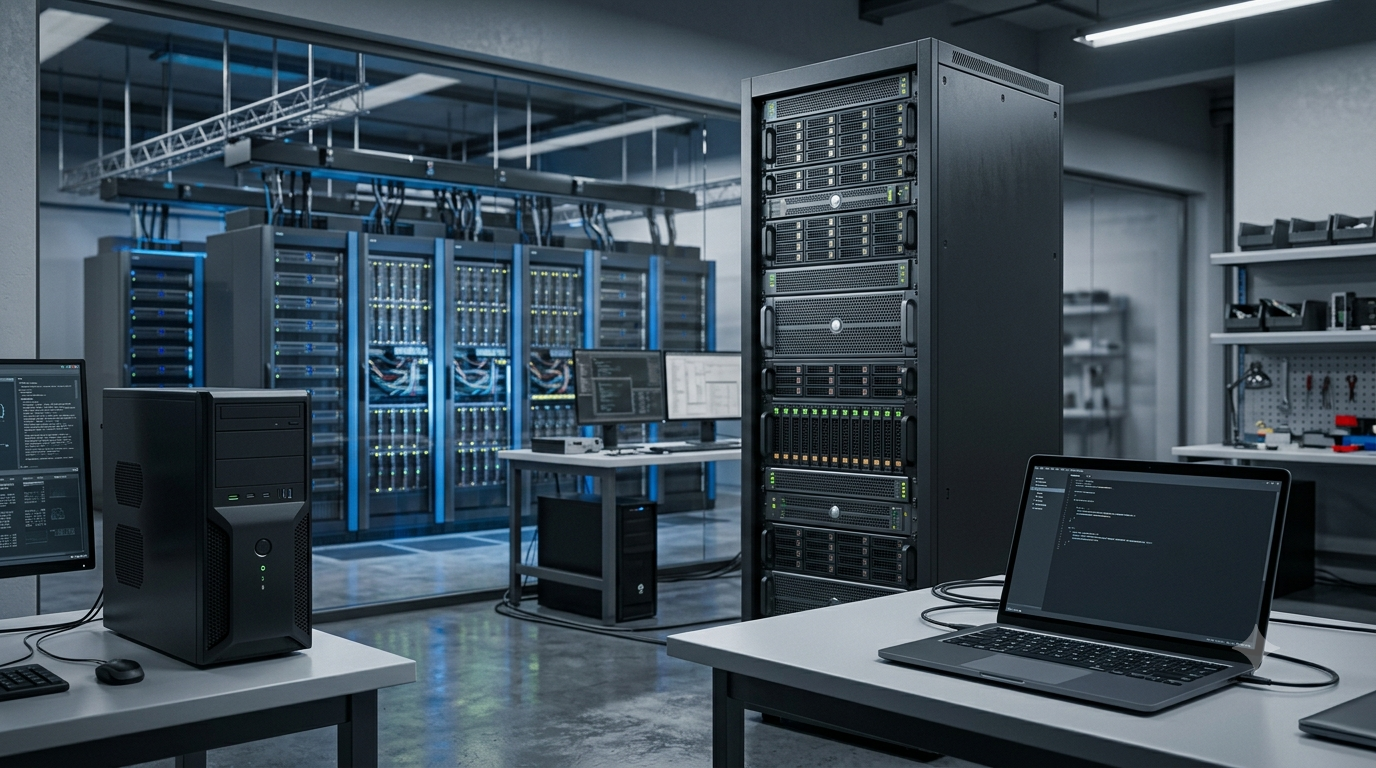
Minicomputers are medium-sized computer systems that historically occupied a position between individual computers and large mainframe systems. They were developed to provide more processing capacity and support multiple users without requiring the cost and complexity of a large mainframe.
These systems became particularly important in universities, research laboratories, manufacturing facilities, and business organizations.
Modern computing has changed significantly, and the term minicomputer is now used less frequently. Many tasks once performed by minicomputers are handled by modern servers, workstation systems, and virtualized computing environments.
Characteristics of minicomputers
Historically supported multiple users simultaneously.
Offered greater processing capacity than many early personal computers.
Could connect multiple terminals and peripheral devices.
Were suitable for departmental computing and industrial applications.
Often provided centralized computing resources for an organization.
Applications of minicomputers
Minicomputers were used for scientific calculations, industrial process control, inventory management, laboratory research, and departmental data processing.
For example, a manufacturing facility could use a minicomputer to collect production data, coordinate equipment, and help monitor manufacturing operations.
Advantages
They provided shared computing resources, supported multiple users, and were generally less expensive than large mainframe systems of their time.
Limitations
Traditional minicomputers required specialized hardware and maintenance. As personal computers became more powerful and server technologies developed, many older minicomputer systems were replaced.
2.3 Mainframe Computers
A mainframe computer is a powerful computer system designed to process large amounts of data, support many simultaneous users, and handle numerous transactions reliably.
Mainframes are especially important in organizations where continuous operation, data integrity, security, and high transaction volumes are essential. Although they are physically larger and more complex than ordinary personal computers, their most important feature is their ability to manage demanding workloads reliably.
Characteristics of mainframe computers
Support large numbers of simultaneous users and applications.
Process high volumes of transactions.
Provide strong reliability and availability features.
Support extensive storage and data management.
Include sophisticated security and access controls.
Are designed for continuous operation and recovery from failures.
Applications of mainframe computers
Mainframes are widely associated with banking, insurance, government services, airline reservation systems, and large business databases.
For example, a bank may use a mainframe to process account transactions, update balances, maintain customer records, and support numerous connected services.
When thousands or millions of transactions must be processed accurately, a mainframe can provide a dependable computing environment.
Advantages
Mainframes are highly reliable, can support many concurrent workloads, and are well suited to large-scale transaction processing. They can also provide centralized control over important organizational data.
Limitations
Mainframe systems can be expensive to acquire, operate, and maintain. They often require specialized expertise and carefully planned infrastructure.
2.4 Supercomputers
A supercomputer is a computer system designed to perform extremely demanding calculations at very high speeds. Supercomputers use large numbers of processors or computing cores working together to solve problems that would take ordinary computers much longer to complete.
Their performance is often measured in floating-point operations per second (FLOPS), a measure of how many floating-point calculations a system can perform each second. Modern high-performance systems can reach petaflop or exaflop performance levels under appropriate measurement conditions.
Characteristics of supercomputers
Provide exceptionally high computational performance.
Use parallel processing to divide large problems into smaller tasks.
Require advanced cooling and power-management systems.
Often contain thousands of processors or computing accelerators.
Are designed for complex mathematical and scientific workloads.
Applications of supercomputers
Supercomputers are used in weather forecasting, climate modeling, astrophysics, molecular research, nuclear simulations, engineering analysis, and artificial intelligence.
For example, scientists can use a supercomputer to simulate atmospheric conditions and improve weather predictions. Researchers may also use these systems to study how molecules interact or how stars and galaxies evolve.
Supercomputers are particularly valuable when a problem requires enormous numbers of calculations or the simulation of complex physical systems.
Advantages
They can solve computationally intensive problems, support large-scale simulations, and accelerate scientific discoveries.
Limitations
Supercomputers require substantial investment, electrical power, cooling infrastructure, and specialized software. Not every problem can benefit equally from their parallel processing capabilities.
3. Comparison of Computers Based on Size and Power
The following table summarizes the traditional categories of computers.
| Type | General characteristics | Common applications |
|---|---|---|
| Microcomputer | Designed mainly for individual use | Education, office work, programming, entertainment |
| Minicomputer | Historically supported multiple users in medium-sized systems | Departmental computing, industrial control |
| Mainframe computer | Handles large workloads and numerous simultaneous transactions | Banking, government, enterprise databases |
| Supercomputer | Optimized for extremely demanding calculations | Scientific simulations, climate research, advanced modeling |
These categories describe broad differences rather than strict technical boundaries. A powerful modern workstation may outperform an older system traditionally classified as a minicomputer. Similarly, servers can perform some tasks associated with mainframes, although the two are not identical in architecture, reliability features, or typical workloads.
4. Types of Computers Based on Purpose
Another way to classify computers is by examining what they are designed to accomplish. From this perspective, computers are divided into general-purpose computers and special-purpose computers.
4.1 General-Purpose Computers
A general-purpose computer is designed to perform many different tasks by running different programs. Instead of being limited to one specific function, it can be used for activities such as document editing, calculations, communication, entertainment, and software development.
Desktop computers and laptops are common examples. Smartphones and many tablets also function as general-purpose computing devices.
Characteristics of general-purpose computers
Can run different types of software.
Support multiple tasks and workflows.
Can be adapted to changing user requirements.
Usually have operating systems that manage hardware and applications.
Can be upgraded or expanded to varying degrees, depending on the device.
Applications
General-purpose computers are used in education, research, healthcare administration, business, graphic design, communication, and personal entertainment.
For example, the same laptop can be used to prepare a scientific article, calculate mathematical expressions, attend a video meeting, edit a photograph, and develop a website.
Advantages
Their flexibility makes them useful in many situations. Users can install new applications or change their workflows without replacing the entire computer.
Limitations
A general-purpose computer may not be as efficient as a specialized system for certain demanding tasks. Its performance also depends on available hardware resources and software compatibility.
4.2 Special-Purpose Computers
A special-purpose computer is designed or configured to perform a particular task or a limited group of related tasks. Its hardware and software are selected to meet the requirements of a specific application.
Some special-purpose computers are built as dedicated systems, while others use general-purpose hardware configured for a specialized role.
Examples include computers used in traffic signal controllers, industrial automation, digital medical equipment, and certain vehicle control systems.
Characteristics of special-purpose computers
Focus on a particular task or application.
May be integrated directly into a machine or device.
Can be optimized for speed, reliability, power consumption, or real-time response.
Often operate with limited direct user interaction.
May use specialized hardware and software.
Applications
Special-purpose computers are found in manufacturing machines, elevators, traffic control systems, medical instruments, digital cameras, and automotive control units.
For example, a washing machine can contain an embedded computer that manages washing cycles, monitors sensors, controls water levels, and adjusts operating times according to the selected program.
Advantages
Special-purpose systems can perform their assigned tasks efficiently and reliably. They may also require fewer resources than a fully flexible computing system.
Limitations
They are generally less flexible than general-purpose computers. Changing their function may require specialized software, hardware modifications, or replacement of the system.
5. Types of Computers Based on the Type of Data Processed
Computers can also be classified according to the way they represent and process information. In this classification, three traditional categories are analog computers, digital computers, and hybrid computers.
5.1 Analog Computers
An analog computer processes information represented by continuously varying physical quantities. These quantities may include voltage, temperature, pressure, speed, or other measurable variables.
Traditional analog computing systems use physical components or electrical circuits to represent mathematical relationships. Unlike digital computers, which process discrete values, analog systems work with continuous signals within their operating range.
Characteristics of analog computers
Work with continuously varying quantities.
Represent physical variables through measurable signals.
Can model certain physical systems directly.
May provide rapid responses for suitable applications.
Can be affected by noise, component variation, and measurement limitations.
Applications
Analog computing techniques have been used in scientific instruments, process-control equipment, simulation systems, and specialized measurement devices.
For example, an analog circuit can be designed to represent the changing behavior of a physical system, such as a particular electrical network.
Analog computers are less common than digital computers in everyday computing, but analog principles remain important in electronics, instrumentation, and signal processing.
5.2 Digital Computers
A digital computer processes information using discrete values. Most modern digital computers use binary digits, known as bits, represented by the symbols 0 and 1.
Digital computers perform operations through electronic circuits and execute instructions according to programmed rules. They can process numbers, text, images, audio, video, and other forms of encoded information.
Characteristics of digital computers
Process discrete data.
Commonly use binary representation.
Support complex calculations and logical operations.
Can store large amounts of digital information.
Produce consistent results when the hardware, instructions, and input conditions are the same.
Applications
Digital computers are used in laptops, desktops, smartphones, servers, digital cameras, banking systems, and scientific research equipment.
For example, a digital computer can calculate mathematical expressions, store scientific measurements, display graphs, and analyze experimental data using suitable software.
Advantages
Digital computers are versatile, support a wide range of applications, and can store and process information accurately. They also allow data to be copied, transmitted, and analyzed using standardized digital formats.
Limitations
Digital systems have finite precision and processing capacity. Some real-world measurements must be converted from analog signals into digital data, which can introduce sampling and quantization limitations.
5.3 Hybrid Computers
A hybrid computer combines analog and digital computing techniques. It is designed to benefit from the measurement capabilities of analog systems and the processing, storage, and control capabilities of digital systems.
Hybrid computing is useful when a system must collect continuously changing physical measurements and process them digitally.
Characteristics of hybrid computers
Combine analog signal handling with digital processing.
Can monitor physical variables in real time.
Use sensors and conversion circuits to connect physical measurements with digital systems.
Support specialized measurement, monitoring, and control tasks.
Applications
Hybrid computing techniques are used in medical monitoring equipment, industrial process-control systems, scientific instruments, and certain simulation environments.
For example, a patient monitoring system may receive continuously varying signals from sensors, convert those signals into digital data, and use a digital processor to calculate measurements and display information.
Strictly speaking, not every modern device that uses sensors is classified as a hybrid computer. The term traditionally refers to systems that combine analog and digital computing functions in a more integrated way.
Advantages
Hybrid systems can handle real-world measurements while also benefiting from digital processing and data storage.
Limitations
They can be more complex to design, calibrate, and maintain because analog and digital components must work together correctly.
6. Embedded Computers and Workstations
Some other computer categories are important in modern computing, even though they do not fit neatly into the traditional size-based classification.
6.1 Embedded Computers
An embedded computer is a computing system built into a larger device or machine to control specific functions. It typically combines a processor, memory, software, and interfaces suited to the device’s purpose.
Embedded computers are common in smart appliances, vehicles, industrial machinery, security systems, and consumer electronics.
For example, a modern car may contain multiple embedded computers that manage engine operation, braking assistance, climate control, and entertainment features.
Embedded computers are often designed to operate with limited power and space. Some must also meet strict timing and safety requirements.
6.2 Workstations
A workstation is a high-performance computer intended for professional or technical work. Workstations often provide powerful processors, substantial memory, specialized graphics capabilities, and support for demanding applications.
They are commonly used by engineers, scientists, architects, animators, and data analysts.
For example, an engineering workstation may be used to create three-dimensional models, perform simulations, or analyze complex technical designs.
Although some workstations resemble ordinary desktop computers, their hardware configurations and reliability requirements may be better suited to specialized professional workloads.
7. Difference Between a Mainframe and a Supercomputer
Mainframes and supercomputers are both powerful systems, but they are designed to solve different types of problems.
A mainframe focuses primarily on reliability, transaction processing, data management, and supporting many simultaneous users or applications. A supercomputer focuses primarily on achieving extremely high computational performance for complex calculations.
Consider two examples. A large bank needs to process financial transactions accurately and maintain consistent account records. A supercomputer is not automatically the best choice for this work because the bank needs dependable transaction processing and data integrity.
On the other hand, researchers simulating the movement of air through the atmosphere may need to perform enormous numbers of mathematical calculations. A supercomputer is well suited to this type of computational workload.
Therefore, the distinction is not simply that one computer is larger or faster than the other. Their architectures and strengths are influenced by their intended applications.
8. How to Choose the Right Type of Computer
The most suitable computer depends on the work it needs to perform. Selecting a computer based only on its size or processor speed can lead to unnecessary expense or insufficient performance.
Several factors should be considered.
1. Purpose: Identify the main tasks. Everyday office work requires different resources from scientific simulations or industrial control.
2. Processing power: Consider the complexity of calculations, the number of applications running simultaneously, and the expected workload.
3. Memory and storage: Applications that handle large datasets, high-resolution media, or complex simulations may need substantial memory and storage capacity.
4. Number of users: An individual user may need a personal computer, while an organization supporting many users may require servers or mainframe systems.
5. Reliability: Systems used in banking, healthcare, manufacturing, or other critical environments may need redundancy, monitoring, and recovery capabilities.
6. Cost and maintenance: Consider not only the purchase price but also energy consumption, software, cooling, maintenance, and technical support.
7. Future requirements: A suitable system should meet current needs while providing a reasonable path for future upgrades or expansion.
For example, a student or writer may need a reliable laptop, a graphic designer may benefit from a workstation, and a research organization may require access to a supercomputer for advanced simulations.
9. The Evolution of Computer Classification
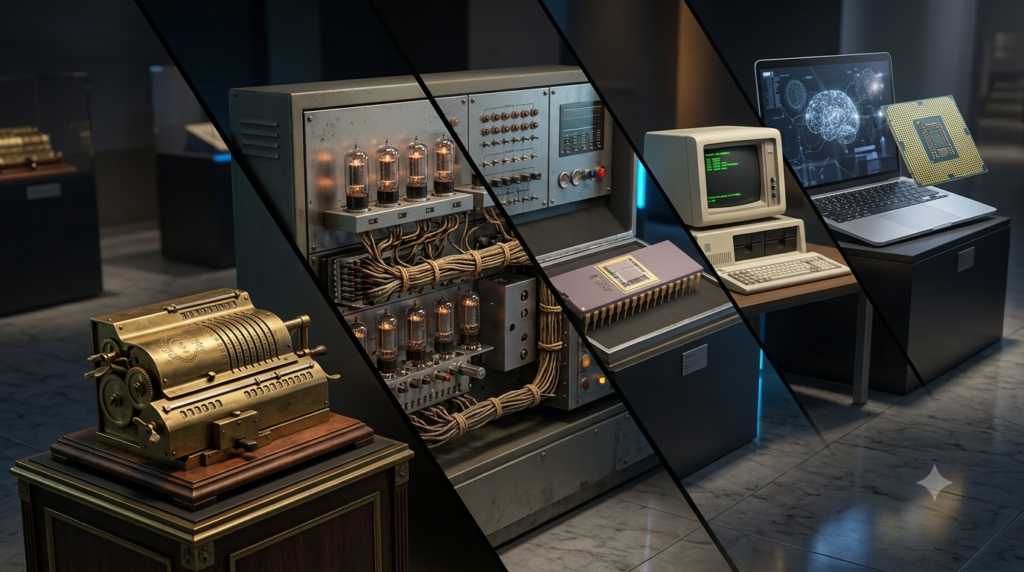
Computer technology has developed rapidly over the past several decades. Early computers often occupied large rooms, while modern microcomputers provide capabilities that once required expensive specialized systems.
Cloud computing has further changed how people access computing resources. Instead of purchasing and maintaining a powerful physical computer, an individual or organization can rent processing power, storage, or specialized computing services from a cloud provider.
Virtualization also allows one physical server to run multiple virtual machines, each operating as a separate computing environment. Meanwhile, graphics processing units (GPUs) and other accelerators support workloads such as scientific simulations, image processing, and artificial intelligence.
These developments mean that traditional classifications remain useful for understanding computer history and broad system roles, but they do not always describe the full complexity of modern computing. Today, factors such as architecture, workload, energy efficiency, parallel processing, and reliability can be more informative than physical size alone.
Conclusion
Computers can be classified in several ways, depending on their size, processing power, intended purpose, and method of processing data. Microcomputers support individual users, minicomputers historically served multiple users in medium-sized environments, mainframes manage large-scale transactions, and supercomputers handle highly demanding calculations. General-purpose computers provide flexibility, while special-purpose computers focus on specific tasks. Analog, digital, and hybrid computers differ in how they represent and process information.
Other categories, including embedded computers and workstations, demonstrate how computing systems are adapted to particular environments and professional needs. Understanding these classifications helps individuals and organizations choose appropriate technologies for education, business, research, and industry. As computing continues to evolve, the most important consideration is not simply how large or powerful a computer is, but how effectively it performs the task for which it is designed.
FAQs
1. What are the main types of computers based on size and processing power?
The main types of computers traditionally classified by size and processing power are microcomputers, minicomputers, mainframe computers, and supercomputers. Microcomputers, such as desktops and laptops, are mainly designed for individual users. Minicomputers historically supported multiple users in medium-sized computing environments. Mainframe computers handle large volumes of data and transactions for organizations such as banks and government agencies. Supercomputers perform extremely complex calculations for scientific research, weather forecasting, and advanced simulations. These categories help explain the different roles computers perform, although modern computing technologies have made the boundaries between some traditional categories less distinct.
2. What is the difference between a microcomputer and a supercomputer?
A microcomputer is generally designed for individual use and everyday computing activities, whereas a supercomputer is built to perform extremely demanding calculations at very high speeds. Microcomputers include laptops, desktop computers, and many personal computing devices. They are commonly used for education, office work, communication, and entertainment. Supercomputers use large numbers of processors or computing accelerators to solve complex scientific and engineering problems. For example, a laptop can prepare a document or analyze a small dataset, while a supercomputer can simulate atmospheric conditions or model complex molecular interactions. Their main differences involve computational performance, cost, infrastructure, and intended applications.
3. What is a mainframe computer used for?
A mainframe computer is primarily used to process large volumes of data, manage transactions, and support many users and applications reliably. These systems are particularly valuable in organizations that require continuous service, secure data management, and accurate transaction processing. Banks may use mainframes to maintain account records, process payments, and manage financial transactions. Insurance companies, government departments, and large enterprises also use them for important information systems. Mainframes are designed with reliability, availability, security, and workload management in mind. Although they can be expensive to operate, they remain useful when an organization must process large amounts of business data consistently.
4. What is the difference between a mainframe computer and a supercomputer?
Mainframe computers and supercomputers are both powerful computing systems, but they are designed for different workloads. A mainframe emphasizes reliable transaction processing, data management, and support for many simultaneous users or applications. It is commonly used in banking, insurance, and large enterprise systems. A supercomputer emphasizes extremely high computational performance and is often used for scientific calculations, climate modeling, and engineering simulations. For example, a bank may rely on a mainframe to process financial transactions, while climate researchers may use a supercomputer to simulate weather patterns. Therefore, the best system depends on the task rather than simply its processing speed.
5. What is the difference between general-purpose and special-purpose computers?
General-purpose computers are designed to perform many different tasks by running various software applications. Examples include laptops and desktop computers used for writing, browsing, programming, communication, and entertainment. Special-purpose computers are designed or configured to perform a specific task or a limited group of related tasks. Examples include computers used in traffic signal controllers, industrial machinery, and certain medical instruments. General-purpose computers offer greater flexibility because users can change their activities by installing different applications. Special-purpose systems can be more efficient for their intended functions because their hardware and software are tailored to particular requirements. Both types are important in modern computing.
6. What are analog, digital, and hybrid computers?
Analog, digital, and hybrid computers differ in how they represent and process information. Analog computers work with continuously varying physical quantities, such as voltage, temperature, or pressure. Digital computers process discrete data and commonly use binary digits represented by 0 and 1. Laptops, smartphones, and desktop computers are examples of digital computers. Hybrid computers combine analog signal handling with digital processing, making them useful for certain measurement, monitoring, and control applications. For example, a hybrid system may collect changing signals from sensors and process the measurements digitally. These categories help explain different computing approaches, although digital systems dominate everyday computing today.
7. What are embedded computers, and where are they used?
Embedded computers are computing systems integrated into larger devices or machines to control specific functions. They generally include a processor, memory, software, and interfaces suited to their intended application. Embedded computers are commonly found in washing machines, vehicles, digital cameras, industrial equipment, security systems, and smart appliances. For example, an embedded computer in a washing machine can control water levels, washing cycles, and operating times. Some embedded systems must respond within strict time limits or operate using very little power. Unlike general-purpose computers, they are usually designed for a specific role rather than a wide range of independent computing activities.
8. What is a workstation computer, and who uses it?
A workstation is a high-performance computer designed for professional, scientific, or technical work. It often includes a powerful processor, substantial memory, and specialized graphics capabilities to support demanding applications. Workstations are commonly used by engineers, architects, scientists, graphic designers, animators, and data analysts. For example, an engineer may use a workstation to create three-dimensional models, run simulations, or analyze complex designs. Compared with an ordinary desktop computer, a workstation may offer better performance or hardware features for specialized workloads. However, not every professional task requires a workstation; a standard desktop or laptop may be sufficient for simpler activities.
9. Which type of computer is best for students and everyday users?
For most students and everyday users, a microcomputer such as a laptop or desktop computer is a suitable choice. These devices can handle common activities, including online learning, document preparation, internet browsing, presentations, video calls, and basic programming. A laptop is particularly useful for people who need portability, while a desktop may provide better upgrade options at a comparable price. The ideal choice depends on the user’s budget, software requirements, storage needs, and expected workload. Most students do not need a mainframe or supercomputer because those systems are intended for specialized organizational or computational tasks rather than routine personal activities.
10. How has modern technology changed the classification of computers?
Modern technology has made traditional computer classifications less rigid. Earlier, computers were often grouped according to physical size and processing capacity. Today, powerful processors, graphics accelerators, virtualization, and cloud computing allow systems to perform tasks that once required specialized machines. For example, a user can access remote high-performance computing resources through a cloud service without owning a supercomputer. Modern servers can also support many applications and users simultaneously. As a result, computer architecture, workload, reliability, energy efficiency, and intended use are increasingly important when comparing systems. Traditional categories remain useful, but they do not fully describe every modern computing environment.