A computer is an electronic device that accepts data, processes it according to a set of instructions, stores information, and produces useful results. Computers are used in homes, schools, offices, hospitals, banks, industries, research laboratories, and almost every area of modern life. Although computers come in different forms, including desktop computers, laptops, tablets, and servers, they all rely on several basic components to perform their tasks.
Understanding the basic components of a computer system helps us learn how computers work and how their different parts communicate with one another. Some components are physical parts that we can touch, while others consist of programs and instructions that control the machine. Input devices, the central processing unit, memory, storage devices, output devices, software, and communication components all contribute to the functioning of a computer system.
In this article, we will explore the major components of a computer system, understand their functions, and examine how they work together to complete everyday tasks.
1. What Is a Computer System?
A computer system is a combination of hardware, software, data, and other supporting components that work together to perform computing tasks. It receives information from users or other devices, processes that information, stores it when necessary, and presents the results in a useful form.
For example, when you type a document on a computer, the keyboard sends your input to the system. The processor executes the instructions of the word-processing application, memory temporarily holds the information being used, and the storage device saves the document for future access. The monitor displays the text so that you can read and edit it.
A computer system generally includes the following major components:
Input devices
Central processing unit (CPU)
Primary memory
Secondary storage
Output devices
Software
Motherboard and other supporting hardware
Communication devices and network interfaces
Each component performs a specific function, but the computer can complete most tasks only when these components work together.
2. Input Devices
Input devices allow users to enter data and instructions into a computer. They convert human actions or information from the outside world into signals that the computer can process.
Without input devices or another source of input, a computer would have no direct way to receive many of the instructions and data needed to perform tasks.
Keyboard
A keyboard is one of the most common input devices. It contains keys for letters, numbers, symbols, and special commands. When a user presses a key, the keyboard sends a corresponding signal to the computer.
Keyboards are used for writing documents, entering passwords, creating spreadsheets, programming, and controlling applications.
Mouse
A mouse is a pointing device that allows users to move a cursor, select items, open files, drag objects, and interact with graphical interfaces. Modern optical and laser mice detect movement using light-based sensors.
Touchpads on laptops perform similar functions and allow users to control the pointer with finger movements.
Scanner
A scanner converts printed documents, photographs, and other physical images into digital data. The resulting digital file can be stored, edited, shared, or processed using suitable software.
Optical character recognition (OCR) software can also identify printed characters in scanned documents and convert them into editable text.
Microphone and Webcam
A microphone captures sound and converts it into digital audio data through the computer’s audio hardware. It is commonly used for voice calls, recording, online meetings, and voice commands.
A webcam captures images or video and is useful for video conferencing, online classes, recording, and facial recognition applications.
Touchscreen and Other Input Devices
A touchscreen allows users to interact directly with displayed content by touching the screen. It combines input and output functions in a single device.
Other input devices include game controllers, graphics tablets, barcode readers, biometric scanners, and sensors. The choice of input device depends on the type of information the computer needs to receive.
3. Central Processing Unit (CPU)
The central processing unit is commonly described as the brain of a computer because it executes program instructions and coordinates many computing operations. It performs calculations, makes logical comparisons, and controls the sequence in which instructions are carried out.
The performance of a CPU depends on several factors, including its architecture, number of cores, clock speed, cache, and efficiency.
Arithmetic Logic Unit (ALU)
The arithmetic logic unit performs arithmetic and logical operations. Arithmetic operations include addition, subtraction, multiplication, and division. Logical operations include comparisons such as determining whether one value is greater than, less than, or equal to another value.
For example, when a spreadsheet calculates the total cost of several items, the CPU executes the required instructions and uses its processing resources to perform the calculations.
Control Unit (CU)
The control unit coordinates the execution of instructions. It fetches instructions from memory, decodes them, and directs the appropriate parts of the processor and other system components to carry them out.
It helps coordinate the movement of data between the CPU, memory, and other hardware components.
CPU Registers
Registers are very small, high-speed storage locations inside the processor. They temporarily hold data, instructions, addresses, and intermediate results that the CPU needs immediately.
Because registers are located within the processor, they can be accessed much faster than ordinary system memory.
CPU Cores and Clock Speed
A CPU core is a processing unit capable of executing instructions. Modern processors often contain multiple cores, allowing them to handle multiple tasks or instruction streams more effectively.
Clock speed is commonly expressed in gigahertz (GHz). It indicates the processor’s clock cycles per second, but it does not directly measure the total amount of work a processor can complete. Two processors with the same clock speed may perform differently because of differences in architecture, core count, cache, and other features.
The CPU works closely with memory and other components to execute programs and manage computing operations.
4. Primary Memory
Primary memory refers to memory that the processor can access directly or through the system’s memory architecture. It holds data and instructions needed during active computing tasks. The main types commonly discussed in basic computer studies are Random Access Memory (RAM) and Read-Only Memory (ROM).
Random Access Memory (RAM)
RAM is the computer’s main working memory. It temporarily stores the programs, data, and instructions that the system is currently using.
For example, when you open a web browser, parts of the browser and its active data are loaded into RAM. If you open several applications simultaneously, the system generally needs more working memory to keep their active data readily available.
RAM is volatile memory, which means its contents are normally lost when power is switched off.
A computer with sufficient RAM can often handle multiple applications more smoothly. However, performance also depends on the processor, storage device, operating system, and the demands of the applications being used.
RAM capacity is commonly measured in gigabytes (GB).
Read-Only Memory (ROM)
ROM is a type of non-volatile memory designed to retain information without continuous power. Traditional ROM stores information that is not routinely changed during normal operation.
Modern computers commonly use flash memory to store firmware, including the instructions required to initialize hardware during startup. Although flash memory can be updated, it serves a role similar to traditional ROM in basic computer-system explanations.
Cache Memory
Cache memory is a small, high-speed memory used to keep frequently needed data and instructions close to the processor. It reduces the time the CPU may otherwise spend waiting for information from slower memory.
Processors commonly have multiple cache levels, such as L1, L2, and L3. These levels differ in capacity, speed, and design.
Cache memory improves access efficiency by taking advantage of the fact that programs often reuse recently accessed data or repeatedly access nearby memory locations.
5. Secondary Storage Devices
Secondary storage provides long-term storage for programs, documents, photographs, videos, operating systems, and other digital information. Unlike RAM, secondary storage retains its contents when the computer is turned off.
It usually offers much greater storage capacity than primary memory, although access speeds vary by technology.
Hard Disk Drive (HDD)
A hard disk drive stores data on rotating magnetic disks. A mechanical read/write mechanism accesses information on these disks.
HDDs are commonly used for storing large amounts of data at a relatively affordable cost per unit of capacity. However, their mechanical parts generally make them slower and more vulnerable to physical shock than solid-state drives.
Solid-State Drive (SSD)
A solid-state drive stores data in flash memory and has no moving mechanical parts. SSDs generally provide faster data access, quicker startup, and faster application loading than traditional HDDs.
They are widely used in modern laptops and desktop computers. Their performance varies according to the drive technology and interface.
Optical Discs
CDs, DVDs, and Blu-ray discs store data using optical technology. A laser reads information encoded on the disc, and compatible drives may also record data onto writable discs.
Optical discs are less common in many modern computers but remain useful for certain media, software distribution, and archival purposes.
USB Flash Drives and Memory Cards
USB flash drives are portable storage devices that connect through a USB port. Memory cards, such as SD cards, are used in cameras, mobile devices, and other electronics.
These devices make it easy to transfer files between compatible systems. External HDDs and SSDs also provide additional storage and backup options.
Why Secondary Storage Is Important
Secondary storage preserves information beyond a single computing session. For example, when you save a document, the computer writes the file to a storage device. You can then reopen the document after restarting the computer.
Regular backups are important because storage devices can fail, files can become corrupted, and data can be accidentally deleted.
6. Output Devices
Output devices present the results of computer processing in a form that people or other systems can use. Depending on the device, output may appear as text, images, sound, printed material, or physical movement.
Monitor
A monitor displays text, images, videos, and graphical interfaces. It allows users to view documents, browse websites, edit images, watch videos, and interact with software.
Important monitor characteristics include screen size, resolution, refresh rate, brightness, and colour reproduction.
Resolution refers to the number of pixels used to form the displayed image. A higher resolution can provide more visual detail when supported by the screen size, content, and graphics hardware.
Printer
A printer produces physical copies of digital information. Printers are useful for documents, photographs, reports, forms, and educational materials.
Inkjet printers commonly use liquid ink, while laser printers use toner and a laser-based imaging process. Three-dimensional printers can produce physical objects from digital models and are used in engineering, design, research, and manufacturing.
Speakers and Headphones
Speakers and headphones convert audio signals into sound. They allow users to listen to music, watch videos, attend online meetings, hear alerts, and use audio-based applications.
Headphones provide personal listening, while speakers produce sound that can be heard by people nearby.
Projectors
A projector displays computer-generated images or video on a larger surface, such as a wall or projection screen. It is frequently used in classrooms, conference rooms, presentations, and training sessions.
Some devices, such as touchscreens and multifunction printers, can perform both input and output functions.
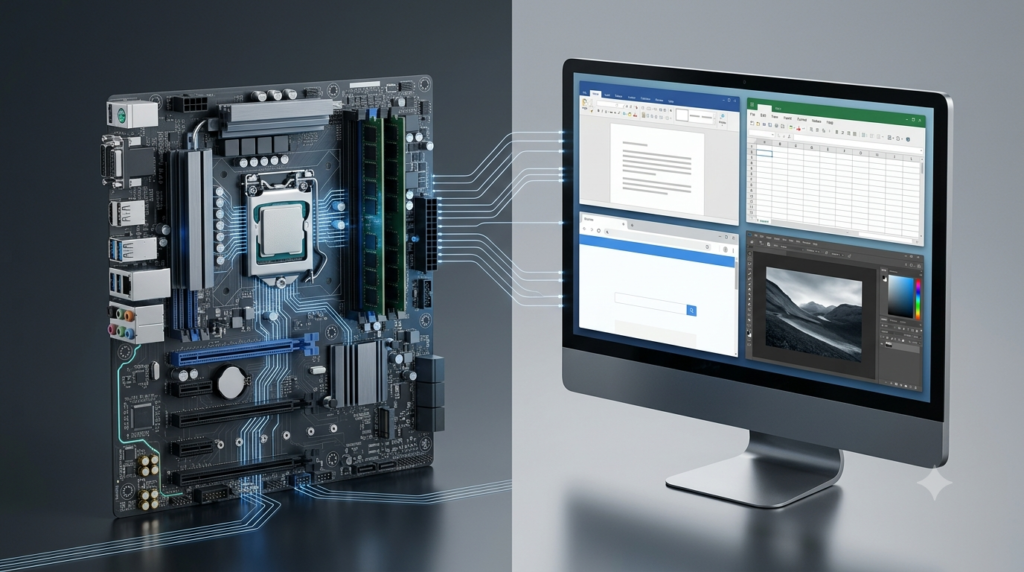
7. Motherboard
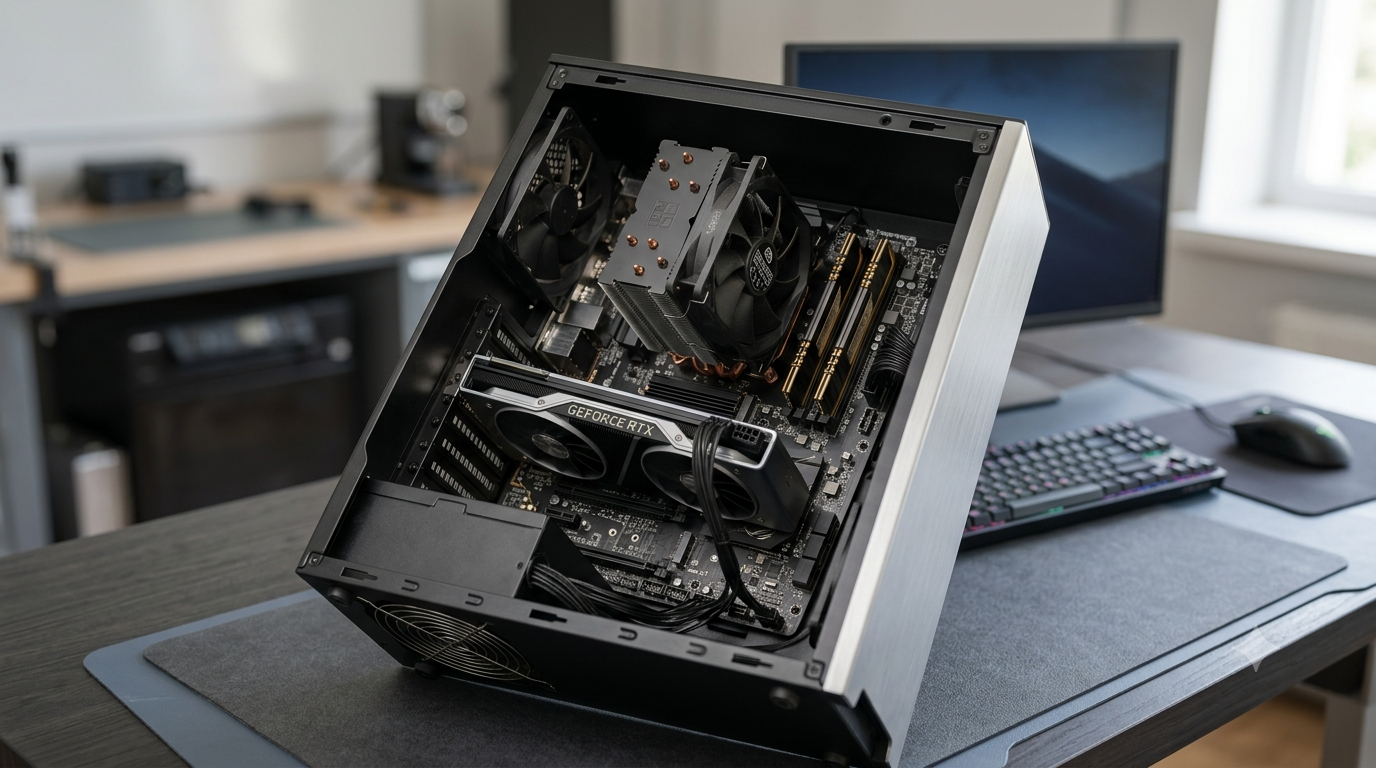
The motherboard is the main circuit board of a computer. It provides the physical connections and communication pathways that allow the processor, memory, storage devices, and other hardware components to work together.
The motherboard also supports power distribution and communication between connected components.
CPU Socket
The CPU socket holds a compatible processor and establishes its electrical connection with the motherboard. Different processor families require specific socket types, so not every CPU can be installed on every motherboard.
Memory Slots
Memory slots hold RAM modules. The number and type of supported modules depend on the motherboard and processor platform.
Installing compatible memory in the correct slots can help the system operate according to its supported memory configuration.
Expansion Slots
Expansion slots allow users to install additional hardware, such as graphics cards, network cards, and other expansion devices. PCI Express (PCIe) is a widely used interface for these components.
Storage Connectors and Ports
Motherboards provide connections for storage devices and external peripherals. These may include SATA connectors, M.2 slots, USB ports, audio connectors, and display connections.
The motherboard helps the components communicate, but the system’s overall performance depends on the capabilities and compatibility of the entire hardware configuration.
8. Graphics Processing Unit (GPU)
A graphics processing unit is designed to perform operations that are especially useful for creating and displaying images. It processes graphics data for applications such as desktop interfaces, video playback, three-dimensional modelling, animation, and games.
Modern GPUs can also perform parallel computations for scientific simulations, machine learning, image processing, and other workloads.
Integrated Graphics
Integrated graphics are built into the processor or another part of the main computing platform. They commonly use system memory for graphics tasks and are suitable for everyday computing, video playback, office work, and some creative applications.
Dedicated Graphics
A dedicated graphics card contains a separate GPU and commonly includes its own video memory, known as VRAM. Dedicated graphics hardware is useful for demanding games, professional visual applications, complex 3D work, and certain computational tasks.
A dedicated GPU is not essential for every computer. Basic office work and web browsing may run well with integrated graphics, while specialised workloads can benefit substantially from more powerful graphics hardware.
9. Power Supply Unit (PSU)
The power supply unit converts electricity from a wall outlet into the regulated direct-current power required by computer components. It distributes appropriate power to the motherboard, processor, storage devices, graphics card, and other hardware.
A reliable PSU is important for system stability and component protection. Its capacity should be appropriate for the computer’s expected power consumption, particularly when using a high-performance processor or graphics card.
Power supplies also differ in efficiency, connector types, physical size, and protection features. Choosing a compatible unit helps ensure that all components receive suitable power.
Laptops usually use an external power adapter together with internal power-management circuitry and a rechargeable battery.
10. Cooling System
Computer components generate heat while operating. If temperatures become too high, the system may reduce performance, become unstable, or suffer hardware damage over time.
A cooling system helps remove excess heat and maintain suitable operating temperatures.
Cooling Fans
Fans move air through the computer case and across components such as the processor, graphics card, and power supply. Proper airflow helps carry heat away from important parts.
Heat Sinks
A heat sink transfers heat away from a component into a larger surface area, where the heat can dissipate into the surrounding air. Many processors and graphics cards use heat sinks as part of their cooling systems.
Liquid Cooling
Liquid cooling systems circulate coolant through a loop to transfer heat away from components. They are often used in high-performance computers, although many systems operate effectively with conventional air cooling.
Good ventilation, suitable component placement, and regular dust removal can help a computer maintain reliable performance.
11. Software
Hardware provides the physical resources of a computer, but software tells those resources what to do. Software consists of programs, instructions, and related information used to perform tasks.
Software is generally divided into system software and application software.
System Software
System software manages computer hardware and provides the environment in which applications operate.
The operating system is one of its most important parts. Examples include Microsoft Windows, macOS, Linux distributions, Android, and iOS.
An operating system manages memory, schedules processor tasks, controls files, coordinates devices, and provides a user interface. It also allows applications to access hardware through appropriate system services and drivers.
Device drivers help the operating system communicate with particular hardware devices, such as printers, graphics adapters, and audio interfaces.
Other system software includes firmware and utility programs used for maintenance, security, and system management.
Application Software
Application software enables users to perform specific tasks. Examples include word processors, web browsers, spreadsheets, image editors, media players, accounting programs, and educational applications.
For instance, a spreadsheet application can calculate totals, organise data, create charts, and analyse information. A web browser allows users to access websites and web-based services.
Programming Software
Programming software helps developers create, test, and maintain computer programs. It includes code editors, compilers, interpreters, debuggers, and integrated development environments.
Programming tools translate or execute instructions written in programming languages and help developers identify errors.
Hardware and software depend on one another: hardware provides the resources, while software uses those resources to carry out useful tasks.
12. Communication Devices and Network Components
Communication components allow computers to exchange information with other devices over wired or wireless connections. They make activities such as browsing the internet, sharing files, sending emails, and accessing remote servers possible.
Network Interface Card (NIC)
A network interface enables a computer to connect to a network. It may support a wired Ethernet connection, wireless networking, or both.
Network interfaces send and receive data according to the communication standards they support.
Wi-Fi Adapter
A Wi-Fi adapter allows a computer to connect to compatible wireless networks. It may be integrated into the motherboard or installed as a separate device.
Wi-Fi is useful when a wired connection is inconvenient, although connection quality depends on distance, interference, network equipment, and other factors.
Modem and Router
A modem provides a connection between a local network and an internet service provider’s network using the technology supplied by that provider. The exact function depends on the type of internet connection.
A router forwards data between networks and commonly allows multiple devices to share an internet connection. Home routers often combine routing, Wi-Fi access, and other networking functions in one device.
These components extend a computer system’s capabilities beyond a single machine, enabling communication and access to online resources.
13. How the Components of a Computer Work Together
The components of a computer system operate as an interconnected unit. A task usually involves receiving input, processing data, using memory, and presenting or storing the result.
Consider what happens when you calculate the total of several numbers in a spreadsheet.
Input: You enter numbers and a formula using the keyboard or another input device.
Software instructions: The spreadsheet application interprets the formula and determines the required calculation.
Memory: The operating system and application keep the relevant program instructions and data available in memory.
Processing: The CPU executes the instructions and performs the necessary arithmetic operations.
Graphics processing: The system prepares the visual information needed to display the updated spreadsheet. Depending on the hardware and software, graphics work may involve integrated or dedicated graphics resources.
Output: The monitor displays the calculated result.
Storage: When you save the spreadsheet, the computer writes the document to an SSD, HDD, or another storage device.
Communication between components occurs through the computer’s internal interfaces and system architecture. The operating system coordinates many of these activities, while the motherboard provides the physical connections required by the hardware.
This process happens rapidly, allowing users to interact with applications without needing to manage each hardware operation manually.
14. Basic Computer Performance Factors
A computer’s performance is not determined by a single component. It depends on how well its hardware and software work together.
Several important factors influence performance.
Processor Performance
The CPU affects how quickly many instructions can be executed. Its architecture, core count, clock speed, cache, and power limits all influence performance.
Tasks such as calculations, application logic, and many general-purpose operations depend significantly on processor capability.
RAM Capacity
Sufficient RAM helps a computer keep active programs and data readily available. When physical memory becomes insufficient, the operating system may move some data to storage, which is generally slower than RAM.
Adding RAM can improve performance when a system is limited by memory capacity, but it may have little effect when another component is the main limitation.
Storage Speed
An SSD generally provides faster access to stored data than a traditional HDD. This can improve startup times, application loading, file operations, and other activities involving storage.
Storage capacity is also important because a computer needs sufficient space for the operating system, applications, and personal files.
Graphics Capability
The GPU affects performance in graphics-intensive applications, games, video production, 3D rendering, and certain parallel computing workloads.
For simple tasks, integrated graphics may be sufficient. More demanding visual work may require a stronger graphics solution.
Cooling and Power
A computer must receive adequate power and remain within suitable operating temperatures. Excessive heat can cause processors and graphics hardware to reduce their operating speeds, while inadequate power can contribute to instability.
Software Efficiency
Well-designed software can make effective use of available hardware. Background applications, unnecessary startup programs, outdated drivers, malware, and inefficient software may reduce performance.
For this reason, upgrading hardware is not always the only way to improve a computer’s responsiveness.
15. Difference Between Hardware and Software
Hardware and software are two fundamental parts of a computer system, but they serve different purposes.
| Feature | Hardware | Software |
|---|---|---|
| Meaning | Physical components of a computer | Programs and instructions |
| Physical form | Can generally be touched | Cannot be physically touched as a program |
| Examples | CPU, RAM, keyboard, monitor, SSD | Operating system, browser, word processor |
| Main function | Provides computing and input/output resources | Directs hardware to perform tasks |
| Maintenance | May require cleaning, repair, or replacement | May require updates, troubleshooting, or reinstallation |
| Dependency | Needs appropriate software or firmware to perform useful tasks | Needs compatible hardware to execute |
For example, a keyboard is hardware because it is a physical input device. A word-processing application is software because it contains instructions that allow users to create and edit documents.
Neither hardware nor software alone provides the complete functionality of a general-purpose computer. They must work together to carry out useful operations.
Conclusion
The basic components of a computer system perform different but closely connected functions. Input devices receive information, the CPU executes instructions, primary memory keeps active data available, and secondary storage preserves information for future use. Output devices present results, while the motherboard, GPU, power supply, and cooling system support the computer’s operation. Software controls these resources, and communication components allow computers to exchange data with other devices and networks.
Understanding these components makes it easier to learn how computers process information, identify hardware requirements, troubleshoot common problems, and choose suitable systems for different needs. Whether a computer is used for simple office work, scientific research, education, communication, or advanced computing, its effectiveness depends on the coordinated operation of its hardware and software.
FAQs
1. What are the basic components of a computer system?
The basic components of a computer system include input devices, the central processing unit (CPU), primary memory, secondary storage, output devices, software, and supporting hardware. Input devices receive data and instructions, while the CPU processes information. Primary memory holds data needed during active tasks, and secondary storage saves information for long-term use. Output devices present the results to users. Software provides instructions that tell the hardware what to do. Other components, such as the motherboard, power supply, graphics processing unit, cooling system, and network interface, support the computer’s operation and communication.
2. What is the function of the CPU in a computer system?
The central processing unit (CPU) executes program instructions and coordinates many computing operations. It performs arithmetic calculations, logical comparisons, and other operations required by software. The CPU includes important elements such as the arithmetic logic unit, control unit, and registers. The arithmetic logic unit performs calculations and comparisons, while the control unit coordinates instruction execution. Registers temporarily hold data and instructions needed immediately by the processor. Modern CPUs often contain multiple cores, allowing them to handle several tasks more efficiently. The CPU works with memory and other components to execute programs and produce useful results.
3. What is the difference between RAM and ROM?
RAM and ROM are types of primary memory with different purposes. Random Access Memory (RAM) temporarily holds the programs and data a computer is actively using. It is volatile memory, meaning its contents are normally lost when power is removed. Read-Only Memory (ROM) traditionally stores instructions that must remain available without continuous power. Modern computers commonly use updateable flash memory to store firmware needed during startup. RAM supports everyday activities such as browsing and editing documents, while firmware memory helps initialise and control hardware. Both contribute to computer operation, but their functions and methods of retaining information differ.
4. What is the difference between primary memory and secondary storage?
Primary memory provides fast access to information needed during computing operations, while secondary storage preserves data for long-term use. RAM is a common example of primary memory because it holds active programs and data. Secondary storage includes solid-state drives, hard disk drives, USB flash drives, and memory cards. RAM is generally faster than secondary storage but usually has less capacity and loses its contents when power is removed. Secondary storage retains saved files when the computer is turned off. Both are essential because a computer needs fast working space as well as a reliable place to store programs and personal information.
5. What are input and output devices in a computer?
Input devices allow users to provide data and instructions to a computer. Examples include keyboards, mice, microphones, scanners, webcams, and touchscreens. These devices convert user actions or external information into signals that the computer can process. Output devices communicate the results of processing to users or other systems. Common examples include monitors, printers, speakers, headphones, and projectors. Some devices perform both functions. For example, a touchscreen displays visual information and accepts touch input. Input and output devices are important because they allow people to interact with computers, enter information, receive results, and control applications effectively.
6. What is the motherboard, and why is it important?
The motherboard is the main circuit board of a computer. It provides connections that allow the CPU, RAM, storage devices, graphics hardware, and other components to communicate. It also supports power distribution and provides connectors for external peripherals. Important motherboard features include the CPU socket, memory slots, expansion slots, storage connectors, and input/output ports. The motherboard must be compatible with the processor, memory, and other installed components. Although it does not perform every computing task itself, it provides the essential physical infrastructure that connects the system. Without a suitable motherboard, the computer’s components cannot operate together as an integrated system.
7. What is the difference between hardware and software?
Hardware refers to the physical parts of a computer, such as the processor, keyboard, monitor, motherboard, RAM, and storage drive. Software consists of programs and instructions that tell the hardware how to perform tasks. Examples include operating systems, web browsers, word processors, and games. Hardware provides the resources required for computing, while software uses those resources to complete useful operations. For example, a keyboard receives typed input, and a word-processing application processes that input to create a document. Hardware may require physical repair or replacement, whereas software may require updates, troubleshooting, or reinstallation. Both are necessary for a functioning computer system.
8. What is the function of a GPU in a computer?
A graphics processing unit (GPU) handles graphics-related operations and can also perform other types of parallel computation. It helps generate images, display visual effects, play videos, and support three-dimensional applications. Integrated GPUs are built into the processor or main computing platform and are suitable for many everyday tasks. Dedicated GPUs are separate graphics processors that often include their own video memory, known as VRAM. They are useful for demanding activities such as gaming, 3D rendering, video production, and certain scientific calculations. Not every computer needs a powerful dedicated GPU. The appropriate graphics solution depends on the applications and workloads the user intends to run.
9. How do the components of a computer work together?
Computer components work together through a coordinated process. Input devices provide data and instructions, and software determines the operations required to complete a task. The CPU executes the instructions while using primary memory to access active data. The motherboard provides connections between the processor, memory, storage, and other hardware. When the task produces a result, output devices present it to the user. If the information needs to be preserved, the computer saves it to secondary storage. For example, when a user writes a document, the keyboard supplies input, the CPU processes instructions, the monitor displays the text, and the storage device saves the file.
10. Which computer components are most important for better performance?
Computer performance depends on the task and the balance between its components. The CPU influences instruction execution, while RAM capacity affects how many programs and data sets can remain readily available. An SSD can improve startup times and application loading compared with a traditional HDD. A capable GPU is important for gaming, 3D modelling, and graphics-intensive work. Cooling helps components maintain suitable operating temperatures, and an adequate power supply supports stable operation. Software efficiency also matters because unnecessary background programs can consume system resources. Rather than upgrading every component, users should identify the main performance limitation and select compatible hardware that addresses their actual computing needs.