Computers have become an essential part of modern life. We use them to communicate with others, study new subjects, perform calculations, manage businesses, create digital content, and access information from around the world. Computers are found in homes, schools, hospitals, offices, laboratories, banks, factories, and many other places. Although computers are used for different purposes, they share the same basic principle: they accept data, process it according to instructions, and produce useful results.
A computer may look like a simple electronic device, but it performs millions or even billions of operations in a short time. It combines hardware, software, memory, and electrical signals to complete tasks accurately and efficiently. Understanding what a computer is and how it works helps us understand the technology behind smartphones, laptops, digital services, and modern scientific discoveries.
What Is a Computer?
A computer is an electronic device that accepts data as input, processes that data according to a set of instructions, stores information when needed, and produces meaningful results as output.
For example, when you use a calculator application to add two numbers, you enter the numbers using a keyboard, touchscreen, or mouse. The computer processes the numbers using instructions from the application and displays the answer on the screen.
Computers can perform simple tasks, such as adding numbers, as well as complex tasks, such as analyzing scientific data, controlling industrial machines, and simulating weather conditions.
A computer does not understand information in exactly the same way a human does. It follows instructions represented in a form that its electronic components can process. The quality of its results depends on the instructions, the data it receives, and the way the task is designed.
Definition of a Computer
A computer can be defined as an electronic, programmable device that receives data, processes it according to instructions, stores data and results, and produces output.
The main characteristics of a computer include speed, accuracy, storage capacity, automation, and the ability to perform many different tasks by running different programs.
What Are the Main Functions of a Computer?
A computer performs several basic functions to transform raw data into useful information. These functions are commonly explained through the input, processing, output, and storage cycle.
1. Input
Input is the process of entering data and instructions into a computer. Data may include numbers, words, images, sounds, or video.
Common input devices include keyboards, mice, microphones, scanners, webcams, and touchscreens.
For example, when you type a sentence into a document, the keyboard sends signals representing the characters you press. The computer receives these signals and makes the text available to the application.
2. Processing
Processing is the operation in which a computer works on input data according to instructions. The central processing unit, or CPU, performs many of the calculations and logical operations required by programs.
For example, when you calculate the total price of several products, the computer uses arithmetic operations to combine the prices and determine the result.
Processing can involve calculations, comparisons, decision-making operations, data sorting, image manipulation, and many other activities.
3. Output
Output is the information produced after processing. It allows users to see, hear, or otherwise use the results of a computer’s work.
Common output devices include monitors, printers, speakers, and projectors.
For example, a computer displays the result of a calculation on a screen. When a document is printed, the printer produces a physical copy of the digital information.
4. Storage
Storage allows a computer to retain data, instructions, and results for later use. Computers use different types of storage depending on how quickly information must be accessed and how long it needs to be preserved.
Random access memory (RAM) temporarily holds information needed by running programs. Solid-state drives (SSDs) and hard disk drives (HDDs) can store files, applications, and operating systems for long periods.
For example, when you save a photograph on your computer, the image is written to a storage device so that you can open it again later.
How Does a Computer Work?
A computer works by combining electronic hardware with software instructions. When a user performs an action, such as opening a program or entering data, the computer receives the relevant input, processes instructions, uses memory and storage as needed, and provides a result.
The process begins with the operating system and application software coordinating the task. The CPU executes machine instructions, while RAM temporarily holds the data and instructions needed during execution. Other components, such as storage devices, graphics processors, and input/output controllers, contribute to the operation.
For example, consider what happens when you open a photograph saved on your computer.
First, you select the image using a mouse or touchscreen. The operating system receives the request and identifies the file. The computer retrieves the image data from storage and loads the required information into memory. An image-viewing application interprets the file, and the graphics system prepares the image for display. Finally, the monitor shows the photograph.
These steps happen so quickly that the process usually appears almost instantaneous.
The Basic Working Cycle of a Computer
The working cycle of a computer can be summarized as follows:
Input → Processing → Output
Storage supports the entire cycle by keeping data, programs, and results available when needed.
For example, when you enter marks for students into a spreadsheet, the computer receives the numbers as input, calculates totals or averages, displays the results as output, and can save the spreadsheet for future use.
What Are the Main Components of a Computer?
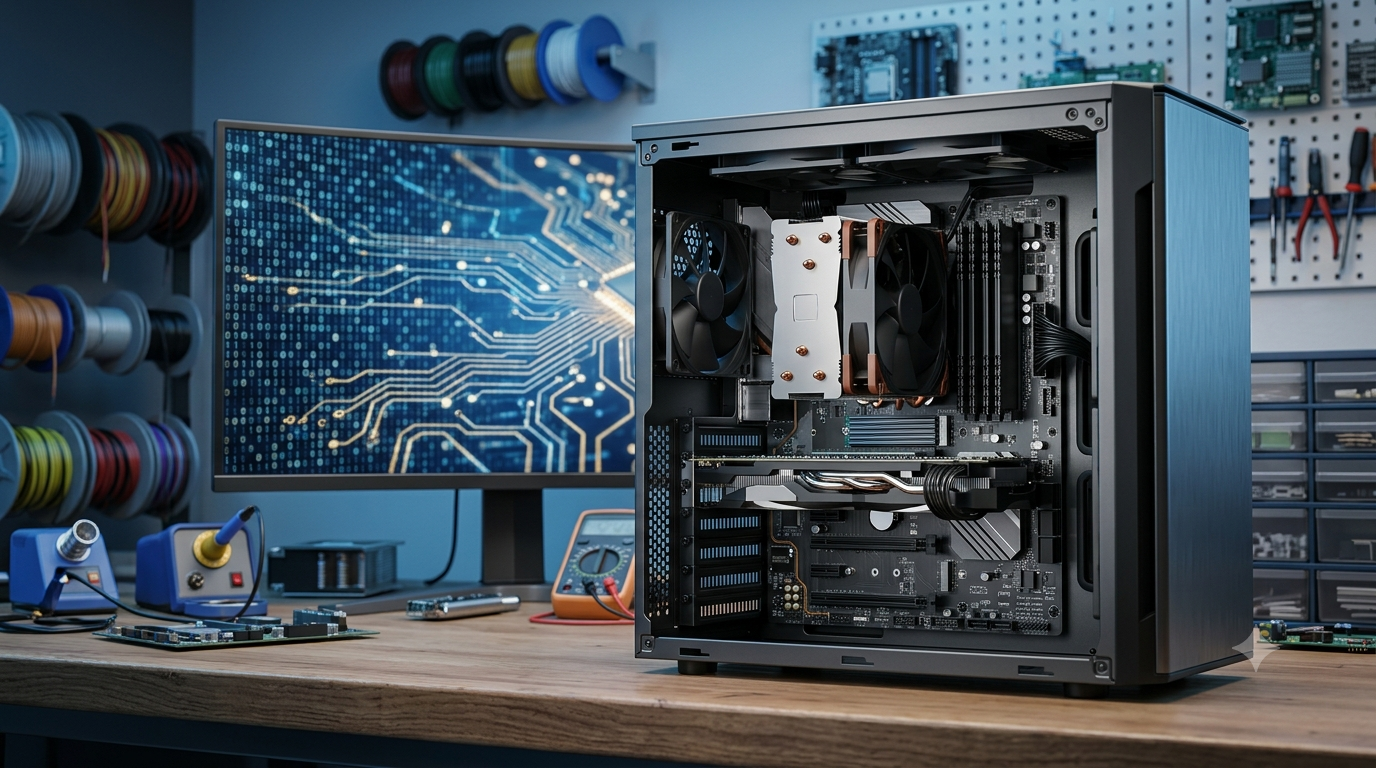
A computer consists of physical components called hardware and programs called software. Both are necessary for most general-purpose computing tasks.
1. Central Processing Unit (CPU)
The central processing unit is often called the brain of the computer because it executes program instructions and performs many arithmetic and logical operations.
The CPU works with data stored in registers and memory. It fetches instructions, decodes them, and executes them. Modern processors can perform many operations in parallel and may contain multiple processing cores.
The CPU is especially important for tasks such as running applications, performing calculations, managing program instructions, and coordinating other operations.
However, the CPU does not work alone. It depends on memory, storage, input/output systems, and other components to complete tasks.
2. Memory (RAM)
Random access memory, or RAM, is the computer’s main working memory. It temporarily stores data and instructions that the CPU needs while programs are running.
For example, when you open a web browser, some of its code and working data are loaded into RAM. When you open several browser tabs, the computer may use additional memory to manage their contents.
RAM is generally volatile, meaning its contents are lost when power is removed. This is why unsaved work can disappear if a computer suddenly shuts down.
Having sufficient RAM helps a computer run multiple applications smoothly, although performance also depends on the processor, storage, software, and workload.
3. Storage Devices
Storage devices preserve information even when the computer is switched off.
The two common types of internal storage are solid-state drives and hard disk drives.
An SSD uses flash memory and has no moving mechanical parts. It generally provides faster access to data than a traditional HDD. An HDD stores information on rotating magnetic disks and uses mechanical components to read and write data.
Storage holds the operating system, applications, documents, photographs, videos, and other files.
Unlike RAM, storage is designed to retain information over time, although files can still be lost through accidental deletion, hardware failure, or other problems.
4. Motherboard
The motherboard is the main circuit board that connects many of the computer’s essential components.
It provides electrical connections and communication pathways between the CPU, RAM, storage interfaces, expansion devices, and other hardware.
The motherboard also contains supporting circuits and connectors that help different components communicate with one another.
Without these connections, the individual components would not function as a coordinated computer system.
5. Input Devices
Input devices allow users or external systems to provide data and instructions to a computer.
Examples include:
Keyboard for entering text and commands.
Mouse for selecting objects and controlling a pointer.
Microphone for capturing sound.
Scanner for converting physical documents into digital images.
Webcam for capturing photographs and video.
Touchscreen for accepting touch-based input.
Some computers also receive input from sensors, network connections, and specialized scientific instruments.
6. Output Devices
Output devices present processed information in a useful form.
A monitor displays text, images, videos, and graphical interfaces. A printer produces physical documents. Speakers convert digital audio information into sound.
Some devices can perform both input and output functions. For example, a touchscreen displays information and detects a user’s touch.
7. Graphics Processing Unit (GPU)
The graphics processing unit is designed to handle graphics and other highly parallel computations.
A GPU helps render images, animations, and video for display. It is also used in applications such as scientific simulations, machine learning, and large-scale numerical calculations.
Some computers have integrated graphics built into the processor or a related chip, while others use a separate graphics card.
The GPU complements the CPU rather than replacing it. Each is suited to different kinds of work.
What Is the Role of Software in a Computer?
Hardware provides the physical machinery, but software tells the computer what tasks to perform. Without suitable software, a general-purpose computer cannot carry out useful tasks in the way users expect.
Software is commonly divided into system software and application software.
1. System Software
System software manages the computer’s hardware and provides the environment in which applications run.
The operating system is the most important example. Common operating systems include Microsoft Windows, macOS, Linux distributions, Android, and iOS.
An operating system manages memory, files, running programs, devices, and user access. It also provides an interface through which users interact with the computer.
When you open an application, the operating system helps load it into memory, allocate resources, and coordinate its interaction with hardware.
2. Application Software
Application software helps users complete specific tasks.
Examples include word processors, web browsers, spreadsheet programs, image editors, games, and scientific applications.
A word processor helps create documents, while a spreadsheet performs calculations and organizes data. A web browser retrieves and displays web content, and a scientific application may analyze experimental measurements.
Different applications can use the same computer hardware because software provides different instructions for the machine to execute.
3. Programming Languages
Programmers write software using programming languages such as Python, C, C++, Java, and JavaScript.
These languages allow developers to express instructions in forms that are easier for people to create and understand than raw machine code.
Depending on the language and implementation, programs may be compiled, interpreted, or executed using a combination of techniques. Ultimately, the computer’s processor executes machine-level instructions.
Programming enables computers to perform tasks ranging from simple calculations to complex simulations and automated processes.
How Does a Computer Understand Data?
Computers use binary representation to process digital information. Binary is a number system that uses only two digits: 0 and 1.
Electronic circuits can represent these two states using different physical conditions, such as voltage ranges. A binary digit is called a bit.
A bit can represent one of two possible values. Groups of bits can represent numbers, letters, instructions, colors, sounds, and other forms of information.
Bits and Bytes
A group of eight bits is called a byte. Bytes are commonly used to measure data and storage capacity.
For example, a text character may occupy one byte in some encoding systems, while other characters can require multiple bytes. Images and audio files generally require much more data.
Computer memory and storage are built to represent and manipulate large collections of bits efficiently.
Binary Representation of Numbers
Computers can represent numbers using binary notation. In the decimal system, each digit represents a power of ten. In the binary system, each position represents a power of two.
For example, the binary number 1011 represents the decimal number 11.
The calculation is:
<pre> Binary: 1011 Decimal value: 1 × 2³ + 0 × 2² + 1 × 2¹ + 1 × 2⁰ = 8 + 0 + 2 + 1 = 11 </pre>
This is an example of how a familiar number can be represented in a form suitable for digital processing.
How Computers Represent Text, Images, and Sound
Text is represented using character-encoding systems such as Unicode. These systems assign numerical representations to characters, allowing computers to store and process written languages.
Digital images consist of pixels, each of which stores information about color and brightness. The number of pixels and the number of bits used to represent each pixel influence an image’s detail and file size.
Digital audio represents sound through numerical samples taken at regular intervals. The sampling rate and bit depth affect how the sound is represented.
Although text, images, and sound appear very different to humans, computers can store and process all of them as digital data.
How Does the CPU Process Instructions?
The CPU executes instructions through a process commonly described as the fetch-decode-execute cycle.
1. Fetch
The CPU retrieves the next instruction from memory. The instruction may tell it to perform a calculation, move data, compare values, or change the sequence of execution.
2. Decode
The CPU interprets the instruction to determine what operation is required and which data or registers are involved.
3. Execute
The CPU performs the required operation. This may involve arithmetic, logical comparisons, moving data, or directing another part of the system to perform an action.
4. Store or Continue
The result may be placed in a register or written to memory. The CPU then proceeds to another instruction, unless the program’s control flow requires a different action.
This cycle repeats at extremely high speed. Modern CPUs use additional techniques, including pipelining, prediction, and parallel execution, to improve performance.
For example, a program that calculates the sum of two numbers may cause the CPU to load the values, execute an addition instruction, and make the result available to the program.
What Is the Difference Between Hardware and Software?
Hardware and software are closely related, but they have different roles.
Hardware refers to the physical parts of a computer that can be manufactured and assembled. Examples include the CPU, RAM, motherboard, monitor, keyboard, and storage drive.
Software refers to programs and instructions that direct the hardware to perform tasks. Examples include operating systems, browsers, games, and word processors.
The two depend on each other. Hardware provides the resources needed to execute instructions, while software determines which operations should be performed.
For example, a keyboard is hardware, but the software that interprets its input and places characters into a document is part of the computer’s software system.
Similarly, a monitor is hardware, while the application and operating system determine much of the information displayed on it.
What Are the Different Types of Computers?
Computers come in many forms, depending on their size, performance, purpose, and operating environment.
1. Desktop Computers
Desktop computers are designed primarily for use at a fixed location. They are commonly used in homes, schools, offices, and laboratories.
Many desktop systems offer flexible upgrades, including additional memory, storage, and graphics hardware.
2. Laptop Computers
Laptops combine a display, keyboard, pointing device, battery, and computing components in a portable design.
They are useful for studying, working, traveling, and accessing digital services from different locations.
3. Tablets and Smartphones
Tablets and smartphones are compact computing devices that use touchscreens and specialized operating systems.
They can run applications, access the internet, capture photographs, play media, and communicate with other devices.
Although they are smaller than traditional computers, they perform many of the same basic computing functions.
4. Servers
Servers provide resources or services to other computers over a network.
A web server, for example, responds to requests from browsers and delivers website content. File servers store shared documents, while database servers manage organized collections of information.
Servers may be powerful individual machines or parts of larger systems containing many computers.
5. Mainframe Computers
Mainframes are designed for high-volume data processing, reliability, and the support of many simultaneous users or transactions.
They are used in environments such as banking, insurance, government, and large organizations where dependable processing of substantial workloads is important.
6. Supercomputers
Supercomputers are extremely powerful systems designed to solve computationally demanding problems.
Scientists use them for weather and climate modeling, advanced physics simulations, molecular research, and other calculations that require enormous processing capacity.
7. Embedded Computers
Embedded computers are built into larger devices to control specific functions.
Examples include washing machines, traffic control systems, vehicle electronics, medical equipment, and industrial machinery.
These computers often operate in the background without a conventional keyboard or monitor.
How Do Computers Connect to the Internet?
The internet connects computers and other devices through networks that exchange data using standardized communication protocols.
When you open a website, your device sends a request through a network connection. The request may travel through a router, an internet service provider, and other network equipment before reaching a server.
The server processes the request and sends data back to your device. Your browser interprets the received information and displays the webpage.
Network communication involves several important technologies, including Internet Protocol (IP), Transmission Control Protocol (TCP), and Hypertext Transfer Protocol (HTTP). Many websites use HTTPS, which protects communication through encryption.
Computers can connect through Ethernet cables, Wi-Fi, cellular networks, and other communication technologies.
The internet makes it possible to share files, exchange messages, attend online classes, access cloud services, and collaborate with people across the world.
What Factors Affect Computer Performance?
Not all computers perform tasks at the same speed. Their performance depends on several hardware and software factors.
Processor Performance
The CPU’s architecture, core count, clock speed, and supported instruction features affect how quickly it can execute different workloads. A higher clock speed alone does not guarantee better performance in every task.
RAM Capacity
Insufficient RAM can cause a computer to move data repeatedly between memory and storage, slowing down applications. Adequate RAM helps programs run efficiently, especially when several applications are open.
Storage Speed
An SSD generally loads applications and files faster than a traditional HDD. Storage performance also affects startup time, file transfers, and some workloads that frequently access data.
Graphics Capability
A powerful GPU can improve performance in gaming, 3D rendering, video processing, and certain scientific or machine-learning applications.
Software Efficiency
Well-designed software uses computing resources effectively. Poorly optimized programs or unnecessary background processes can consume memory and processing capacity.
Cooling and Power
Processors and other components generate heat during operation. Effective cooling helps them maintain appropriate operating temperatures. Poor cooling can cause performance to decrease under heavy workloads.
Why Are Computers Important in Everyday Life?
Computers support many activities that people depend on every day.
In education, they provide access to online courses, digital libraries, educational simulations, and learning applications. Students and teachers can use them to create assignments, conduct research, and communicate.
In healthcare, computers help maintain medical records, analyze diagnostic images, manage appointments, and support scientific research. Specialized systems can also assist healthcare professionals in monitoring patients.
In business, computers are used for accounting, inventory management, communication, data analysis, and customer service. They allow organizations to process information and coordinate operations efficiently.
In science and engineering, computers help researchers analyze measurements, simulate physical systems, design structures, and study complex phenomena.
In entertainment, computers support video games, digital art, music production, animation, and film editing.
Computers also make communication easier through email, messaging applications, video calls, and social platforms.
Their usefulness comes from their ability to process and exchange information quickly, consistently, and flexibly.
What Are the Limitations of Computers?
Despite their capabilities, computers have limitations.
A computer generally follows the instructions and rules provided by its software. If a program contains an error or receives incorrect data, its output may also be incorrect. This is sometimes summarized by the principle of garbage in, garbage out.
Computers also depend on electricity or another suitable power source. Hardware can fail, storage devices can become damaged, and software may contain security weaknesses.
Privacy and cybersecurity are additional concerns. Poor security practices can expose personal information to unauthorized access, malware, or online fraud.
Computers can automate many tasks, but they do not automatically possess human understanding, judgment, or common sense. Even advanced artificial intelligence systems can produce incorrect or misleading results.
Human supervision remains important when computer output affects safety, health, finances, or other significant decisions.
Conclusion
A computer is an electronic, programmable device that accepts data, processes it using instructions, stores information, and produces useful output. Its operation depends on the coordinated work of hardware components, software, memory, storage, and electronic circuits.
The CPU executes instructions, RAM provides temporary working space, storage preserves information, and input and output devices allow computers to interact with people and other systems. Binary representation enables computers to handle numbers, text, images, sound, and many other forms of digital information.
From smartphones and desktop computers to servers and supercomputers, these basic principles support a wide range of technologies. Learning how computers work provides a foundation for understanding programming, networking, cybersecurity, artificial intelligence, and modern digital systems.
FAQs
1. What is a computer?
A computer is an electronic, programmable device that accepts data, processes it according to instructions, stores information, and produces output. It can perform simple calculations, create documents, display videos, access the internet, and solve complex problems. A computer consists of hardware and software that work together to complete tasks. Hardware includes physical components such as the processor, memory, keyboard, and monitor, while software includes operating systems and applications. Computers are widely used in education, healthcare, business, science, communication, and entertainment because they can process large amounts of information quickly and accurately.
2. How does a computer work step by step?
A computer works by accepting input, processing data, producing output, and storing information when necessary. First, the user enters data through an input device, such as a keyboard or mouse. The processor executes instructions to process the data, using memory to access the information needed for the task. The results are then presented through an output device, such as a monitor or printer. If the information needs to be preserved, it can be saved to a storage device. These operations occur extremely quickly, allowing computers to complete many tasks within seconds or even fractions of a second.
3. What are the five main components of a computer?
The five main functional components of a computer are the input unit, output unit, memory unit, control unit, and arithmetic logic unit. The input unit receives data and instructions from users or other devices. The output unit presents the processed results. The memory unit holds data and instructions needed during processing. The control unit coordinates the execution of instructions and manages the movement of information within the system. The arithmetic logic unit performs mathematical calculations and logical comparisons. In modern computers, the control unit and arithmetic logic unit are generally parts of the central processing unit, which works with memory and other hardware.
4. What is the difference between hardware and software?
Hardware refers to the physical components of a computer that can be touched, such as the CPU, RAM, motherboard, keyboard, monitor, and storage drive. Software consists of programs and instructions that tell the hardware what to do. Examples include operating systems, web browsers, games, and word processors. Hardware provides the physical resources required for computing, while software directs those resources to perform particular tasks. Both are necessary for a computer to function effectively. For example, a monitor displays information, but software determines what appears on the screen. Without suitable software, computer hardware cannot perform most of the tasks users expect.
5. What is the role of the CPU in a computer?
The central processing unit, or CPU, executes program instructions and performs many of the calculations and logical operations required by a computer. It is often called the brain of the computer because it plays a central role in processing information. The CPU typically follows a fetch-decode-execute cycle: it retrieves an instruction, interprets what the instruction requires, and performs the operation. It also coordinates with memory and other components to complete tasks. CPU performance depends on factors such as architecture, clock speed, core count, and workload. A capable processor helps applications run efficiently, although overall performance also depends on other hardware and software.
6. Why do computers use binary numbers?
Computers use binary numbers because their electronic circuits can reliably represent two distinct states, which are commonly represented as 0 and 1. Each binary digit is called a bit, and eight bits form one byte. By combining bits in different patterns, computers can represent numbers, letters, instructions, images, audio, and other types of information. For example, the binary number 1011 represents the decimal number 11. Binary representation makes it possible for electronic circuits to store, transmit, and process digital information. Although people commonly use the decimal system, computers use binary-based representations internally to perform their operations.
7. What is the difference between RAM and storage?
RAM and storage serve different purposes in a computer. Random access memory, or RAM, temporarily holds data and instructions that active programs need while running. It is generally volatile, meaning its contents disappear when power is removed. Storage devices, such as solid-state drives and hard disk drives, preserve files, applications, and operating system data even when the computer is switched off. RAM is designed for fast access to working information, while storage provides longer-term data retention. Having sufficient RAM helps a computer manage multiple applications, and faster storage can improve startup times and file loading. Both are essential for effective computer operation.
8. What are the different types of computers?
Computers come in several types, each designed for particular needs. Desktop computers are commonly used in homes, offices, and educational institutions. Laptops provide portable computing, while tablets and smartphones offer compact devices with touchscreen interfaces. Servers provide services and resources to other computers through networks. Mainframes handle large volumes of transactions and data processing for major organizations. Supercomputers perform highly demanding scientific calculations and simulations. Embedded computers control specific functions in devices such as vehicles, washing machines, and industrial equipment. Although these computers differ in size, performance, and purpose, they all use hardware and software to receive, process, store, or communicate information.
9. Why are computers important in everyday life?
Computers are important because they help people perform tasks quickly, organize information, communicate, and solve problems. In education, they provide access to digital learning resources and online classes. In healthcare, they support medical records, diagnostic tools, and research. Businesses use computers for accounting, communication, inventory management, and data analysis. Scientists use them to study complex systems, analyze experiments, and run simulations. Computers also support entertainment, online shopping, banking, navigation, and social communication. Their ability to process large amounts of data efficiently makes them valuable in many areas. However, responsible use and appropriate security measures are necessary to protect information and maintain privacy.
10. Can a computer work without the internet?
Yes, a computer can perform many tasks without an internet connection. It can run installed applications, perform calculations, edit documents, create presentations, play locally stored media, and manage files saved on its storage device. Programmers can also write and run many programs offline, provided the required tools and resources are already available. However, activities such as browsing websites, sending online messages, accessing cloud-based files, and using internet-dependent services generally require a network connection. Some applications may also need occasional online activation or updates. Therefore, the internet expands a computer’s capabilities, but it is not essential for every computing task.