Computers have become an essential part of modern life. They are used in homes, schools, offices, hospitals, banks, industries, research laboratories, and almost every other field. From performing simple calculations to controlling complex industrial systems, computers help people complete tasks quickly, accurately, and efficiently. Their ability to process large amounts of information and store data for future use makes them valuable tools in everyday activities.
A computer is an electronic device that accepts data as input, processes it according to a set of instructions, produces meaningful results, and stores information when required. Different computers have different processing powers, storage capacities, and functions, but they share several important characteristics. Understanding these characteristics helps explain why computers are widely used and how their capabilities support modern technology.
What Are the Characteristics of Computers?
The characteristics of computers are the features that describe how they work and what makes them useful. These include speed, accuracy, diligence, storage capacity, automation, versatility, reliability, and consistency. Computers can also communicate with other devices and process different types of data.
Although computers are powerful machines, their performance depends on their hardware, software, available data, and the instructions they receive. They do not automatically understand every problem or make correct decisions in every situation. Their main strength lies in carrying out programmed operations efficiently and consistently.
1. High Speed
One of the most important characteristics of computers is their high processing speed. Computers can perform millions or billions of operations in a very short time, depending on their processor and the type of task being performed.
Tasks that might take a person several hours to complete manually can sometimes be finished by a computer in seconds. For example, a computer can calculate thousands of mathematical values, sort large lists of records, or analyze extensive datasets much faster than manual methods.
Computer speed is especially important in scientific research, weather forecasting, financial transactions, engineering simulations, and online communication. Modern processors can execute many instructions in rapid succession, allowing applications to respond quickly.
However, not every computer performs at the same speed. A powerful workstation or supercomputer can handle demanding calculations more efficiently than a basic computer. The speed of a task also depends on software design, memory, storage, and the complexity of the problem.
2. Accuracy
Computers are capable of producing highly accurate results when they receive correct data and execute appropriate instructions. They can repeat calculations and other operations without the small mistakes that may occur during repetitive manual work.
For example, accounting software can calculate totals, prepare financial statements, and compare records using programmed rules. Similarly, computers help laboratories analyze measurements and help engineers perform calculations for construction and product design.
Nevertheless, computer accuracy is not guaranteed in every situation. Incorrect input, programming errors, faulty hardware, or outdated information can lead to incorrect results. A computer may process incorrect data perfectly according to its instructions and still produce a misleading answer.
This is why checking data quality, testing software, and verifying important results are essential parts of computer use.
3. Diligence and Consistency
Diligence refers to the ability of a computer to continue working on repetitive tasks without becoming tired or losing concentration in the human sense. Unlike people, computers do not experience physical fatigue or boredom while carrying out programmed operations.
A computer can repeat the same calculation thousands of times and follow the same instructions consistently. For example, a payroll system can calculate employee salaries every month using established rules, while a server can process requests throughout the day.
Consistency is particularly valuable in manufacturing, data processing, scientific experiments, and administrative work. Repeating the same procedure under the same conditions helps reduce variation caused by human fatigue.
However, computers still require electricity, maintenance, cooling, and functioning hardware. Software errors or technical failures can interrupt their work. Therefore, diligence describes their ability to perform repetitive operations, not an unlimited ability to operate without maintenance.
4. Large Storage Capacity
Computers can store enormous amounts of data in different forms, including text, images, audio, video, documents, programs, and databases. This information can be retrieved and processed whenever needed.
Computer storage is commonly measured in bytes and larger units such as kilobytes, megabytes, gigabytes, and terabytes. The amount of information a computer can store depends on its storage devices and available capacity.
For example, schools can maintain student records, hospitals can organize medical documents, and businesses can store invoices, customer details, and transaction histories. Researchers can also store experimental results and large scientific datasets for further analysis.
Computers use different storage technologies, including solid-state drives (SSDs), hard disk drives (HDDs), memory cards, and cloud-based storage services. Each option has different characteristics related to speed, cost, capacity, and accessibility.
It is also important to distinguish between memory and storage. RAM temporarily holds data and instructions that are actively being used, while long-term storage preserves files even when the computer is switched off.
5. Automation
Automation is another major characteristic of computers. It allows a computer to perform tasks automatically after receiving suitable instructions and being configured to operate under specified conditions.
Once a task has been programmed and started, the computer can often complete it without requiring continuous human intervention. For example, software can automatically generate reports, back up files, send scheduled notifications, or process routine transactions.
In industries, computer-controlled systems operate machines, monitor production processes, and regulate equipment. In offices, automated programs can organize records and handle repetitive administrative activities.
Automation saves time and reduces the need for repeated manual actions. However, it requires correct programming, suitable settings, and appropriate monitoring. A computer will not necessarily recognize that a task is inappropriate or that its instructions need to be changed unless the system has been designed to detect such conditions.
6. Versatility
Versatility refers to the ability of computers to perform many different types of tasks. A single computer can be used for writing documents, preparing presentations, solving mathematical problems, editing videos, communicating online, and running specialized applications.
This flexibility is possible because computers can execute different programs using the same basic hardware. Installing suitable software can transform a general-purpose computer into a tool for education, business, design, entertainment, or scientific analysis.
For example, a teacher may use a computer to prepare lessons, conduct online classes, and evaluate student performance. An architect may use it to design buildings, while a scientist may use it to analyze experimental data.
The versatility of a computer depends on its hardware capabilities, installed software, and compatibility with the required tasks. A basic computer may be suitable for everyday work but may struggle with advanced simulations or professional video editing.
7. Reliability
Reliability is the ability of a computer system to perform its intended tasks correctly and consistently over time. Reliable computers are important wherever accurate and continuous information processing is necessary.
Banks use computer systems to record transactions, businesses depend on them to manage operations, and hospitals use them to maintain important records. In these environments, system failures can cause delays, financial losses, or disruptions to essential services.
Reliability can be improved through regular maintenance, software updates, data backups, suitable cooling, and protection against power interruptions. Critical systems may also use backup hardware and redundant storage to reduce the risk of service disruption.
Even reliable computers can experience hardware failures, software bugs, cyberattacks, or accidental data loss. Therefore, reliability depends not only on the computer itself but also on how the entire system is designed, maintained, and protected.
8. Multitasking
Multitasking is the ability of an operating system to manage multiple tasks during the same period. Modern computers can run a web browser, play music, download files, and edit a document without requiring the user to close one application before opening another.
The operating system allocates processor time and system resources among active tasks. Computers with multiple processor cores can execute certain tasks in parallel, while other tasks are managed through rapid switching between operations.
Multitasking improves productivity because users can move between applications and complete related activities efficiently. For example, a student can attend an online lecture, take notes, and consult digital reference materials on the same device.
However, multitasking performance depends on available RAM, processor capacity, software efficiency, and the demands of each application. Running too many resource-intensive programs can slow down a computer.
9. Communication and Connectivity
Modern computers can communicate with other computers and digital devices through wired and wireless networks. This capability allows people to exchange information, access online services, collaborate remotely, and share resources.
Common communication technologies include Ethernet, Wi-Fi, Bluetooth, and mobile networks. Through internet connections, computers can access websites, send emails, participate in video conferences, and use cloud-based applications.
For example, employees in different locations can collaborate on the same document, while researchers can exchange scientific data with colleagues around the world. Connected computers can also communicate with printers, scanners, sensors, and other compatible devices.
Connectivity creates many opportunities, but it also introduces risks such as unauthorized access, malware, and data theft. Network security, strong authentication, encryption, and responsible online behavior are important for protecting connected systems.
10. Ability to Process Different Types of Data
Computers can process different forms of digital information, including numbers, text, images, sound, and video. These data types are represented and handled using appropriate digital formats and software.
For example, word-processing software manages text, spreadsheet applications perform numerical calculations, and image-editing programs manipulate photographs. Audio and video applications can record, edit, compress, and play multimedia files.
Computers also support scientific and technical data processing. Medical imaging systems help professionals examine digital scans, while geographic information systems process maps and location-based information.
The ability to process different types of data makes computers useful across many industries. However, each task requires compatible hardware and software. Specialized work may also require additional equipment, such as graphics processors, audio interfaces, or scientific instruments.
11. No Independent Human Intelligence or Emotions
Traditional computer systems follow instructions provided by software and operate according to their programmed logic. They do not possess human emotions, personal experiences, or natural understanding in the same way people do.
A computer can calculate a result, identify a pattern, or respond to a command, but these abilities do not mean that it experiences feelings or understands every situation as a human would. Its output depends on the system’s design, available information, and processing methods.
Artificial intelligence has expanded what computers can do. AI systems can recognize speech, generate text, identify objects, and make predictions based on patterns in data. Nevertheless, their results can be incorrect, biased, or unsuitable for a particular situation.
Human judgment remains important when tasks require ethical reasoning, empathy, contextual understanding, or responsibility for important decisions. Computers are powerful tools, but their outputs should be evaluated appropriately.
12. Fast Retrieval of Information
Computers can retrieve stored information quickly when files are organized properly and the system has suitable indexing and search tools. This characteristic helps users find specific records without examining every document manually.
For example, a library database can locate books by title or author, while a business database can retrieve customer details using an identification number. Search engines can also help users find relevant information across large collections of online content.
Fast information retrieval improves productivity in education, research, administration, and business. It also makes it easier to compare records, identify trends, and access previously stored work.
The retrieval speed depends on the storage device, database structure, indexing methods, network conditions, and complexity of the search. Poorly organized data can make information harder to locate even when the computer itself is powerful.
Main Capabilities of Computers
The characteristics described above explain the general features of computers. Their main capabilities describe the practical operations they can perform.
1. Input
Input is the process of entering data and instructions into a computer. Input devices allow users and other systems to provide information for processing.
Common input devices include keyboards, mice, touchscreens, microphones, scanners, cameras, and sensors. For example, typing a mathematical problem into a calculator application provides input that the computer can process.
Input can include numbers, text, images, sound, and signals from external devices. The quality and accuracy of the input often influence the usefulness of the final result.
2. Processing
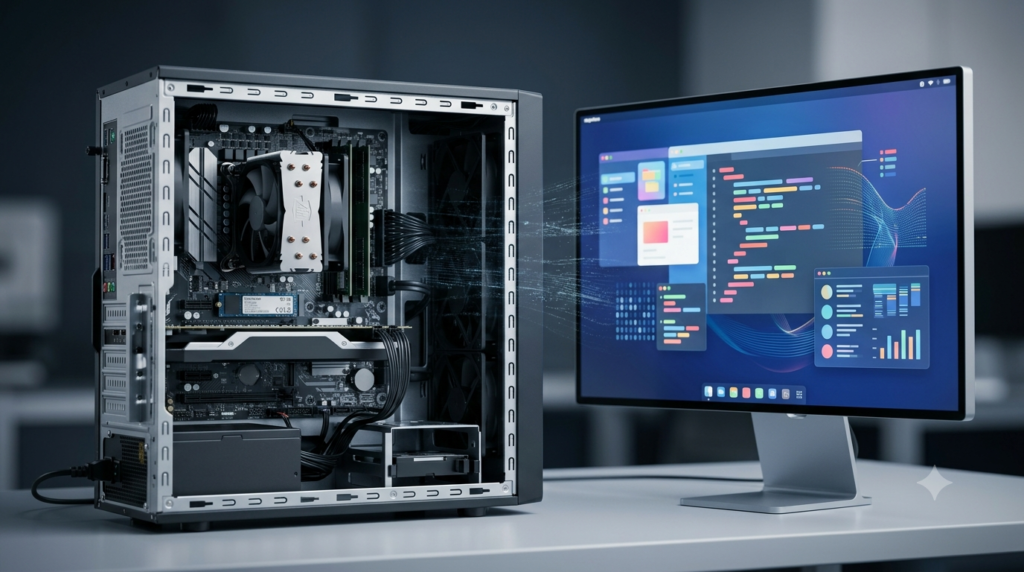
Processing is the operation of transforming input data according to instructions. The central processing unit (CPU) performs many essential operations, including arithmetic calculations, logical comparisons, and the execution of program instructions.
For example, when a spreadsheet calculates the total cost of several products, it processes the entered prices and quantities using a formula. Similarly, a database application processes a search request to identify matching records.
Some demanding tasks, particularly graphics rendering and machine learning, may also use specialized processors such as graphics processing units (GPUs).
3. Output
Output is the information produced after data has been processed. A computer presents output in a form that users or other devices can interpret.
Common output devices include monitors, printers, speakers, and projectors. Output may appear as text, numerical results, images, sound, reports, or control signals.
For example, a computer can display a calculated examination result, print a business invoice, or produce a graph showing changes in temperature over time.
4. Data Storage
Computers can save both input data and processed information for future use. Storage allows users to continue working on documents, maintain records, install programs, and preserve important results.
Temporary working data is commonly held in RAM, while files and programs are stored on SSDs, HDDs, and other storage devices. Cloud services can provide additional storage and access across multiple devices.
Suitable storage management, backup procedures, and access controls help prevent accidental loss and unauthorized use of information.
5. Calculation and Logical Operations
Computers perform arithmetic calculations and logical operations at high speed. These operations support applications ranging from simple calculators to advanced engineering simulations.
Arithmetic operations include addition, subtraction, multiplication, and division. Logical operations and comparisons help programs evaluate conditions and determine which instructions to execute.
For example, a computer can calculate the average of examination scores, compare inventory levels against a minimum requirement, or test whether a number falls within a specified range.
The following text block shows a basic formula that a computer might use to calculate an average.
Average = Sum of All Values / Number of ValuesA program can apply this formula to a list of numbers and return the calculated average. The result is meaningful only when the input values and the calculation method are appropriate.
6. Data Analysis
Computers can examine large datasets, organize information, calculate statistics, and identify patterns. Data analysis helps users understand information and make better-informed decisions.
For example, a business can analyze sales records to identify its most popular products. A scientist can compare experimental measurements, while a weather researcher can examine historical temperature and rainfall data.
Statistical software, spreadsheets, database systems, and specialized analytical tools support these activities. More advanced systems can also use machine learning to identify complex patterns.
However, data analysis does not automatically guarantee correct conclusions. Biased samples, incomplete records, incorrect assumptions, and inappropriate methods can produce misleading results.
7. Control and Monitoring
Computers can monitor conditions and control equipment when connected to suitable sensors, controllers, and mechanical or electronic systems.
In factories, computer-based control systems regulate production equipment. In buildings, they can manage lighting, temperature, and security systems. In agriculture, computers can monitor soil moisture and help control irrigation.
These systems receive measurements, compare them with specified conditions, and send commands when required. Some operate continuously with limited human intervention, while others require operators to approve important actions.
Control systems improve efficiency and precision, but safety measures are necessary when their operation affects people, machinery, or essential infrastructure.
8. Communication and Information Sharing
Computers allow information to be transmitted between users, organizations, and digital systems. Through networks, they support email, messaging, video conferencing, file sharing, and collaborative applications.
For example, students can attend online classes, employees can work with remote teams, and researchers can share findings without being physically present in the same location.
Communication systems have made information exchange faster and more convenient. However, users should verify information, protect private data, and follow appropriate security practices when sharing files or communicating online.
9. Simulation and Modelling
Computers can create digital models of real-world objects, systems, and processes. These models allow users to examine how a system might behave under different conditions without directly changing the real system.
Engineers use simulations to test designs, meteorologists model weather patterns, and scientists study complex physical processes. Computer simulations can also help train pilots, evaluate traffic systems, and explore possible engineering failures.
The quality of a simulation depends on the accuracy of its assumptions, mathematical models, and input data. A simulation provides useful evidence, but its results may not perfectly represent every real-world condition.
10. Artificial Intelligence and Pattern Recognition
Computers equipped with AI software can perform tasks that traditionally require certain human cognitive abilities, such as recognizing images, processing language, translating text, and making predictions.
For example, image-recognition systems can identify objects in photographs, speech-recognition tools can convert spoken words into text, and recommendation systems can suggest content based on user activity.
These capabilities depend on algorithms, training data, computational resources, and system design. AI outputs can contain errors and should not automatically be treated as facts. Human oversight is particularly important when AI is used in education, healthcare, finance, or other sensitive areas.
Limitations of Computers
Despite their many capabilities, computers have limitations. Understanding these limitations helps people use technology responsibly and effectively.
Dependence on instructions: Computers need suitable programs and instructions to perform specific tasks.
Incorrect input: Poor-quality or incorrect data can lead to unreliable results.
Technical failures: Hardware problems, software errors, and power interruptions can disrupt operations.
Security risks: Computers may be exposed to malware, unauthorized access, and data theft.
Limited contextual judgment: Computer systems may fail to recognize important context or understand the consequences of their outputs.
Maintenance requirements: Hardware, software, and security systems require regular attention.
Resource limitations: Processing power, memory, storage, and energy are not unlimited.
Privacy concerns: Improper data collection or handling can expose sensitive information.
These limitations do not reduce the importance of computers. Instead, they highlight the need for appropriate design, reliable information, security measures, and human supervision.
Conclusion
Computers are powerful electronic devices that support modern life through speed, accuracy, diligence, storage capacity, automation, versatility, reliability, and connectivity. Their main capabilities include accepting input, processing data, producing output, storing information, performing calculations, analyzing datasets, controlling equipment, and communicating across networks.
Advances in artificial intelligence, cloud computing, and specialized processing continue to expand the range of tasks computers can perform. However, computers still depend on suitable instructions, reliable data, functioning hardware, and effective security measures. They can make mistakes and cannot replace human judgment in every situation. Understanding both their strengths and limitations helps individuals and organizations use computers more effectively, safely, and responsibly.
FAQs
1. What Are the Main Characteristics of Computers?
The main characteristics of computers include high speed, accuracy, diligence, large storage capacity, automation, versatility, reliability, multitasking, and connectivity. These features allow computers to perform different tasks efficiently and consistently. For example, computers can process large amounts of data, perform mathematical calculations, store important records, and communicate with other devices. They are used in education, healthcare, banking, business, scientific research, and entertainment. However, their performance depends on suitable hardware, software, and input data. Understanding these characteristics helps explain why computers have become essential tools in modern society.
2. Why Are Computers Known for Their High Speed?
Computers are known for their high speed because they can execute millions or billions of operations per second, depending on their processing capabilities. They complete calculations, process information, and retrieve stored data much faster than most manual methods. For example, a computer can calculate the average of thousands of numbers within seconds. High speed is particularly useful in scientific research, financial transactions, weather forecasting, and industrial automation. However, processing speed varies according to the processor, memory, software, and complexity of a task. Powerful computers can handle demanding operations more efficiently than basic systems.
3. How Do Computers Maintain Accuracy While Processing Data?
Computers maintain accuracy by following programmed instructions and performing calculations according to established rules. They can repeat the same operation many times without the calculation mistakes commonly associated with repetitive manual work. For example, spreadsheet software can calculate totals and averages accurately when the formulas and input values are correct. However, computers do not guarantee perfect results in every situation. Incorrect data, programming errors, hardware faults, and outdated information can produce inaccurate outcomes. Therefore, users should verify important information, check input data, and use properly tested software to achieve reliable results.
4. What Is the Difference Between Computer Memory and Storage?
Computer memory and storage serve different purposes. Random Access Memory (RAM) temporarily holds the data and instructions that a computer is actively using. It allows the processor to access working information quickly, but its contents are generally lost when the computer is switched off. Storage devices, such as solid-state drives (SSDs) and hard disk drives (HDDs), preserve files, programs, photographs, and documents for long-term use. Memory supports current operations, while storage maintains information for future access. Both are important for computer performance. The required amount of memory and storage depends on the user’s activities and applications.
5. What Is Automation in Computers?
Automation is the ability of computers to perform tasks automatically after receiving appropriate instructions and settings. Once configured, a computer can complete many operations without requiring continuous human intervention. Examples include automatically calculating salaries, generating reports, backing up files, sending scheduled emails, and processing routine transactions. Automation saves time, improves consistency, and reduces repetitive manual work. It is widely used in offices, factories, banking systems, and scientific laboratories. However, automation depends on properly designed software and accurate instructions. Systems should also be monitored because programming errors or incorrect settings can cause repeated mistakes or unexpected results.
6. What Does Versatility Mean in Computers?
Versatility refers to the ability of computers to perform many different types of tasks. A single computer can be used for writing documents, preparing presentations, solving mathematical problems, editing photographs, watching videos, and communicating online. Its functions can be expanded by installing appropriate software and connecting compatible devices. For example, an architect can use a computer to design buildings, while a researcher can analyze scientific data using specialized applications. Versatility makes computers useful in almost every professional field. However, the tasks a computer can perform efficiently depend on its hardware capabilities, software compatibility, and available system resources.
7. What Are the Four Basic Functions of a Computer?
The four basic functions of a computer are input, processing, output, and storage. Input involves entering data and instructions through devices such as keyboards, mice, and scanners. Processing transforms the entered data according to programmed instructions. Output presents the results through devices such as monitors, printers, and speakers. Storage preserves data and information for future use. For example, when calculating the total price of products, a user enters prices and quantities, the computer performs the calculation, displays the result, and can save the information. These four functions work together to support most computer applications.
8. Can Computers Work Without Human Instructions?
Computers require instructions, programs, or configured rules to perform their intended tasks. Traditional computer systems follow software instructions, while automated systems can continue operating without constant human involvement once they have been properly configured. Artificial intelligence has expanded these capabilities by enabling computers to recognize patterns, generate responses, and make predictions based on data. Nevertheless, computers do not possess human understanding or independent judgment in the same way people do. Their outputs depend on their design, information, and operating conditions. Human supervision remains important for checking results, correcting errors, and making decisions that require context or responsibility.
9. What Are the Main Limitations of Computers?
The main limitations of computers include their dependence on instructions, vulnerability to technical failures, security risks, and limited ability to understand context like humans. Computers can produce incorrect results when given inaccurate data or faulty programs. They also require electricity, maintenance, suitable hardware, and compatible software. Connected systems may face malware, unauthorized access, and privacy problems. Although artificial intelligence can perform sophisticated tasks, its outputs may contain errors or bias. Computers are valuable tools, but they cannot replace human judgment in every situation. Responsible use requires reliable data, regular maintenance, appropriate security measures, and human oversight.
10. Why Are Computers Important in Everyday Life?
Computers are important in everyday life because they help people complete tasks quickly, manage information, communicate, and solve problems. They are used in education for online learning, in healthcare for maintaining records, in banking for processing transactions, and in businesses for managing operations. People also use computers for entertainment, research, shopping, and personal communication. Their ability to store large amounts of information and process data efficiently improves productivity and convenience. Modern technologies, including artificial intelligence and cloud computing, have expanded their applications further. Learning to use computers effectively helps individuals participate in an increasingly digital world.