IP addresses and subnetting are essential concepts in computer networking. Every device connected to an Internet Protocol (IP) network needs an IP address to communicate with other devices. Computers, smartphones, servers, printers, and network routers use IP addresses to identify devices and deliver data to the correct destination. However, assigning addresses alone is not enough to build an efficient network. Network administrators must also understand how IP addresses are organized, how many devices a network can support, and how traffic moves between different networks.
Subnetting helps divide a large IP network into smaller, manageable sections called subnets. It improves address utilization, organizes devices, and supports better network management. Understanding IP address structures, subnet masks, network addresses, host addresses, and subnet calculations provides a strong foundation for learning computer networking. This article explains these concepts step by step, using simple examples and practical calculations.
What Is an IP Address?
An IP address is a numerical identifier assigned to a network interface so that it can communicate using the Internet Protocol. It helps identify the logical network location of a device and allows routers to forward packets toward their destinations.
There are two main versions of IP addresses: IPv4 and IPv6.
IPv4 Address
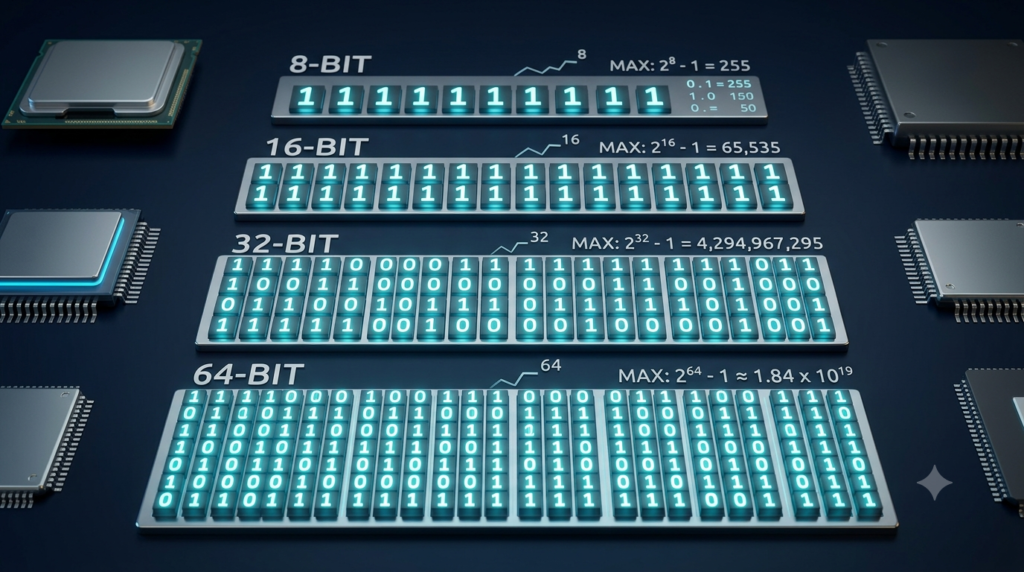
IPv4 uses a 32-bit address, usually written as four decimal numbers separated by dots. Each number represents eight bits and ranges from 0 to 255.
For example:
192.168.1.10
This address contains four octets:
First octet: 192
Second octet: 168
Third octet: 1
Fourth octet: 10
Each octet represents eight binary bits, so the complete IPv4 address contains 32 bits.
An IPv4 address can be written in binary as:
192.168.1.10 = 11000000.10101000.00000001.00001010
Binary representation is important because IP address and subnet calculations rely on binary operations.
IPv6 Address
IPv6 was developed to provide a much larger address space than IPv4. It uses 128-bit addresses written in hexadecimal notation.
An example of an IPv6 address is:
2001:db8:1234:5678::10
IPv6 addresses contain eight groups of hexadecimal digits, although consecutive zero groups can be shortened using double colons. IPv6 supports an enormous number of unique addresses and includes features designed for modern networks.
This article focuses mainly on IPv4 subnet calculations because they are widely used for learning fundamental subnetting concepts.
Understanding the Structure of an IPv4 Address
An IPv4 address contains two logical parts: the network portion and the host portion.
The network portion identifies the IP network to which an address belongs. The host portion identifies an interface within that network.
For example, consider the address:
192.168.1.25/24
The /24 indicates that the first 24 bits belong to the network portion. The remaining eight bits are available for host addressing.
In this example:
Network portion: 192.168.1
Host portion: 25
Network address: 192.168.1.0
Broadcast address: 192.168.1.255
The exact network and host boundaries depend on the subnet mask or prefix length. Therefore, the same IP address can belong to different networks when different prefix lengths are used.
What Is a Subnet Mask?
A subnet mask identifies which bits of an IPv4 address represent the network portion and which bits represent the host portion.
A subnet mask is also a 32-bit value. In binary, network bits are represented by 1s, while host bits are represented by 0s.
For example, the subnet mask 255.255.255.0 is represented in binary as:
11111111.11111111.11111111.00000000
The first 24 bits are 1s, and the remaining eight bits are 0s. Therefore, this mask is also written as /24.
Common subnet masks include:
| CIDR Prefix | Subnet Mask | Network Bits | Host Bits |
|---|---|---|---|
| /8 | 255.0.0.0 | 8 | 24 |
| /16 | 255.255.0.0 | 16 | 16 |
| /24 | 255.255.255.0 | 24 | 8 |
| /25 | 255.255.255.128 | 25 | 7 |
| /26 | 255.255.255.192 | 26 | 6 |
| /27 | 255.255.255.224 | 27 | 5 |
| /28 | 255.255.255.240 | 28 | 4 |
| /29 | 255.255.255.248 | 29 | 3 |
| /30 | 255.255.255.252 | 30 | 2 |
The prefix length tells you how many bits are used for the network portion. A larger prefix length leaves fewer bits for host addresses, resulting in smaller subnets.
What Is CIDR Notation?
Classless Inter-Domain Routing (CIDR) notation is a compact way to represent an IP address and its network prefix.
For example:
192.168.1.10/24
Here, 192.168.1.10 is the IP address, and /24 indicates that 24 bits are reserved for the network portion.
CIDR replaced the limitations of traditional class-based addressing with a more flexible system. It allows network administrators to allocate address ranges according to actual requirements rather than relying only on fixed address classes.
Common examples include:
10.0.0.0/8— a large private IPv4 address block.172.16.0.0/16— a smaller private address block.192.168.1.0/24— a network containing 256 total IPv4 addresses.192.168.1.0/26— a subnet containing 64 total IPv4 addresses.
These examples use private IPv4 address space, which is commonly used in homes, offices, and internal organizational networks.
What Is Subnetting?
Subnetting is the process of dividing a larger IP network into smaller logical networks. Each smaller network is called a subnet.
For example, an organization might use one network for office computers, another for servers, and a third for printers. Separating these devices into subnets can make the network easier to manage and can support traffic-control policies.
Subnetting provides several benefits:
Efficient address allocation: IP addresses can be distributed according to the number of devices required in each subnet.
Improved organization: Different departments or device groups can use separate network ranges.
Better traffic management: Routers can direct traffic between subnets according to routing rules.
Security support: Subnets can be combined with firewalls and access-control rules to restrict communication.
Simplified troubleshooting: Network problems can sometimes be isolated to a particular subnet.
Subnetting does not automatically make a network secure. Security depends on how routers, firewalls, access controls, and other network policies are configured.
How to Calculate the Number of IP Addresses in a Subnet
One of the most important subnetting calculations is determining how many IP addresses a subnet contains.
IPv4 addresses have 32 bits. If a subnet uses a prefix length of /n, the number of host bits is:
Host bits = 32 − Prefix length
The total number of IPv4 addresses in the subnet is:
Total addresses = 2^(Number of host bits)
For example, consider a /24 network.
Host bits = 32 − 24 = 8
Total addresses = 2⁸ = 256
Therefore, a /24 subnet contains 256 total IPv4 addresses.
For a conventional IPv4 subnet, two addresses are generally reserved for special purposes: the network address and the broadcast address.
Usable host addresses = Total addresses − 2
For the /24 example:
Usable host addresses = 256 − 2 = 254
This means a conventional /24 subnet supports 254 usable host addresses.
The subtraction rule applies to ordinary IPv4 subnets. Special configurations, such as /31 point-to-point links and /32 host routes, have different addressing considerations.
Common Subnet Sizes
| Prefix | Total Addresses | Conventional Usable Hosts |
|---|---|---|
| /24 | 256 | 254 |
| /25 | 128 | 126 |
| /26 | 64 | 62 |
| /27 | 32 | 30 |
| /28 | 16 | 14 |
| /29 | 8 | 6 |
| /30 | 4 | 2 |
These values are useful when selecting a subnet for a particular number of devices.
How to Calculate a Subnet Mask from a CIDR Prefix
A CIDR prefix can be converted into a dotted-decimal subnet mask by counting the number of network bits.
For example, /26 means that the first 26 bits are 1s and the remaining six bits are 0s.
The binary subnet mask is:
11111111.11111111.11111111.11000000
The first three octets are completely filled with 1s, producing:
255.255.255
The final octet contains two 1s followed by six 0s. In binary:
11000000 = 128 + 64 = 192
Therefore:
/26 = 255.255.255.192
Similarly, /27 produces the mask 255.255.255.224, while /28 produces 255.255.255.240.
Knowing the common subnet masks makes manual subnet calculations much faster.
How to Find the Network Address
The network address identifies the subnet to which an IP address belongs. It is calculated by performing a bitwise AND operation between the IP address and its subnet mask.
In a bitwise AND operation, the result is 1 only when both corresponding bits are 1.
Consider the following example:
IP address: 192.168.1.130/26
Subnet mask: 255.255.255.192
A /26 subnet contains 64 total addresses. Its address ranges within the final octet increase in blocks of 64:
192.168.1.0 to 192.168.1.63
192.168.1.64 to 192.168.1.127
192.168.1.128 to 192.168.1.191
192.168.1.192 to 192.168.1.255
The address 192.168.1.130 belongs to the third range.
Therefore:
IP address: 192.168.1.130
Network address: 192.168.1.128
Broadcast address: 192.168.1.191
First usable host: 192.168.1.129
Last usable host: 192.168.1.190
The network address is the first address in the range, and the broadcast address is the last address in this conventional subnet.
How to Calculate the Broadcast Address
The broadcast address is used to send IPv4 packets to all hosts on a particular subnet.
For a conventional IPv4 subnet, the broadcast address is obtained by setting all host bits to 1.
Consider the network:
192.168.1.128/26
The prefix /26 leaves six host bits. Setting all six host bits to 1 gives the final address in the subnet.
The address range is:
192.168.1.128 to 192.168.1.191
Therefore:
Broadcast address = 192.168.1.191
The first usable host address is 192.168.1.129, and the last usable host address is 192.168.1.190.
Understanding the network and broadcast addresses helps prevent invalid host-address assignments.
How to Calculate the Number of Subnets
Subnetting can also be used to determine how many smaller networks can be created from a larger network.
The number of subnets depends on how many bits are borrowed from the original host portion.
The formula is:
Number of subnets = 2^(Number of borrowed bits)
For example, suppose a /24 network is divided into /26 subnets.
Borrowed bits = 26 − 24 = 2
Number of subnets = 2² = 4
Therefore, the original /24 network can be divided into four /26 subnets.
These subnets are:
| Subnet | Network Address | Usable Host Range | Broadcast Address |
|---|---|---|---|
| 1 | 192.168.1.0/26 | 192.168.1.1–192.168.1.62 | 192.168.1.63 |
| 2 | 192.168.1.64/26 | 192.168.1.65–192.168.1.126 | 192.168.1.127 |
| 3 | 192.168.1.128/26 | 192.168.1.129–192.168.1.190 | 192.168.1.191 |
| 4 | 192.168.1.192/26 | 192.168.1.193–192.168.1.254 | 192.168.1.255 |
Each subnet contains 64 total addresses and 62 conventional usable host addresses.
The Block Size Method for Quick Subnet Calculations
The block size method is a practical way to calculate subnet ranges without converting the entire IP address into binary.
For the relevant subnet-mask octet, use this formula:
Block size = 256 − Subnet mask value
For a /26 subnet, the mask is 255.255.255.192.
Block size = 256 − 192 = 64
Therefore, subnet network addresses increase in increments of 64 in the fourth octet.
The ranges are:
0–63
64–127
128–191
192–255
Now consider 192.168.1.150/26.
The number 150 falls between 128 and 191. Therefore:
Network address: 192.168.1.128
Broadcast address: 192.168.1.191
First usable host: 192.168.1.129
Last usable host: 192.168.1.190
The block size method is particularly useful for /25, /26, /27, /28, and other subnet masks that divide an octet into smaller address blocks.
When the subnet boundary occurs earlier in the address, the same method is applied to the relevant octet.
How to Choose the Correct Subnet for a Network
Choosing a subnet requires estimating the number of devices that need addresses and selecting a prefix that provides enough usable host addresses.
For example, suppose an office needs 50 host addresses.
A /27 subnet contains 32 total addresses and 30 conventional usable host addresses. It is too small.
A /26 subnet contains 64 total addresses and 62 conventional usable host addresses. It can support 50 hosts.
Therefore, /26 is the smallest conventional subnet among these choices that meets the requirement.
In practice, administrators should also consider future growth, routers, printers, servers, network interfaces, and other devices that need addresses. The subnet should provide enough capacity without unnecessarily wasting address space.
For networks with several departments or device groups, Variable Length Subnet Masking (VLSM) allows different subnets to use different prefix lengths. For example, a department with 100 devices may need a larger subnet than a department with 20 devices.
Private and Public IP Addresses
IPv4 addresses are commonly classified as private or public according to their intended use.
Private IPv4 addresses are reserved for internal networks and are not directly routed across the public internet. The three standard private IPv4 ranges are:
| Private Range | CIDR Notation |
|---|---|
| 10.0.0.0–10.255.255.255 | 10.0.0.0/8 |
| 172.16.0.0–172.31.255.255 | 172.16.0.0/12 |
| 192.168.0.0–192.168.255.255 | 192.168.0.0/16 |
Home routers commonly assign addresses such as 192.168.1.10 to devices on a local network.
Public IP addresses are globally routable addresses assigned according to internet address-allocation policies. A router may use a public address on its internet-facing interface while using private addresses for devices on the internal network.
Network Address Translation (NAT) is commonly used to allow multiple devices with private IPv4 addresses to share a public IPv4 address.
Understanding the difference between private and public addressing is useful when configuring home networks, office networks, and internet-connected servers.
Common Mistakes in IP Address and Subnet Calculations
Beginners often make a few predictable mistakes when learning subnetting.
Confusing Total Addresses with Usable Hosts
A /26 subnet contains 64 total addresses, not 64 conventional usable host addresses. In an ordinary IPv4 subnet, the network and broadcast addresses are excluded from host assignment, leaving 62 usable addresses.
Forgetting the Prefix Length
An IP address without its subnet mask or prefix length may not provide enough information to identify its exact network. For example, 192.168.1.10/24 and 192.168.1.10/26 belong to different network ranges.
Calculating the Wrong Broadcast Address
The broadcast address is the final address in the subnet, not necessarily the address ending in .255. Smaller subnets can have different broadcast addresses.
Ignoring Subnet Boundaries
Subnet ranges follow specific block sizes. A network address must align with the correct subnet boundary. For example, a /26 subnet uses network addresses ending in .0, .64, .128, or .192 when the first three octets remain unchanged.
Using an Incorrect Host Range
The first usable host is generally one address after the network address, and the last usable host is one address before the broadcast address in conventional IPv4 subnets. Special-purpose configurations require separate consideration.
Practising these calculations helps reduce mistakes during network design and troubleshooting.
Conclusion
IP address and subnet calculation fundamentals form an important part of computer networking. An IPv4 address contains 32 bits divided into network and host portions according to a subnet mask or CIDR prefix. Subnetting divides networks into smaller address ranges, making it easier to organize devices, allocate addresses efficiently, and manage network traffic.
By understanding the number of host bits, total addresses, usable host addresses, network addresses, broadcast addresses, and subnet block sizes, beginners can solve many common subnetting problems. For example, a /26 subnet contains 64 total addresses and normally supports 62 usable hosts. Learning these calculations also prepares readers for more advanced topics such as routing, VLSM, network security, and IPv6 addressing. With regular practice, subnet calculations become a straightforward and valuable networking skill.
FAQs
1. What is an IP address?
An IP address is a numerical identifier assigned to a network interface so that it can communicate with other devices using the Internet Protocol. It helps identify a device’s logical location within a network and allows routers to forward data packets toward the correct destination. IP addresses are used by computers, smartphones, servers, printers, and many other network-connected devices. The two main versions are IPv4 and IPv6. IPv4 uses 32-bit addresses, while IPv6 uses 128-bit addresses. IP addresses can be public or private, depending on their purpose and network configuration.
2. What is subnetting in computer networking?
Subnetting is the process of dividing a larger IP network into smaller logical networks called subnets. Each subnet has its own network address and address range. This process helps network administrators organize devices, manage IP address allocation, and control communication between different network sections. For example, an office may create separate subnets for computers, servers, and printers. Subnetting can also simplify network troubleshooting and support security policies when combined with appropriate router and firewall configurations. Understanding subnetting is important for network administrators, IT professionals, and anyone learning computer networking fundamentals.
3. What is a subnet mask, and why is it important?
A subnet mask is a 32-bit value used with an IPv4 address to identify the network portion and host portion of the address. For example, the subnet mask 255.255.255.0 corresponds to the /24 prefix. It indicates that the first 24 bits represent the network portion, leaving eight bits for host addressing. The subnet mask helps devices determine whether a destination belongs to the local subnet or whether traffic should be sent to a router. Correct subnet masks are essential for IP configuration, routing, and communication between devices on an IPv4 network.
4. How do you calculate the number of usable hosts in a subnet?
To calculate the number of usable host addresses in a conventional IPv4 subnet, first subtract the CIDR prefix length from 32 to find the number of host bits. Then calculate the total addresses using the formula 2^(host bits). For ordinary subnets, subtract two to exclude the network and broadcast addresses. For example, a /26 subnet has six host bits, giving 2⁶ = 64 total addresses. Subtracting two leaves 62 usable host addresses. Special cases, such as /31 point-to-point links and /32 host routes, require different considerations.
5. What is CIDR notation in IP addressing?
Classless Inter-Domain Routing (CIDR) notation represents an IP address together with its network prefix length. It uses a forward slash followed by the number of network bits. For example, 192.168.1.10/24 indicates that the first 24 bits represent the network portion. CIDR provides flexibility in allocating IP address ranges and dividing networks into subnets of different sizes. Unlike traditional class-based addressing, CIDR does not restrict networks to fixed Class A, B, or C boundaries. It is widely used in modern networking for subnet calculations, routing, and efficient IP address allocation.
6. What is the difference between a network address and a broadcast address?
A network address identifies an IPv4 subnet, while a broadcast address is used to send packets to all hosts on that subnet. In a conventional IPv4 subnet, the network address has all host bits set to zero, and the broadcast address has all host bits set to one. For example, in 192.168.1.0/24, the network address is 192.168.1.0, and the broadcast address is 192.168.1.255. The conventional usable host range is 192.168.1.1 to 192.168.1.254. These addresses help define the subnet’s boundaries and determine valid host-address assignments.
7. How do you calculate the number of subnets?
The number of subnets created by borrowing host bits from an existing network can be calculated using the formula 2^(borrowed bits). The borrowed bits are the difference between the new prefix length and the original prefix length. For example, dividing a /24 network into /26 subnets means borrowing two bits. Therefore, the number of subnets is 2² = 4. Each resulting /26 subnet contains 64 total IPv4 addresses and normally supports 62 usable hosts. This calculation helps administrators divide a larger network into smaller address ranges according to organizational requirements.
8. What is the block size method in subnet calculations?
The block size method is a quick way to identify subnet boundaries, network addresses, and broadcast addresses without converting an entire IP address into binary. The formula is Block size = 256 − subnet mask value for the relevant octet. For example, a /26 subnet has a mask of 255.255.255.192. Its block size is 256 − 192 = 64. Therefore, subnet boundaries in the last octet occur at 0, 64, 128, and 192. Once the correct range is identified, the first address is the network address and the final address is the broadcast address.
9. What is the difference between private and public IP addresses?
Private IP addresses are used within local networks, such as homes, offices, and organizations. The standard private IPv4 ranges are 10.0.0.0/8, 172.16.0.0/12, and 192.168.0.0/16. These addresses are not directly routed across the public internet. Public IP addresses, by contrast, are globally routable and are used to identify network interfaces reachable through internet routing, subject to firewall and other network policies. Many home networks use private addresses for individual devices and Network Address Translation (NAT) to share a public IPv4 address. This arrangement helps conserve the limited IPv4 address space.
10. Why is learning IP address and subnet calculation important?
Learning IP address and subnet calculations helps build a strong foundation in computer networking. These skills are useful for configuring routers, assigning IP addresses, designing local area networks, troubleshooting connectivity problems, and understanding routing. Subnetting also helps organizations allocate address ranges efficiently and separate devices into logical network sections. Students preparing for networking examinations and certifications can benefit from practising CIDR conversions, host calculations, network addresses, and broadcast addresses. These fundamentals also support further learning in network security, cloud computing, server administration, and IPv6. Regular practice makes subnet calculations faster and more accurate.