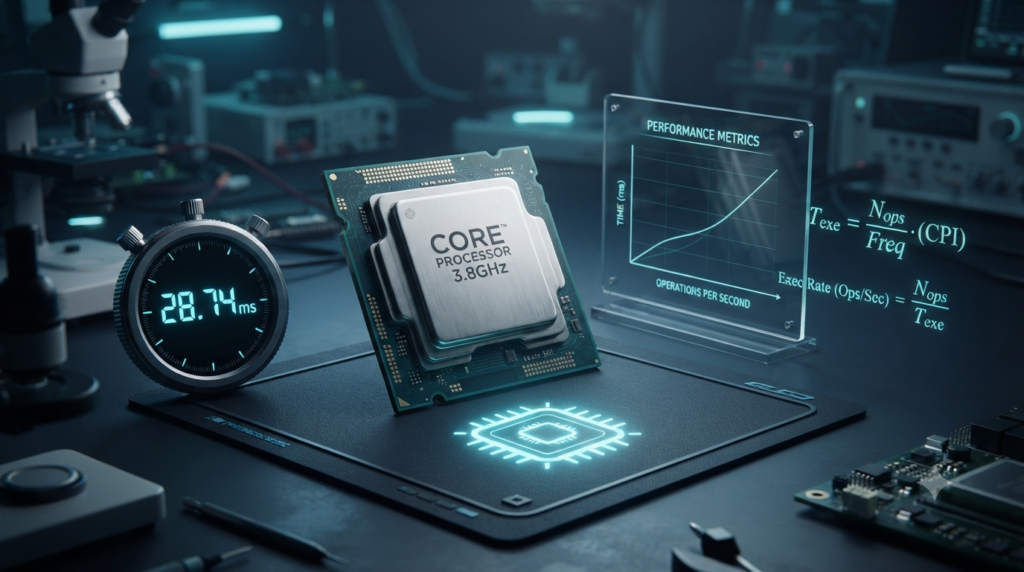
A Central Processing Unit (CPU) is one of the most important components of a computer. It executes instructions, performs calculations, processes data, and coordinates the activities of other hardware components. To understand how quickly a CPU operates, it is useful to learn about CPU clock rate and instruction timing formulas. These formulas help explain the relationship between clock cycles, instruction execution, and processor performance.
CPU clock rate describes how many clock cycles a processor can generate in one second. Instruction timing, on the other hand, explains how many clock cycles or how much time a processor needs to execute instructions. By combining clock rate, clock cycles per instruction, and instruction count, we can estimate the time required to execute a program.
These concepts are important in computer architecture, digital electronics, operating systems, embedded systems, and performance analysis. In this article, we will explore the main CPU clock rate and instruction timing formulas, understand their variables, and solve practical examples.
1. What Is CPU Clock Rate?
CPU clock rate, also called clock frequency, is the number of clock cycles a processor performs in one second. It is commonly measured in hertz (Hz).
A clock signal helps coordinate operations inside a processor. Each clock cycle provides a timing reference for processor components to perform their operations. However, a clock cycle does not necessarily mean that one complete instruction is executed.
CPU clock rate is commonly expressed in the following units:
Hertz (Hz): One cycle per second.
Kilohertz (kHz): One thousand cycles per second.
Megahertz (MHz): One million cycles per second.
Gigahertz (GHz): One billion cycles per second.
For example, a processor operating at 3 GHz has a clock rate of three billion cycles per second.
CPU Clock Rate Formula
Clock rate = Number of clock cycles ÷ Execution time
Mathematically:
Clock Rate = Clock Cycles / Time
Where:
Clock rate is the processor frequency in hertz.
Clock cycles represent the total number of cycles during the measured interval.
Time is the duration in seconds.
Example
Suppose a processor completes 8 billion clock cycles in 2 seconds.
Clock Rate = 8,000,000,000 / 2
Clock Rate = 4,000,000,000 Hz
Therefore, the processor’s average clock rate during that interval is 4 GHz.
2. What Is a CPU Clock Cycle?
A clock cycle is one complete period of a processor’s clock signal. It provides a basic timing unit for many internal CPU operations.
The duration of one clock cycle depends on the clock rate. A higher clock rate means that each cycle takes less time, while a lower clock rate means that each cycle takes more time.
For example, a 1 GHz processor has a nominal clock period of one nanosecond. A 4 GHz processor has a nominal clock period of 0.25 nanoseconds.
Clock Cycle Time Formula
Clock cycle time = 1 ÷ Clock rate
Mathematically:
T = 1 / f
Where:
T is the clock cycle time in seconds.
f is the clock rate in hertz.
Example
A CPU operates at 2.5 GHz.
Convert the frequency into hertz:
2.5 GHz = 2.5 × 10⁹ Hz
Now calculate the clock cycle time:
T = 1 / (2.5 × 10⁹)
T = 0.4 × 10⁻⁹ seconds
Therefore, the clock cycle time is 0.4 nanoseconds.
This result means that each clock cycle lasts 0.4 nanoseconds at a constant clock rate of 2.5 GHz.
3. CPU Clock Rate and Clock Cycle Time Relationship
Clock rate and clock cycle time have an inverse relationship. When the clock rate increases, the duration of each clock cycle decreases. When the clock rate decreases, the duration of each cycle increases.
The relationship can be expressed as:
Clock Rate = 1 / Clock Cycle Time
Clock Cycle Time = 1 / Clock Rate
For example:
At 1 GHz, the clock cycle time is 1 nanosecond.
At 2 GHz, the clock cycle time is 0.5 nanoseconds.
At 3 GHz, the clock cycle time is approximately 0.333 nanoseconds.
At 4 GHz, the clock cycle time is 0.25 nanoseconds.
These values assume a constant clock rate. Actual processors may adjust their frequencies dynamically depending on workload, temperature, and power limits.
A shorter clock cycle can allow operations to occur more frequently, but it does not automatically mean that every program will execute faster. Processor design and the number of cycles needed for each instruction also affect performance.
4. What Is Instruction Count?
Instruction count is the total number of machine instructions executed by a processor while running a particular program or workload.
A program contains instructions that tell the processor what to do. These instructions may perform arithmetic, move data, compare values, access memory, or control program execution.
Different programs require different numbers of instructions. Even two programs that produce the same result may use different instruction counts because of differences in algorithms, compiler optimizations, and instruction sets.
Instruction count is commonly represented by the symbol IC.
Instruction Count Formula
When the total number of instructions is known directly:
Instruction Count = Total Instructions Executed
If a program executes 2 million instructions, its instruction count is:
IC = 2,000,000 instructions
Instruction count alone does not determine execution time. A program with fewer instructions may still run more slowly if its instructions require more clock cycles or experience frequent memory delays.
5. What Is Cycles Per Instruction (CPI)?
Cycles per instruction (CPI) measures the average number of clock cycles required to execute each instruction in a given workload.
Some instructions may complete in fewer cycles than others. Memory operations, arithmetic instructions, branches, and complex operations can have different timing characteristics. Therefore, CPI is generally calculated as an average across all executed instructions.
A lower CPI often indicates that fewer clock cycles are required per instruction. However, CPI must be considered alongside clock rate and instruction count to evaluate total execution time.
CPI Formula
CPI = Total clock cycles ÷ Instruction count
Mathematically:
CPI = C / IC
Where:
CPI is the average cycles per instruction.
C is the total number of clock cycles.
IC is the total number of instructions executed.
Example
A program executes 600 million instructions and requires 900 million clock cycles.
CPI = 900,000,000 / 600,000,000
CPI = 1.5
Therefore, the average CPI is 1.5 cycles per instruction.
This does not mean every instruction requires exactly 1.5 cycles. It means that the total number of cycles divided by the total number of instructions equals 1.5.
6. CPU Execution Time Formula
CPU execution time is the amount of time the processor takes to execute a particular program or workload, excluding time spent waiting for unrelated external activities unless those delays are included in the measurement.
One of the most important equations in computer architecture connects instruction count, CPI, and clock rate.
Main CPU Execution Time Formula
CPU Execution Time = Instruction Count × CPI × Clock Cycle Time
Mathematically:
CPU Time = IC × CPI × T
Since clock cycle time is the reciprocal of clock rate, the formula can also be written as:
CPU Execution Time = (Instruction Count × CPI) ÷ Clock Rate
Mathematically:
CPU Time = (IC × CPI) / f
Where:
IC is the instruction count.
CPI is the average cycles per instruction.
T is the clock cycle time.
f is the clock rate in cycles per second.
The product of instruction count and CPI gives the total clock cycles required under the assumed average CPI model. Dividing that number by the clock rate gives the execution time in seconds.
Example
Suppose a processor executes 100 million instructions with an average CPI of 2. The processor operates at 2 GHz.
Given:
Instruction Count = 100,000,000
CPI = 2
Clock Rate = 2,000,000,000 Hz
Using the formula:
CPU Time = (IC × CPI) / f
CPU Time = (100,000,000 × 2) / 2,000,000,000
CPU Time = 200,000,000 / 2,000,000,000
CPU Time = 0.1 seconds
Therefore, the estimated CPU execution time is 0.1 seconds.
This calculation assumes the stated CPI and clock rate represent the workload accurately.
7. Total Clock Cycles Formula
The total number of clock cycles required by a program can be calculated using instruction count and average CPI.
Formula
Total Clock Cycles = Instruction Count × CPI
Mathematically:
C = IC × CPI
Where:
C is the total number of clock cycles.
IC is the number of instructions executed.
CPI is the average cycles per instruction.
Example
A program executes 5 million instructions with an average CPI of 1.8.
C = 5,000,000 × 1.8
C = 9,000,000 clock cycles
Therefore, the program requires an estimated 9 million clock cycles.
If the clock rate is 3 GHz, the execution time is:
CPU Time = 9,000,000 / 3,000,000,000
CPU Time = 0.003 seconds
The estimated execution time is 3 milliseconds.
8. Instruction Execution Time Formula
Instruction execution time can refer to the time needed to execute one instruction or the total time for a set of instructions. For a simple average model, the average time per instruction can be estimated using CPI and clock cycle time.
Average Instruction Time Formula
Average Instruction Time = CPI × Clock Cycle Time
Mathematically:
Average Instruction Time = CPI / f
Where:
CPI is the average number of cycles per instruction.
f is the clock rate in hertz.
Example
A CPU operates at 4 GHz and has an average CPI of 1.5.
Average Instruction Time = 1.5 / 4,000,000,000
Average Instruction Time = 0.375 × 10⁻⁹ seconds
Therefore, the average instruction time is 0.375 nanoseconds.
This is an average calculated from total cycles and total instructions. It does not necessarily represent the latency of an individual instruction, particularly in a pipelined or out-of-order processor.
9. Weighted Average CPI Formula
A program usually contains multiple instruction types. For example, it may execute arithmetic instructions, memory instructions, and branch instructions. Each type may require a different average number of clock cycles.
In such cases, overall CPI can be calculated using a weighted average.
Formula
Overall CPI = Total Clock Cycles ÷ Total Instruction Count
If instruction categories are known:
Overall CPI = (IC₁ × CPI₁ + IC₂ × CPI₂ + … + ICₙ × CPIₙ) / (IC₁ + IC₂ + … + ICₙ)
Where:
IC₁, IC₂, and ICₙ represent the instruction counts for different categories.
CPI₁, CPI₂, and CPIₙ represent their corresponding average cycles per instruction.
n is the number of instruction categories.
Example
Suppose a program executes the following instructions:
Arithmetic instructions: 500 instructions with a CPI of 1.
Memory instructions: 300 instructions with a CPI of 3.
Branch instructions: 200 instructions with a CPI of 2.
Calculate the total clock cycles:
Arithmetic cycles = 500 × 1 = 500
Memory cycles = 300 × 3 = 900
Branch cycles = 200 × 2 = 400
Total clock cycles = 500 + 900 + 400 = 1,800
Total instructions = 500 + 300 + 200 = 1,000
Overall CPI = 1,800 / 1,000
Overall CPI = 1.8
Therefore, the program has an average CPI of 1.8.
10. Instructions Per Cycle (IPC) Formula
Instructions per cycle (IPC) measures the average number of instructions completed per clock cycle. It is commonly used to describe processor throughput.
CPI and IPC are related, but they describe performance from opposite perspectives. CPI measures cycles per instruction, while IPC measures instructions per cycle.
IPC Formula
IPC = Instruction Count ÷ Total Clock Cycles
Mathematically:
IPC = IC / C
For a consistent measurement of the same workload:
IPC = 1 / CPI
Example
A processor executes 2,400 instructions in 1,200 clock cycles.
IPC = 2,400 / 1,200
IPC = 2
Therefore, the processor completes an average of 2 instructions per clock cycle during the measured workload.
The reciprocal relationship between IPC and CPI applies when both are calculated over the same instruction and cycle counts. Modern processors can complete multiple instructions in a cycle, so IPC can be greater than 1.
11. Performance Improvement and Speedup Formula
CPU performance can be evaluated by comparing execution times. If a processor or program modification reduces execution time, it provides a performance improvement for that workload.
Speedup Formula
Speedup = Old Execution Time ÷ New Execution Time
Mathematically:
Speedup = Tₒₗd / Tₙₑw
Where:
Tₒₗd is the original execution time.
Tₙₑw is the new execution time.
Example
A program originally takes 8 seconds to execute. After an optimization, it takes 4 seconds.
Speedup = 8 / 4
Speedup = 2
Therefore, the optimized version is twice as fast for the measured workload.
If the new execution time is half the original execution time, the speedup is 2×. However, improvements to one part of a system may produce smaller overall gains if other operations remain unchanged.
12. Relationship Between Clock Rate and CPU Performance
Clock rate is an important factor in processor performance, but it is not the only factor. Two CPUs operating at the same frequency may execute the same program in different amounts of time.
Consider the CPU execution time formula:
CPU Time = (Instruction Count × CPI) / Clock Rate
This equation shows that execution time depends on three major factors:
Instruction count: The number of instructions executed by the program.
CPI: The average number of clock cycles required per instruction.
Clock rate: The number of clock cycles per second.
Execution time decreases when instruction count or CPI decreases, assuming the other factors remain unchanged. It also decreases when clock rate increases, provided instruction count and CPI remain the same.
For example, a processor with a higher clock rate may still be slower on a particular task if it requires many more clock cycles to complete the same workload. Differences in processor architecture, cache performance, memory latency, parallel execution, and compiler optimization can all affect results.
Therefore, comparing processors by clock rate alone can lead to misleading conclusions.
13. Practical Applications of CPU Timing Formulas
CPU clock rate and instruction timing formulas are useful in several areas of computing.
Computer Architecture
Engineers use these formulas to evaluate processor designs, estimate execution times, and compare different architectural approaches.
Embedded Systems
Embedded developers use timing estimates to determine whether a processor can complete tasks within strict deadlines. This is especially important in control systems and real-time applications.
Program Optimization
Software developers can compare execution times and performance counters to identify whether an application benefits from fewer instructions, lower CPI, or other improvements.
Processor Benchmarking
Benchmark results can help compare CPU performance on particular workloads. Clock rate, instruction count, and CPI provide useful context for interpreting those results.
Digital Electronics
Clock frequency and clock period are important when designing and analyzing synchronous digital circuits. Engineers must consider timing constraints to ensure that signals and operations are handled correctly.
These formulas provide a foundation for understanding performance, but accurate analysis of modern processors may also require measurements of cache misses, branch mispredictions, pipeline stalls, and memory delays.
Conclusion
CPU clock rate and instruction timing formulas help explain how processors execute programs and how different performance factors interact. Clock rate measures cycles per second, while clock cycle time represents the duration of one cycle. Instruction count and CPI determine the estimated number of cycles needed to execute a workload, and dividing those cycles by clock rate gives CPU execution time.
The most important relationship is CPU Time = (Instruction Count × CPI) / Clock Rate. Other useful formulas include CPI = Total Clock Cycles / Instruction Count, IPC = Instruction Count / Total Clock Cycles, and Speedup = Old Execution Time / New Execution Time.
Understanding these formulas makes it easier to analyze processor performance, estimate execution time, and compare optimization techniques. Although clock rate is important, real-world CPU performance also depends on architecture, memory behavior, parallelism, and the characteristics of the program being executed.
FAQs
1. What is CPU clock rate?
CPU clock rate is the number of clock cycles a processor performs in one second. It is measured in hertz (Hz), with common processor frequencies expressed in megahertz (MHz) or gigahertz (GHz). For example, a CPU operating at 3 GHz has a nominal clock rate of three billion cycles per second. Clock rate helps explain how frequently a processor’s timing cycles occur, but it does not directly indicate how many instructions the CPU completes each second. Actual performance also depends on processor architecture, instructions executed, cycles per instruction, memory performance, and workload characteristics.
2. What is the formula for CPU clock rate?
The CPU clock rate formula is Clock Rate = Total Clock Cycles ÷ Execution Time. Clock rate is measured in hertz when the number of cycles and time in seconds are used. For example, if a processor completes 6 billion clock cycles in 2 seconds, its average clock rate is 3 billion cycles per second, or 3 GHz. This formula is useful when the total number of cycles and the measured time are known. Modern processors can change their clock frequency dynamically, so the calculated value may represent an average rather than a constant operating frequency.
3. How do you calculate CPU clock cycle time?
CPU clock cycle time is calculated by dividing one by the clock rate. The formula is Clock Cycle Time = 1 ÷ Clock Rate. The clock rate must be expressed in hertz to obtain the cycle time in seconds. For example, a processor operating at 2 GHz has a clock cycle time of 1 ÷ 2,000,000,000 seconds, which equals 0.5 nanoseconds. Clock cycle time represents the duration of one clock period. A higher clock frequency produces a shorter cycle time, assuming a constant frequency, but it does not guarantee proportionally faster program execution.
4. What is the CPU execution time formula?
The CPU execution time formula is CPU Time = (Instruction Count × CPI) ÷ Clock Rate. Instruction count represents the total number of instructions executed, while CPI means average cycles per instruction. Clock rate represents the number of cycles per second. For example, a program executing 100 million instructions with an average CPI of 2 on a 2 GHz processor requires an estimated 0.1 seconds of CPU time. This formula is fundamental to computer architecture because it connects software workload and processor characteristics. Its accuracy depends on using representative instruction counts, CPI values, and clock frequencies.
5. What does CPI mean in computer architecture?
CPI stands for cycles per instruction. It measures the average number of clock cycles required to execute each instruction in a particular workload. The formula is CPI = Total Clock Cycles ÷ Instruction Count. For example, if a program executes 500,000 instructions using 750,000 clock cycles, its average CPI is 1.5. This does not mean that every instruction takes exactly 1.5 cycles. Different instructions may require different amounts of processing time. CPI helps engineers evaluate processor efficiency, compare workloads, and understand how instruction execution contributes to total CPU execution time.
6. What is the difference between CPI and IPC?
CPI means cycles per instruction, while IPC means instructions per cycle. CPI measures the average number of clock cycles required per instruction, whereas IPC measures the average number of instructions completed per clock cycle. For the same instruction and cycle counts, IPC = 1 ÷ CPI, and CPI = 1 ÷ IPC. For example, if a workload has a CPI of 2, its corresponding IPC is 0.5. Modern processors may complete multiple instructions per cycle, allowing IPC to exceed 1. These metrics describe different aspects of processor performance and are useful when analyzing instruction throughput and execution efficiency.
7. How do you calculate total CPU clock cycles?
Total CPU clock cycles can be calculated by multiplying instruction count by average CPI. The formula is Total Clock Cycles = Instruction Count × CPI. For example, if a program executes 4 million instructions with an average CPI of 2.5, the estimated total is 10 million clock cycles. This calculation helps determine the number of cycles needed to execute a workload under the assumed average CPI. Once total cycles are known, execution time can be calculated by dividing them by the clock rate. Actual measurements may vary because of processor stalls, memory delays, interrupts, and changing operating frequencies.
8. Does a higher CPU clock rate always mean better performance?
No, a higher CPU clock rate does not always mean better performance. Clock rate indicates how frequently clock cycles occur, but it does not show how much useful work a processor completes during each cycle. Another processor may execute instructions more efficiently, complete more instructions per cycle, or handle memory operations more effectively. CPU performance also depends on instruction count, processor architecture, cache behavior, parallelism, and the application being used. Therefore, clock rate should be considered alongside execution time, CPI, and relevant benchmark results when comparing processors for specific tasks.
9. How do you calculate CPU speedup?
CPU speedup measures how much faster a program executes after a change or optimization. The formula is Speedup = Original Execution Time ÷ New Execution Time. For example, if a program originally takes 12 seconds and an optimized version takes 4 seconds, the speedup is 12 ÷ 4 = 3. This means the optimized version is three times as fast for the measured workload. Speedup is useful for evaluating processor improvements, compiler optimizations, and software changes. For a meaningful comparison, both execution times should be measured under comparable conditions using the same workload and consistent measurement methods.
10. Why are CPU clock rate and instruction timing formulas important?
CPU clock rate and instruction timing formulas are important because they help explain how processor characteristics affect program execution time. These formulas allow engineers, programmers, and students to estimate execution time, calculate clock cycles, determine average CPI, and compare performance improvements. They are also useful in computer architecture, embedded systems, digital electronics, and software optimization. For example, the execution time formula shows how instruction count, CPI, and clock rate work together to influence performance. Although these equations provide a strong foundation, accurate analysis of modern CPUs may also require considering cache misses, branch prediction, memory latency, and parallel execution.