The binary number system is one of the most important number systems in mathematics and computer science. Unlike the decimal system, which uses ten digits from 0 to 9, the binary system uses only two digits: 0 and 1. These two digits are enough to represent numbers, perform calculations, store information, and operate digital devices.
Computers, smartphones, calculators, digital watches, and many other electronic systems rely on binary because electronic circuits can conveniently work with two distinct states, such as on and off or high and low. Understanding binary numbers therefore provides a useful foundation for learning how computers represent and process information.
In this article, we will learn what the binary number system is, how binary numbers are represented, how to convert binary numbers into decimal numbers, and how to perform basic binary calculations such as addition, subtraction, multiplication, and division.
What Is the Binary Number System?
The binary number system is a positional number system that has a base of 2. It uses only two digits:
0 and 1
Because the binary system has two possible digits, each position in a binary number represents a power of 2.
For example, consider the binary number:
1011₂
The small 2 written as a subscript indicates that the number is written in base 2.
Starting from the right, the place values are:
2⁰, 2¹, 2², 2³
Therefore:
1011₂ = (1 × 2³) + (0 × 2²) + (1 × 2¹) + (1 × 2⁰)
= 8 + 0 + 2 + 1
= 11₁₀
So, the binary number 1011₂ represents the decimal number 11₁₀.
Why Does the Binary System Use Only 0 and 1?
Digital electronic devices process information using electrical signals. A circuit can be designed to recognize two basic states, such as:
OFF and ON
Low voltage and high voltage
False and true
0 and 1
This makes binary representation particularly useful for digital technology.
A computer does not normally work with decimal digits in the same way humans do. Internally, it represents information using patterns of binary digits. These patterns can represent numbers, letters, images, sounds, instructions, and other forms of digital information.
For example, a simple binary pattern might look like:
10101001
Each individual binary digit is called a bit.
What Is a Bit?
A bit is the smallest basic unit of digital information. The word “bit” comes from “binary digit.”
A bit can have only one of two values:
0 or 1
Several bits can be combined to represent larger numbers or more complex information.
For example:
1 bit = 0 or 1
4 bits = 0000 to 1111
8 bits = 00000000 to 11111111
Eight bits are commonly grouped together and called a byte.
Binary Place Values
Binary numbers use positional notation, just like decimal numbers. However, instead of powers of 10, binary numbers use powers of 2.
Consider the binary number:
11001₂
Its place values are:
| Binary digit | Place value |
|---|---|
| 1 | 2⁴ = 16 |
| 1 | 2³ = 8 |
| 0 | 2² = 4 |
| 0 | 2¹ = 2 |
| 1 | 2⁰ = 1 |
Now multiply each digit by its place value:
11001₂ = (1 × 16) + (1 × 8) + (0 × 4) + (0 × 2) + (1 × 1)
= 16 + 8 + 0 + 0 + 1
= 25₁₀
Therefore:
11001₂ = 25₁₀
The rightmost digit always represents 2⁰, which is 1. Each position to the left has twice the value of the previous position.
Binary Digits and Their Values
In decimal notation, a digit can have ten possible values from 0 to 9. In binary notation, each digit can have only two possible values.
For example:
0₂ = 0₁₀
1₂ = 1₁₀
After 1, binary counting continues by carrying to the next position:
10₂ = 2₁₀
11₂ = 3₁₀
100₂ = 4₁₀
101₂ = 5₁₀
110₂ = 6₁₀
111₂ = 7₁₀
1000₂ = 8₁₀
This pattern is similar to decimal counting, but binary has only two digits available.
How to Convert Binary to Decimal
To convert a binary number into decimal, multiply each binary digit by its corresponding power of 2 and add the results.
For example, convert:
10101₂
The place values are:
16, 8, 4, 2, 1
Now calculate:
10101₂ = (1 × 16) + (0 × 8) + (1 × 4) + (0 × 2) + (1 × 1)
= 16 + 0 + 4 + 0 + 1
= 21₁₀
Therefore:
10101₂ = 21₁₀
This method works for binary numbers of any length.
How to Convert Decimal to Binary
To convert a decimal whole number into binary, repeatedly divide the number by 2 and record the remainders.
For example, let us convert 13₁₀ into binary.
| Division | Quotient | Remainder |
|---|---|---|
| 13 ÷ 2 | 6 | 1 |
| 6 ÷ 2 | 3 | 0 |
| 3 ÷ 2 | 1 | 1 |
| 1 ÷ 2 | 0 | 1 |
Now read the remainders from bottom to top:
1101
Therefore:
13₁₀ = 1101₂
The repeated-division method is one of the most common methods for converting decimal integers to binary.
Binary Addition
Binary addition follows rules similar to decimal addition, but only the digits 0 and 1 are available.
The four basic binary addition rules are:
0 + 0 = 0
0 + 1 = 1
1 + 0 = 1
1 + 1 = 10
The last rule is important. In binary, 1 + 1 produces 0 with a carry of 1, so the result is 10₂.
For example:
101
Let’s check this using decimal values.
101₂ = 5₁₀
011₂ = 3₁₀
Therefore:
5 + 3 = 8
And:
8₁₀ = 1000₂
So the result is correct.
Binary Addition With Carry
Consider:
1101
Starting from the right:
1 + 1 = 10, write 0 and carry 1.
0 + 1 + 1 = 10, write 0 and carry 1.
1 + 1 + 1 = 11, write 1 and carry 1.
1 + 0 + 1 = 10, write 0 and carry 1.
The remaining carry becomes 1.
Therefore:
1101₂ + 0111₂ = 10100₂
In decimal:
13 + 7 = 20
And:
20₁₀ = 10100₂
Binary Subtraction
Binary subtraction also follows a small set of rules.
The basic rules are:
0 − 0 = 0
1 − 0 = 1
1 − 1 = 0
0 − 1 = 1, with a borrow from the next position
The last rule requires borrowing, just as in decimal subtraction.
For example:
1010
In decimal:
1010₂ = 10₁₀
0011₂ = 3₁₀
Therefore:
10 − 3 = 7
And:
7₁₀ = 0111₂
So:
1010₂ − 0011₂ = 0111₂
Binary Multiplication
Binary multiplication is simpler than decimal multiplication because only 0 and 1 are used.
The basic rules are:
0 × 0 = 0
0 × 1 = 0
1 × 0 = 0
1 × 1 = 1
For example:
101
Therefore:
101₂ × 11₂ = 1111₂
Let’s verify the answer using decimal values:
101₂ = 5₁₀
11₂ = 3₁₀
5 × 3 = 15
And:
15₁₀ = 1111₂
So the multiplication is correct.
Binary Division
Binary division works in a similar way to long division in the decimal system.
Because only 0 and 1 are used, the division process is relatively simple.
For example:
1100₂ ÷ 10₂
Convert both numbers to decimal:
1100₂ = 12₁₀
10₂ = 2₁₀
Therefore:
12 ÷ 2 = 6
And:
6₁₀ = 110₂
So:
1100₂ ÷ 10₂ = 110₂
Binary division can also produce a remainder when the dividend is not exactly divisible by the divisor.
Binary Numbers and Powers of Two
Powers of 2 are extremely important when working with binary numbers.
Some common powers of 2 are:
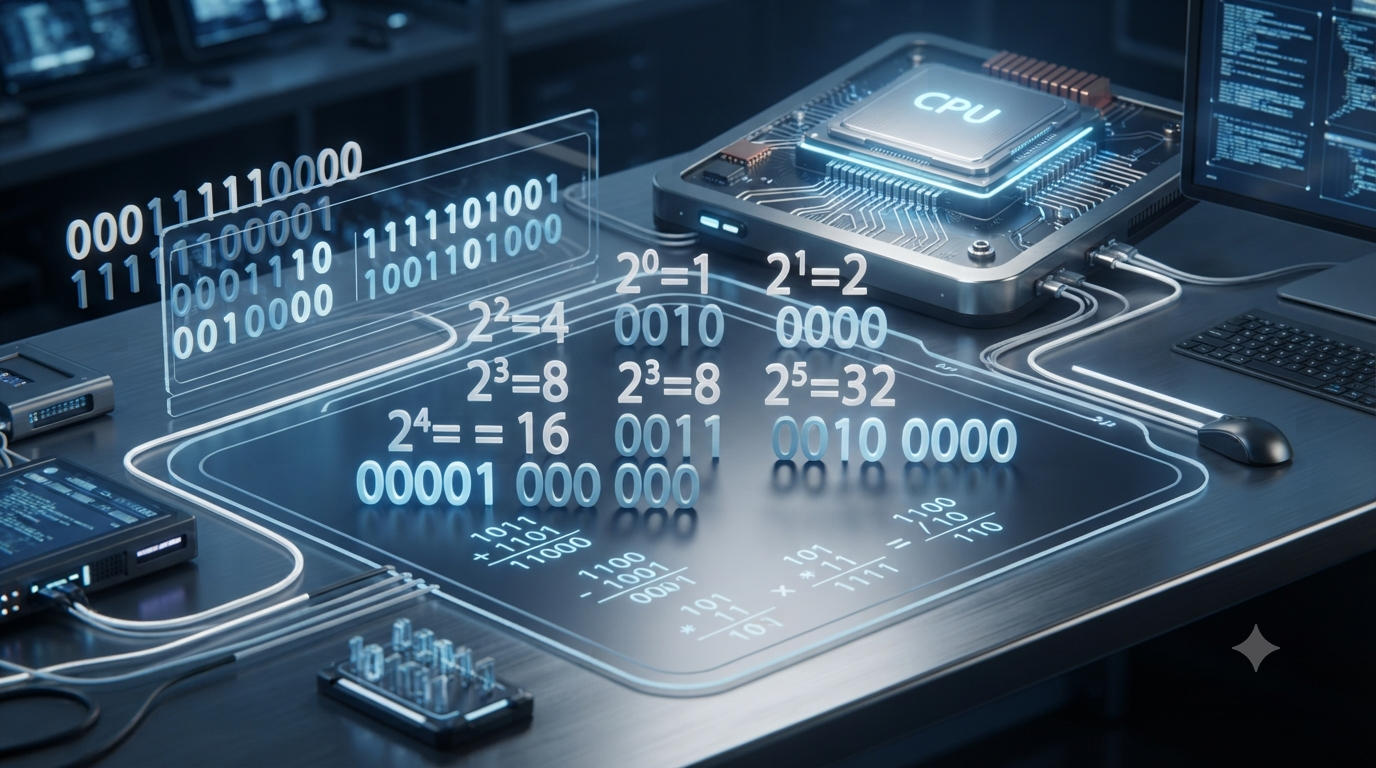
2⁰ = 1
2¹ = 2
2² = 4
2³ = 8
2⁴ = 16
2⁵ = 32
2⁶ = 64
2⁷ = 128
2⁸ = 256
2⁹ = 512
2¹⁰ = 1024
These values help us quickly understand the range represented by a given number of binary bits.
For example, an 8-bit unsigned binary number can represent values from:
0 to 255
This is because the largest 8-bit number is:
11111111₂
Its decimal value is:
128 + 64 + 32 + 16 + 8 + 4 + 2 + 1 = 255
Binary Number System vs Decimal Number System
The binary and decimal systems are both positional number systems, but they use different bases.
| Feature | Binary System | Decimal System |
|---|---|---|
| Base | 2 | 10 |
| Digits used | 0, 1 | 0 to 9 |
| Place values | Powers of 2 | Powers of 10 |
| Common use | Computers and digital systems | Everyday counting |
| Smallest digit | 0 | 0 |
| Largest single digit | 1 | 9 |
Humans commonly use decimal numbers because the decimal system is familiar and convenient for everyday calculations. Digital systems commonly use binary because electronic circuits can efficiently represent two distinct states.
Common Mistakes When Working With Binary Numbers
Beginners often make a few simple mistakes while learning binary calculations.
Using digits other than 0 and 1
A binary number cannot contain digits such as 2, 3, 5, or 9.
For example:
1021₂
is not a valid binary number.
Reading binary place values as powers of 10
The place values in binary are powers of 2, not powers of 10.
For example, in:
1011₂
the place values are:
8, 4, 2, 1
not:
1000, 100, 10, 1
Forgetting the carry in binary addition
Remember:
1 + 1 = 10₂
The result is not simply 2 written as a binary digit because 2 is not a valid single binary digit.
Confusing a binary number with its decimal value
The number 10 means different things in different bases.
10₂ = 2₁₀
while:
10₁₀ = 10₁₀
The base must therefore be considered when interpreting a number.
Where Is the Binary Number System Used?
Binary numbers are fundamental to modern digital technology. They are used in many areas, including:
Computer processors
Digital electronics
Memory systems
Data storage
Communication systems
Programming and software
Networking
Digital image and audio processing
Embedded systems
Robotics
Artificial intelligence systems
Although users normally interact with computers using decimal numbers, text, images, and graphical interfaces, these forms of information are ultimately represented internally using digital data.
Conclusion
The binary number system is a base-2 positional number system that uses only 0 and 1. Each position represents a power of 2, making binary numbers fundamentally different from the base-10 decimal numbers used in everyday life.
Understanding binary starts with learning its place values and conversion methods. Once these basics are clear, binary addition, subtraction, multiplication, and division become much easier to understand. Binary arithmetic also provides an important foundation for computer science and digital electronics because computers use binary states to represent and process information.
Learning the binary number system is therefore not just a mathematical exercise. It is an important step toward understanding how digital devices represent numbers, store information, and perform calculations.
FAQs
1. What is the binary number system?
The binary number system is a positional number system with a base of 2. It uses only two digits, 0 and 1, to represent numbers. Each position in a binary number represents a power of 2, starting with 2⁰ from the rightmost position. For example, 1011₂ represents the decimal number 11 because it equals 8 + 0 + 2 + 1. Binary is especially important in computer science and digital electronics because electronic circuits can conveniently represent two states, such as on and off. Computers use binary patterns internally to represent numbers, text, images, instructions, and other forms of digital information.
2. Why does the binary system use only 0 and 1?
The binary system uses only 0 and 1 because it has a base of 2. More importantly, two possible states are convenient for digital electronic systems. An electronic circuit can distinguish between states such as on and off, high and low voltage, or true and false. These states can be represented using 1 and 0. By combining many binary digits, digital devices can represent much more complex information. For example, a sequence of eight bits can represent 256 different patterns. Although people normally use decimal numbers, computers and many digital devices process information internally using binary because two-state electronic systems are reliable and efficient.
3. What is a bit in the binary number system?
A bit, short for binary digit, is the smallest basic unit of digital information. A bit can have only one of two possible values: 0 or 1. Individual bits can be combined to create larger binary numbers and represent different types of digital information. For example, four bits can form patterns ranging from 0000 to 1111. Eight bits are commonly grouped together to form one byte. Bits are fundamental to computers, digital electronics, communication systems, and data storage. The larger the number of bits available, the greater the number of different patterns that can be represented.
4. How are binary place values determined?
Binary place values are determined using powers of 2. Starting from the rightmost position, the place values are 2⁰, 2¹, 2², 2³, and so on. For example, the binary number 1101₂ has place values 8, 4, 2, and 1. Its decimal value is calculated as (1 × 8) + (1 × 4) + (0 × 2) + (1 × 1), which equals 13. Every position moving to the left has twice the value of the previous position. This is similar to decimal place values, except decimal uses powers of 10 while binary uses powers of 2.
5. How do you convert a binary number to decimal?
To convert a binary number to decimal, multiply each binary digit by its corresponding power of 2 and then add all the results. For example, consider 1011₂. Its place values from right to left are 1, 2, 4, and 8. Therefore, 1011₂ equals (1 × 8) + (0 × 4) + (1 × 2) + (1 × 1). This gives 8 + 0 + 2 + 1 = 11. Therefore, 1011₂ equals 11₁₀. This method can be used for binary numbers of any length and is one of the most important basic skills when learning binary notation.
6. How do you convert a decimal number to binary?
A common method for converting a decimal whole number to binary is repeated division by 2. First, divide the decimal number by 2 and record the remainder. Continue dividing each quotient by 2 until the quotient becomes zero. Finally, read the remainders from bottom to top. For example, converting 13 to binary produces remainders 1, 0, 1, and 1 when the divisions are performed. Reading these from bottom to top gives 1101. Therefore, 13₁₀ = 1101₂. This method works for positive whole numbers and provides a systematic way to convert decimal values into binary.
7. What are the basic rules of binary addition?
Binary addition uses four basic rules: 0 + 0 = 0, 0 + 1 = 1, 1 + 0 = 1, and 1 + 1 = 10. The last rule is especially important because binary has only two digits. When 1 and 1 are added, the result is 0 with a carry of 1 to the next position. For example, adding 101₂ and 011₂ gives 1000₂. In decimal, these numbers are 5 and 3, and their sum is 8. Since 8 is represented as 1000₂, the binary calculation is correct. Carrying works in binary much like carrying does in decimal addition.
8. How does binary subtraction work?
Binary subtraction follows rules similar to decimal subtraction, but only 0 and 1 are used. The basic rules are 0 − 0 = 0, 1 − 0 = 1, and 1 − 1 = 0. When subtracting 1 from 0, borrowing is required from the next position. For example, 1010₂ − 0011₂ gives 0111₂. Converting these numbers to decimal gives 10 − 3 = 7, and 7 is represented as 0111₂. Understanding borrowing is important when performing larger binary subtraction problems. With practice, binary subtraction becomes straightforward because there are only a few basic rules to remember.
9. How are binary multiplication and division performed?
Binary multiplication and division follow principles similar to decimal arithmetic but are simpler because binary has only two digits. The basic multiplication rules are 0 × 0 = 0, 0 × 1 = 0, 1 × 0 = 0, and 1 × 1 = 1. Binary multiplication also uses positional shifts when multiplying by powers of 2. Binary division resembles long division in decimal. For example, 1100₂ ÷ 10₂ = 110₂. In decimal, this is 12 ÷ 2 = 6. Learning binary multiplication and division becomes easier after understanding place values, addition, subtraction, and powers of 2.
10. Why is the binary number system important in computers?
The binary number system is important because computers and digital electronic devices operate using circuits that can represent two distinct states. These states can be represented as 0 and 1. By combining large numbers of binary digits, computers can represent and process numbers, text, images, sound, instructions, and other data. Binary is therefore a fundamental concept in computer science, programming, digital electronics, networking, and data storage. Learning binary also helps explain how computers perform calculations and store information. Although users usually work with decimal numbers and other familiar forms of information, digital systems process these forms internally using binary representations.