Computers store, process, and transmit information using binary digits, commonly known as bits. Unlike the decimal number system, which uses ten digits from 0 to 9, the binary number system uses only two digits: 0 and 1. This simple difference explains why powers of two appear throughout computer memory, processors, digital storage, networking, and programming.
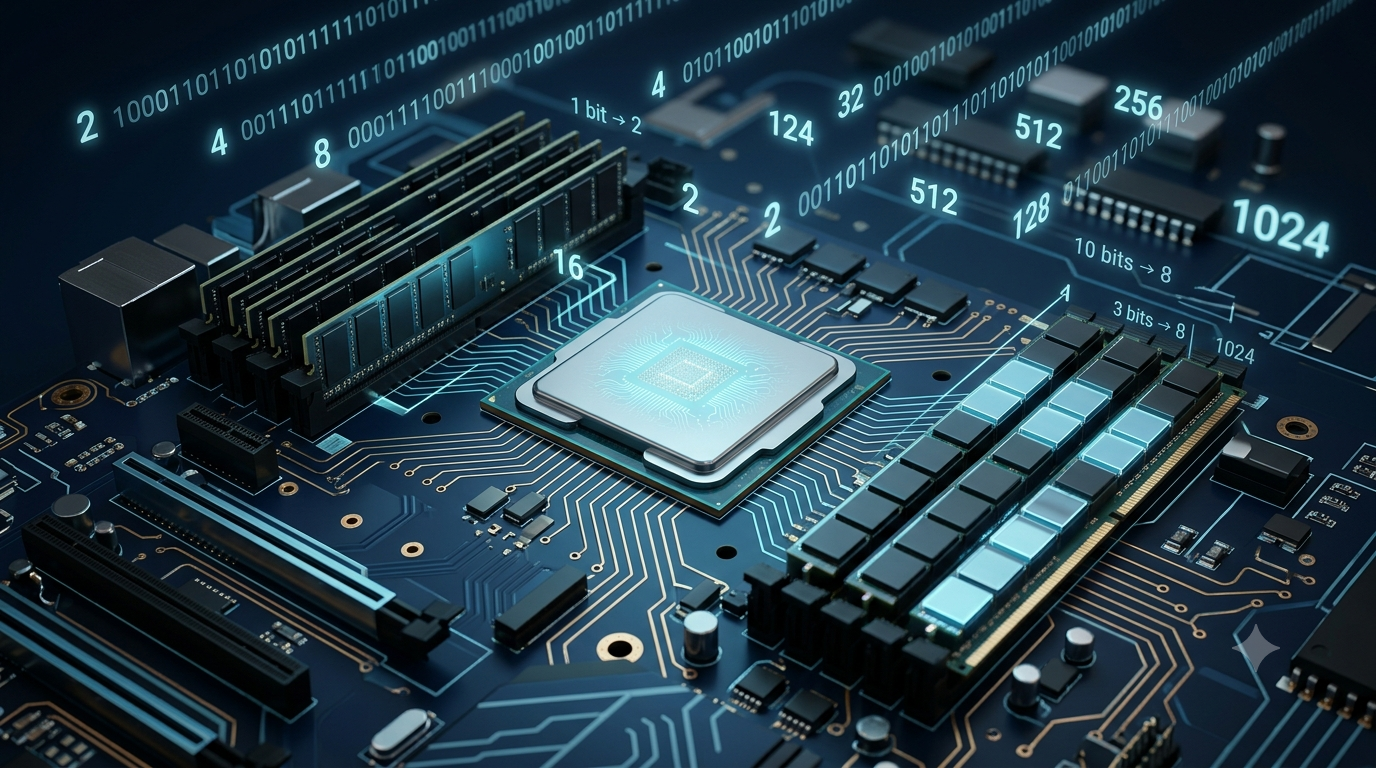
Numbers such as 2, 4, 8, 16, 32, 64, 128, 256, and 1024 are especially common in computing. These numbers are powers of two, meaning they are obtained by multiplying 2 by itself repeatedly. For example, eight bits can represent 256 different patterns, while ten binary digits can represent 1,024 different patterns.
But why do computer systems rely so heavily on these numbers? The answer lies in how digital circuits work, how memory addresses are represented, and how binary calculations simplify hardware design. In this article, we will learn why powers of two are so important and how they are used in modern digital systems.
1. Understanding Powers of Two
A power of two is a number produced by multiplying 2 by itself a certain number of times. It is represented mathematically using an exponent.
For example, multiplying 2 by itself three times produces 8. Similarly, multiplying 2 by itself five times produces 32.
Formula (Text Block):
Power of two = (2^n)
Where:
(2) is the base.
(n) is the exponent.
(2^n) represents 2 multiplied by itself (n) times.
Examples (Text Block):
(2^0 = 1)
(2^1 = 2)
(2^2 = 4)
(2^3 = 8)
(2^4 = 16)
(2^5 = 32)
(2^6 = 64)
(2^{10} = 1024)
Each time the exponent increases by one, the result doubles. This predictable relationship makes powers of two particularly useful in computer systems.
| Exponent | Power of two | Computing example |
|---|---|---|
| 0 | 1 | One possible pattern |
| 1 | 2 | Two possible states |
| 3 | 8 | Bits in a byte |
| 8 | 256 | Patterns represented by 8 bits |
| 10 | 1,024 | Number of bytes in 1 KiB |
| 16 | 65,536 | Patterns represented by 16 bits |
| 20 | 1,048,576 | Number of bytes in 1 MiB |
| 32 | 4,294,967,296 | Patterns represented by 32 bits |
These relationships form the mathematical foundation of binary computing.
2. Why Computers Use Binary
2.1 Digital circuits have two convenient states
Computers contain electronic components, including transistors, that control the flow of electrical current. Digital circuits can distinguish between two defined logical states, commonly represented as 0 and 1.
For example, a circuit may interpret a voltage within one range as logical 0 and a voltage within another range as logical 1. The exact voltage ranges depend on the electronic technology being used.
Using two distinguishable states makes digital circuits reliable and practical. Small electrical variations do not necessarily change the interpreted value, provided the signal remains within the correct range.
A single binary digit is called a bit. Each bit can store one of two values: 0 or 1.
When multiple bits are combined, the number of possible patterns grows according to powers of two.
Formula (Text Block):
Number of possible combinations = (2^n)
Where (n) is the number of bits.
Examples (Text Block):
1 bit = (2^1 = 2) combinations
2 bits = (2^2 = 4) combinations
3 bits = (2^3 = 8) combinations
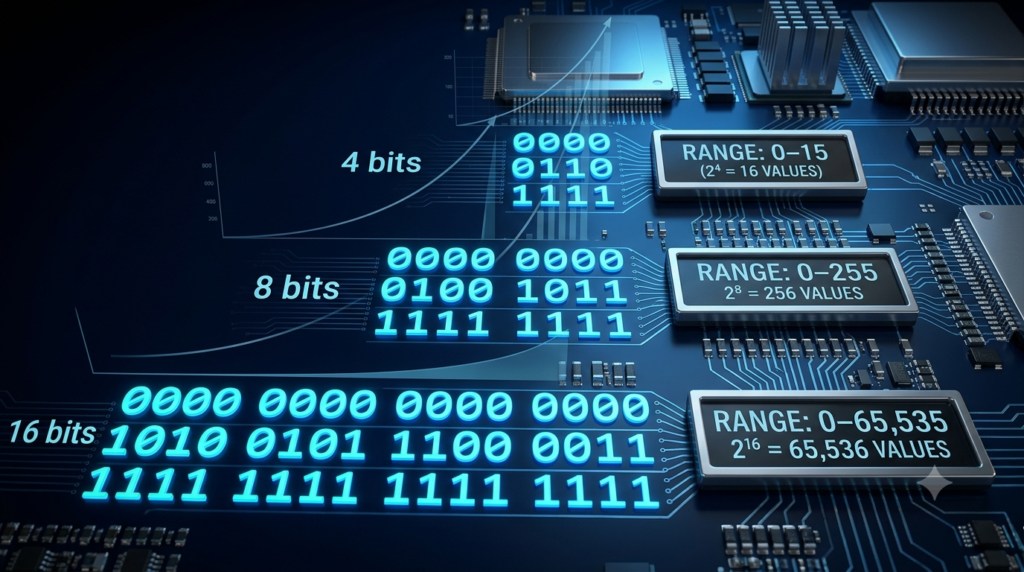
4 bits = (2^4 = 16) combinations
8 bits = (2^8 = 256) combinations
Therefore, increasing the number of bits increases the number of possible patterns exponentially.
2.2 Binary matches digital logic
Digital circuits use logic gates such as AND, OR, and NOT to process binary information. These gates can be combined to build arithmetic units, memory circuits, control systems, and complete processors.
Because these operations work directly with binary values, powers of two appear naturally when designers expand the number of bits used by a system.
Computers can also process decimal numbers. Software can represent decimal values, and some processors include specialized instructions for decimal arithmetic. However, binary representation remains fundamental to most general-purpose digital hardware.
3. Why Powers of Two Are Important in Computer Memory
3.1 Memory stores binary information
Computer memory stores information in binary form. The smallest unit is a bit, while a byte usually consists of eight bits.
Each bit has two possible states. Therefore, eight bits provide 256 possible patterns.
Formula (Text Block):
Number of patterns in 1 byte = (2^8 = 256)
An eight-bit pattern can range from 00000000 to 11111111.
When these patterns are interpreted as unsigned binary integers, they represent values from 0 to 255.
Formula (Text Block):
Maximum unsigned value = (2^n – 1)
Where (n) is the number of bits.
For an eight-bit value:
Maximum value = (2^8 – 1 = 255)
There are 256 possible values, but the maximum value is 255 because counting begins at zero.
This principle is important when determining the range of data types, memory values, and digital counters.
3.2 Memory addresses use binary numbers
Computer memory contains locations that must be identified so that the processor can read and write information. These locations are identified using memory addresses.
In a simplified system, each address is represented by a fixed number of binary bits.
Suppose a memory system uses two address bits. The possible addresses are:
00, 01, 10, 11
These four combinations can identify four different locations.
If the system uses three address bits, it can identify eight locations. Four address bits can identify sixteen locations.
Formula (Text Block):
Number of addressable locations = (2^n)
Where (n) is the number of address bits, assuming every possible bit pattern identifies a distinct location.
Examples (Text Block):
2 address bits = (2^2 = 4) locations
4 address bits = (2^4 = 16) locations
8 address bits = (2^8 = 256) locations
16 address bits = (2^{16} = 65,536) locations
This is one of the main reasons powers of two are so common in memory architecture.
3.3 Memory capacity and binary units
Computer memory capacities frequently follow powers of two because memory is organized using binary addressing and digital circuits.
For example, binary memory units are defined as follows.
Formula (Text Block):
1 KiB = (2^{10}) bytes = 1,024 bytes
1 MiB = (2^{20}) bytes = 1,048,576 bytes
1 GiB = (2^{30}) bytes = 1,073,741,824 bytes
1 TiB = (2^{40}) bytes = 1,099,511,627,776 bytes
The abbreviations KiB, MiB, GiB, and TiB stand for kibibyte, mebibyte, gibibyte, and tebibyte.
These binary units must be distinguished from decimal units. One kilobyte (kB) equals 1,000 bytes, while one kibibyte (KiB) equals 1,024 bytes.
Storage manufacturers commonly use decimal units to advertise capacity. Some operating systems and technical applications display capacities using binary quantities, which can explain differences between advertised and displayed sizes.
4. Powers of Two in Processor Architecture
4.1 Processor registers
A processor uses small storage locations called registers to hold data, addresses, and intermediate results. Registers have specific bit widths, such as 8, 16, 32, or 64 bits.
The number of possible patterns depends on the number of bits in a register.
For example, a 16-bit register can represent (2^{16}), or 65,536, distinct patterns.
A 32-bit register can represent (2^{32}) patterns, while a 64-bit register can represent (2^{64}) patterns.
Formula (Text Block):
Number of possible patterns = (2^n)
Maximum unsigned integer = (2^n – 1)
For a 32-bit unsigned integer:
Maximum value = (2^{32} – 1)
Maximum value = 4,294,967,295
These calculations help explain the relationship between register width, integer ranges, and the amount of information that a processor can represent in a fixed-width value.
4.2 Binary arithmetic
Powers of two also simplify certain arithmetic operations.
Multiplying an unsigned binary integer by two can often be performed by shifting its bits one position to the left, provided the result fits within the available bit width.
For example:
Example (Text Block):
Binary number: 00000101
Decimal value: 5
Shift left by one position: 00001010
New decimal value: 10
The value has doubled.
Similarly, shifting an unsigned integer one position to the right discards the lowest bit and corresponds to integer division by two, with the fractional remainder discarded.
These operations are useful in low-level programming and digital hardware. However, signed values, overflow, and programming-language rules must be considered when applying bit shifts.
5. Powers of Two in Cache Memory
Cache memory is a small, fast memory that keeps frequently used data close to the processor. It helps reduce the time required to access information stored in slower memory.
Modern processors often contain multiple cache levels, including L1, L2, and L3 caches.
5.1 Cache sets and indexing
A cache may divide its storage into sets. Certain bits of a memory address are used to identify the set in which a particular memory block can be stored.
If a cache contains 64 sets, six bits can identify a set because (2^6 = 64).
Similarly:
128 sets = (2^7)
256 sets = (2^8)
512 sets = (2^9)
Using powers of two can simplify the hardware needed to select a set. Actual cache designs also depend on associativity, replacement policies, address translation, and other architectural features.
5.2 Cache line sizes
A cache line is a block of data transferred between memory and the cache. Many systems use cache line sizes that are powers of two, such as 32 or 64 bytes.
For a 64-byte cache line, six bits are sufficient to identify a byte position within that line.
Formula (Text Block):
Number of offset bits = (\log_2(\text{block size in bytes}))
For a 64-byte cache line:
Offset bits = (\log_2(64) = 6)
This relationship makes it easier for hardware to separate the address into different parts, such as the cache set and the byte position within a line.
6. Powers of Two in Storage Devices
Powers of two are also common in storage devices and file systems.
6.1 Sectors and blocks
Storage devices transfer information in units such as sectors, pages, and blocks. Some common unit sizes are powers of two.
For example, logical disk sectors are commonly 512 bytes or 4,096 bytes, depending on the device and its configuration.
Formula (Text Block):
512 bytes = (2^9) bytes
4,096 bytes = (2^{12}) bytes
Using these sizes can simplify address calculations, data alignment, and the organization of storage operations.
However, not every file system structure or storage unit must have a power-of-two size. The choice depends on the device, file system, and intended workload.
6.2 Memory alignment
Memory alignment means placing data at addresses that satisfy specific boundary requirements.
For example, a program or hardware component may prefer data to begin at an address divisible by 8, 16, or 64. Proper alignment can improve access efficiency and meet processor requirements.
Power-of-two alignment boundaries are especially convenient because they allow efficient address calculations using bitwise operations.
Alignment is important in processor design, memory allocation, graphics processing, and high-performance software.
7. Powers of Two in Networking
Networking systems use binary addresses and binary representations to identify devices and transfer information.
7.1 IPv4 and IPv6 addresses
An IPv4 address contains 32 bits. Each bit has two possible states, so the total number of possible bit patterns is:
Formula (Text Block):
IPv4 address patterns = (2^{32})
IPv4 address patterns = 4,294,967,296
An IPv6 address contains 128 bits.
Formula (Text Block):
IPv6 address patterns = (2^{128})
This enormous address space supports a much larger number of possible address combinations than IPv4.
The number of possible patterns does not mean every address is available for general use. Some address ranges are reserved for special purposes.
7.2 Subnet calculations
Subnetting divides an IP address space into smaller networks. The number of bits assigned to the host portion determines how many address combinations are available within a subnet.
For example, an IPv4 /24 prefix leaves eight bits for the host portion.
Formula (Text Block):
Host address combinations = (2^{32-24} = 2^8 = 256)
A conventional IPv4 /24 subnet generally provides 254 usable host addresses because the network and broadcast addresses are normally reserved.
This example demonstrates how powers of two are used in practical network planning.
8. Powers of Two in Programming
Programmers frequently use powers of two when working with bitwise operations, memory allocation, arrays, and data structures.
8.1 Bit masks
A bit mask is a binary value used to select or modify particular bits.
For example, the decimal number 8 corresponds to the binary pattern 00001000 in an eight-bit representation.
Formula (Text Block):
(2^3 = 8)
The pattern contains a 1 at bit position 3 when positions are counted from zero, starting at the right.
Programmers can use this value with bitwise operations to test, set, clear, or toggle a specific bit.
8.2 Array sizes and indexing
Arrays store collections of elements in memory. Their sizes do not have to be powers of two, but certain algorithms work conveniently with power-of-two capacities.
For example, an array with 16 elements has a capacity equal to (2^4). An array with 32 elements has a capacity equal to (2^5).
When an array has a power-of-two capacity, some implementations can calculate an index using a bit mask rather than a remainder operation.
This technique is valid only when the indexing method and input values meet the required conditions. It is not automatically faster or better for every program.
8.3 Circular buffers
A circular buffer stores data in a fixed-size area and reuses positions after reaching the end.
If the buffer has a power-of-two capacity, a program can sometimes wrap an index back to the beginning using a bit mask.
Formula (Text Block):
Wrapped index = index AND (capacity − 1)
This method works when the capacity is a power of two and the relevant integer and indexing conditions are satisfied.
For example, a circular buffer with a capacity of 16 can use the mask 15 to keep an index within the range from 0 to 15.
This technique can simplify certain operations in embedded systems, communication software, and high-performance applications.
9. Why Powers of Two Simplify Hardware Design
The popularity of powers of two is not just about mathematics. It is also related to how digital circuits are constructed.
When the number of binary bits increases, the number of possible states doubles. Hardware designers can use this predictable relationship when building address decoders, registers, memory arrays, counters, and control circuits.
Power-of-two sizes can also simplify calculations involving address offsets and alignment boundaries.
For example, if a memory block contains 256 bytes, the block size is (2^8). Eight bits can identify each byte position within that block.
Formula (Text Block):
Number of offset bits = (\log_2(\text{block size}))
For a 256-byte block:
Offset bits = (\log_2(256) = 8)
When the block size is a power of two, the logarithm gives a whole-number bit count. This can make address calculations straightforward.
Nevertheless, engineering decisions involve trade-offs. Designers must consider cost, power consumption, performance, compatibility, and the specific needs of the system.
10. Are Powers of Two Always Necessary?
Although powers of two are common, not every digital system must use them.
A computer may have a decimal-rated storage capacity, a program may need an array of 100 elements, and a network packet may contain a variable number of bytes.
For example, a storage device advertised as 500 GB uses a decimal capacity measurement. The actual number of bytes may not equal a convenient power of two.
Similarly, algorithms can work with lists, blocks, and data structures of many different sizes.
Powers of two are often useful because they match binary representation and simplify particular hardware or software operations. However, choosing a power-of-two size is not automatically the most efficient solution for every application.
Engineers and programmers select sizes according to practical requirements rather than following a universal rule.
Conclusion
Powers of two are common in computer memory and digital systems because computers use binary digits to represent and process information. Each bit has two possible states, so every additional bit doubles the number of possible patterns. This mathematical relationship explains why values such as 8, 16, 32, 64, 256, and 1,024 appear so frequently in computing.
These numbers are important in memory addressing, processor registers, cache organization, storage blocks, network addresses, and programming techniques. They can simplify calculations, improve alignment, and make many hardware structures easier to design.
However, powers of two are not compulsory for every digital application. Decimal storage units and non-power-of-two data structures remain common when they suit practical requirements. Understanding powers of two provides a strong foundation for learning binary arithmetic, computer architecture, memory management, networking, and programming.
FAQs
1. What are powers of two in computer science?
Powers of two are numbers obtained by multiplying 2 by itself repeatedly. They include 1, 2, 4, 8, 16, 32, 64, 128, and 256. In computer science, these numbers are important because computers represent information using binary digits, or bits, which have two possible values: 0 and 1. Each additional bit doubles the number of possible patterns. For example, four bits can represent 16 different patterns, while eight bits can represent 256. Powers of two appear in memory addressing, processor registers, data storage, networking, and many programming techniques.
2. Why do computers use powers of two instead of powers of ten?
Computers commonly use powers of two because their digital circuits operate using binary states represented by 0 and 1. Each bit has two possible values, so adding another bit doubles the number of available combinations. This naturally produces powers of two. The decimal system, by contrast, uses ten digits and is more convenient for everyday human calculations. Although computers can process decimal numbers, their underlying digital hardware generally represents information in binary. Consequently, powers of two simplify many operations involving memory addresses, data representation, processor registers, and digital circuit design.
3. How many values can eight bits represent?
Eight bits can represent 256 different binary patterns because each bit has two possible states. The total number of combinations is calculated by raising 2 to the power of the number of bits. Therefore, eight bits provide (2^8 = 256) possible patterns. When interpreted as an unsigned integer, these patterns represent decimal values from 0 to 255. The maximum value is 255 because counting begins at zero. Eight bits form one byte, making this relationship important in computer memory, character encoding, data representation, and digital communication systems.
4. Why is computer memory commonly measured in powers of two?
Computer memory is commonly associated with powers of two because digital memory uses binary addresses and electronic circuits. Each additional address bit doubles the number of locations that can be identified. Binary memory units also follow powers of two. For example, one kibibyte (KiB) equals 1,024 bytes, one mebibyte (MiB) equals 1,048,576 bytes, and one gibibyte (GiB) equals 1,073,741,824 bytes. However, storage manufacturers often advertise capacities using decimal units, where one kilobyte equals 1,000 bytes. Understanding this distinction helps explain differences between advertised and displayed storage capacities.
5. What is the relationship between powers of two and memory addresses?
Memory addresses identify locations where computers store data and instructions. In a simplified memory system, each address is represented by a binary pattern. If an address contains (n) bits, it can represent (2^n) different combinations, assuming every pattern identifies a distinct location. For example, four address bits can identify 16 locations, while eight address bits can identify 256 locations. Increasing the number of address bits expands the possible address space. This relationship is fundamental to memory architecture, address decoding, processor design, and understanding how computers access information.
6. Why are 32-bit and 64-bit processors common?
Thirty-two-bit and 64-bit processors are common because their architectures are designed around particular data widths and instruction-processing capabilities. A 32-bit value contains 32 binary digits, allowing (2^{32}) possible bit patterns. A 64-bit value contains 64 bits, allowing (2^{64}) patterns. These widths affect integer representation, register operations, and aspects of memory addressing. However, a processor’s bit width does not automatically determine every practical memory limit. Operating systems, hardware implementations, and architectural restrictions also matter. The choice of processor architecture depends on performance, compatibility, cost, and application requirements.
7. How are powers of two used in cache memory?
Cache memory stores frequently accessed data closer to the processor to improve performance. Many cache designs use power-of-two numbers of sets and cache line sizes because these arrangements simplify address calculations. For example, a cache with 64 sets requires six bits to select a set because (2^6 = 64). Similarly, a 64-byte cache line requires six bits to identify a byte position within that line. Real cache designs also involve associativity, replacement policies, and address translation. Powers of two are useful in these structures, but the exact organization depends on the processor architecture.
8. How do powers of two help programmers?
Powers of two help programmers work with binary data, bitwise operations, memory alignment, and certain data structures. For example, the number 8 corresponds to (2^3), so its binary representation has a single 1 at bit position 3. Programmers can use such values to test or modify individual bits. Power-of-two capacities can also simplify index calculations in some hash tables and circular buffers. However, these techniques require appropriate implementation conditions. Not every array or data structure needs a power-of-two size, and the best choice depends on the program’s requirements, performance goals, and memory constraints.
9. Are all computer storage capacities powers of two?
No, not all computer storage capacities are exact powers of two. Although memory hardware and many storage structures use binary organization, manufacturers commonly advertise storage devices using decimal units. For example, a drive marketed as 500 GB represents 500 billion bytes using the decimal definition of a gigabyte. This capacity does not necessarily equal a power of two. File systems, applications, and storage devices can also manage data in units of different sizes. Powers of two are common because they simplify many digital operations, but practical engineering requirements can lead to other capacities and arrangements.
10. What is the difference between a power of two and a binary number?
A power of two is a mathematical value obtained by multiplying 2 by itself a specified number of times. A binary number is a number represented using only the digits 0 and 1. For example, (2^3 = 8) expresses a power of two mathematically, while 1000 is the binary representation of decimal 8. Every non-negative integer can be represented in binary, but not every integer is a power of two. Powers of two have exactly one 1 in their standard binary representation, making them particularly useful for memory calculations, bit manipulation, and digital system design.