Binary to Hexadecimal Converter
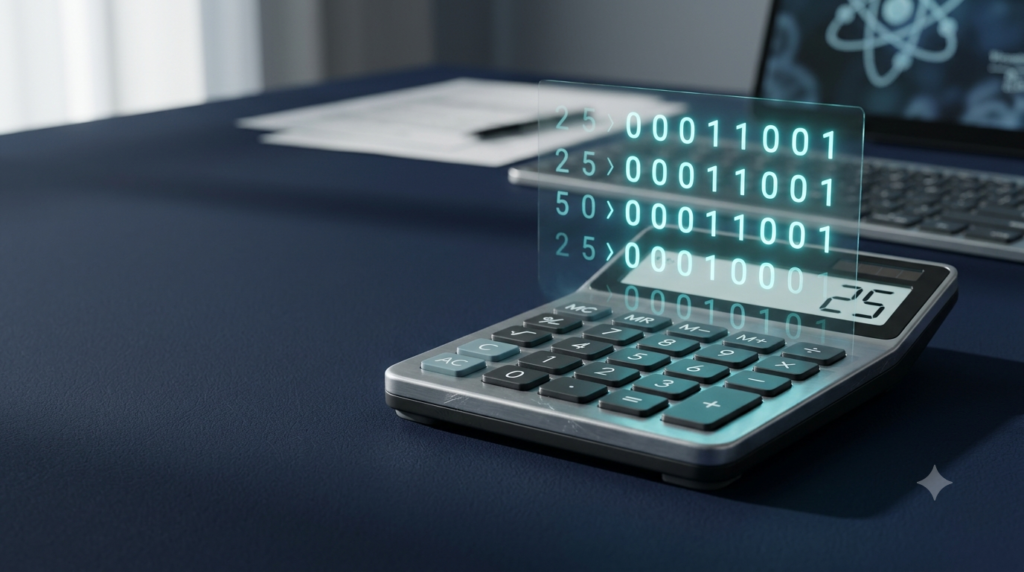
Convert binary numbers (base 2) into hexadecimal numbers (base 16) quickly and accurately.
Enter only 0s and 1s. Spaces and line breaks are allowed.
Note: The converter removes leading zeros from the hexadecimal result. A binary input containing only zeros converts to 0.
A Binary to Hexadecimal Converter is a simple online tool that converts binary numbers into hexadecimal numbers quickly and accurately. It is useful for students, programmers, computer science learners, and anyone who wants to understand how computers represent and process numerical data. Instead of converting binary digits manually, you can enter a binary number into the converter and get its hexadecimal equivalent within seconds.
Binary and hexadecimal are two important number systems used in computing. The binary number system uses only two digits, 0 and 1, while the hexadecimal number system uses sixteen symbols, including the digits 0 to 9 and the letters A to F. Although these number systems look different, they can represent the same numerical values.
The Binary to Hexadecimal Converter makes this conversion easier by grouping binary digits and translating each group into its corresponding hexadecimal digit. It helps reduce manual calculations, save time, and avoid common conversion mistakes.
In this article, you will learn how the converter works, how to use it, how binary numbers are converted into hexadecimal numbers, and why this conversion is important in computer science.
What Is a Binary to Hexadecimal Converter?
A Binary to Hexadecimal Converter is an online tool that changes a number from the binary number system (base 2) to the hexadecimal number system (base 16).
Binary numbers contain only two possible digits: 0 and 1. Computers use binary representation to process and store information. However, long binary numbers can be difficult for humans to read and remember.
Hexadecimal provides a shorter way to represent the same values. Since one hexadecimal digit represents four binary digits, hexadecimal numbers are generally more compact and easier to work with.
For example, the binary number 11010110 is equivalent to the hexadecimal number D6.
You can enter 11010110 into the converter, and the tool will display D6 as the result. You do not need to calculate each digit manually.
The converter is particularly useful when working with computer programming, memory addresses, digital electronics, machine-level data, and other technical applications.
What Is the Binary Number System?
The binary number system is a positional number system with a base of 2. It uses only two digits, 0 and 1, to represent numbers.
Each position in a binary number represents a power of 2. Starting from the right, the positions correspond to 2⁰, 2¹, 2², 2³, and so on.
For example, the binary number 1011 can be converted into decimal form as follows:
1011₂ = 1 × 2³ + 0 × 2² + 1 × 2¹ + 1 × 2⁰
1011₂ = 8 + 0 + 2 + 1
1011₂ = 11₁₀
Therefore, the binary number 1011 represents the decimal number 11.
Binary is important because digital computers and electronic systems commonly use two-state representations to process information. These states can be represented as 0 and 1.
However, binary numbers can become very long when representing large values. Hexadecimal helps simplify their representation without changing the underlying value.
What Is the Hexadecimal Number System?
The hexadecimal number system is a positional number system with a base of 16. It uses sixteen symbols to represent numerical values.
The first ten symbols are the familiar decimal digits from 0 to 9. The remaining six symbols are the letters A, B, C, D, E, and F.
Each letter represents a decimal value between 10 and 15.
| Hexadecimal Digit | Decimal Value |
|---|---|
| 0–9 | 0–9 |
| A | 10 |
| B | 11 |
| C | 12 |
| D | 13 |
| E | 14 |
| F | 15 |
Each hexadecimal position represents a power of 16. Starting from the right, the positions correspond to 16⁰, 16¹, 16², 16³, and so on.
For example, the hexadecimal number 2A represents the decimal value 42.
2A₁₆ = 2 × 16¹ + 10 × 16⁰
2A₁₆ = 32 + 10
2A₁₆ = 42₁₀
Hexadecimal is widely used in computing because it represents binary data in a shorter and more readable format.
How to Use the Binary to Hexadecimal Converter
The converter is designed to make the conversion process straightforward. You only need to enter a valid binary number and start the conversion.
Follow these steps to use the tool:
Open the Binary to Hexadecimal Converter on the webpage.
Find the input box labelled Enter Binary Number.
Type the binary number you want to convert, using only 0s and 1s.
Click the Convert to Hex button.
View the hexadecimal result displayed in the result section.
Click Copy Result if you want to copy the converted value.
Use the Clear button to remove the current input and start another conversion.
For example, if you enter 11111111, the converter displays FF as the hexadecimal result.
You can also select one of the example buttons provided in the tool to test common binary values.
The converter accepts spaces and line breaks in the input, but it does not accept digits other than 0 and 1. If the input contains an invalid character, the tool displays an error message so you can correct it.
How to Convert Binary to Hexadecimal Manually
Understanding the manual conversion method helps you learn how the converter produces its result.
The easiest method is to divide the binary number into groups of four digits, starting from the right. Each group of four binary digits corresponds to one hexadecimal digit.
If the leftmost group contains fewer than four digits, add zeros to its left until it contains four digits. These additional zeros do not change the numerical value.
After grouping the digits, convert each group into its corresponding hexadecimal symbol.
Step 1: Group the Binary Digits
Consider the binary number:
11010110
Divide the number into groups of four digits, starting from the right.
1101 0110
The number contains eight binary digits, so it forms two groups.
Step 2: Convert Each Group to Decimal
Convert each four-digit group into its decimal equivalent.
For the first group:
1101₂ = 1 × 2³ + 1 × 2² + 0 × 2¹ + 1 × 2⁰
1101₂ = 8 + 4 + 0 + 1 = 13
The decimal value 13 corresponds to the hexadecimal digit D.
For the second group:
0110₂ = 0 × 2³ + 1 × 2² + 1 × 2¹ + 0 × 2⁰
0110₂ = 0 + 4 + 2 + 0 = 6
The decimal value 6 corresponds to the hexadecimal digit 6.
Step 3: Combine the Hexadecimal Digits
Write the hexadecimal equivalents in the same order as their binary groups.
1101 = D
0110 = 6
Therefore:
11010110₂ = D6₁₆
The final hexadecimal result is D6.
The online converter performs this grouping and digit mapping automatically, making the process much faster for longer binary numbers.
Binary to Hexadecimal Conversion Table
The following table shows all possible combinations of four binary digits and their corresponding hexadecimal values.
| Binary | Hexadecimal | Decimal |
|---|---|---|
| 0000 | 0 | 0 |
| 0001 | 1 | 1 |
| 0010 | 2 | 2 |
| 0011 | 3 | 3 |
| 0100 | 4 | 4 |
| 0101 | 5 | 5 |
| 0110 | 6 | 6 |
| 0111 | 7 | 7 |
| 1000 | 8 | 8 |
| 1001 | 9 | 9 |
| 1010 | A | 10 |
| 1011 | B | 11 |
| 1100 | C | 12 |
| 1101 | D | 13 |
| 1110 | E | 14 |
| 1111 | F | 15 |
You can use this table to convert binary numbers manually without calculating every digit from its powers of two.
For example, the binary group 1010 corresponds to A, while 1111 corresponds to F.
Learning these sixteen combinations makes binary-to-hexadecimal conversion easier to understand and perform.
Examples of Binary to Hexadecimal Conversion
Here are several examples that demonstrate how different binary numbers are converted into hexadecimal form.
Example 1: Convert 1010 to Hexadecimal
The binary number contains four digits, so no additional zeros are required.
1010₂ = A₁₆
Therefore, the hexadecimal equivalent of 1010 is A.
Example 2: Convert 1111 to Hexadecimal
Using the conversion table:
1111₂ = F₁₆
Therefore, the hexadecimal equivalent of 1111 is F.
Example 3: Convert 11111111 to Hexadecimal
Group the binary digits into sets of four:
1111 1111
Convert each group:
1111 = F
1111 = F
Therefore:
11111111₂ = FF₁₆
Example 4: Convert 100000000 to Hexadecimal
Start grouping from the right:
1 0000 0000
The leftmost group contains only one digit. Add three zeros to its left to complete the group:
0001 0000 0000
Convert the groups:
0001 = 1
0000 = 0
0000 = 0
Therefore:
100000000₂ = 100₁₆
The result is 100 in hexadecimal, which represents 256 in decimal.
Example 5: Convert 1011010111 to Hexadecimal
Start by dividing the binary number into groups of four digits from the right:
10 1101 0111
Add zeros to the left of the first group:
0010 1101 0111
Convert each group:
0010 = 2
1101 = D
0111 = 7
Therefore:
1011010111₂ = 2D7₁₆
These examples demonstrate that the conversion method works for both short and long binary numbers.
Why Is Binary to Hexadecimal Conversion Important?
Binary-to-hexadecimal conversion is useful because it makes binary data easier to read, write, and communicate.
Easier Representation of Large Numbers
Long binary numbers can contain many digits, making them difficult to read. Hexadecimal represents the same values using fewer symbols.
For example, the eight-digit binary number 11010110 becomes the two-character hexadecimal value D6.
This shorter representation helps reduce the complexity of working with binary data.
Computer Programming
Programmers often encounter hexadecimal values when working with low-level programming, memory addresses, bitwise operations, and debugging tools.
Understanding the relationship between binary and hexadecimal helps programmers interpret these values more effectively.
Digital Electronics
Digital electronics uses binary states to represent information. Engineers and students may use hexadecimal notation to simplify the representation of binary data in digital circuits and technical documentation.
Memory Addresses and Machine-Level Data
Hexadecimal is commonly used to display memory addresses and other machine-level values. It provides a compact way to represent data that computers process internally.
Learning Computer Science
Students learning number systems, digital logic, computer architecture, and data representation can use binary-to-hexadecimal conversion to understand how different number systems express the same value.
The converter can help them check their manual calculations and practise the conversion process.
Advantages of Using an Online Binary to Hexadecimal Converter
An online converter offers several practical advantages for everyday calculations and learning.
Fast conversion: It converts valid binary numbers into hexadecimal values within seconds.
Reduced calculation errors: Automatic conversion helps avoid mistakes that can occur when grouping digits or selecting hexadecimal symbols manually.
Easy to use: The tool requires only a binary input and a click on the conversion button.
Convenient copying: The Copy Result feature allows you to copy the hexadecimal value for use in notes, assignments, programming editors, or other applications.
Mobile-friendly access: The responsive interface allows users to access the converter on smartphones, tablets, laptops, and desktop computers.
Useful for practice: Example inputs make it easier for beginners to test the tool and compare the output with their own calculations.
No complicated setup: The converter works directly on the webpage without requiring users to install additional software.
These features make it suitable for students, teachers, developers, and anyone who regularly works with binary and hexadecimal number systems.
Common Mistakes to Avoid
Although binary-to-hexadecimal conversion is straightforward, a few common mistakes can produce incorrect results.
Using invalid binary digits: A binary number can contain only 0 and 1. Digits such as 2, 5, or 9 are not valid binary digits.
Grouping digits from the left: Always form groups of four starting from the right. Grouping from the left can produce an incorrect result.
Forgetting leading zeros: If the leftmost group contains fewer than four digits, add zeros to its left before converting the group. This does not change the number’s value.
Misunderstanding hexadecimal letters: The letters A through F represent decimal values from 10 through 15. They are valid hexadecimal digits, not errors.
Reversing the order of groups: Convert the groups from left to right and preserve their original order when combining the hexadecimal digits.
Confusing number systems: The same symbols can have different meanings depending on the base. For example, 10 in binary represents 2 in decimal, while 10 in hexadecimal represents 16 in decimal.
Understanding these points helps you use the converter correctly and improves your knowledge of number systems.
Binary vs. Hexadecimal Number Systems
Binary and hexadecimal are both positional number systems, but they use different bases and symbols.
| Feature | Binary | Hexadecimal |
|---|---|---|
| Base | 2 | 16 |
| Symbols used | 0 and 1 | 0–9 and A–F |
| Digits per group | 1 binary digit represents one binary position | 1 hexadecimal digit represents four binary digits |
| Common purpose | Internal digital representation | Compact representation of binary data |
| Example | 11010110 | D6 |
The main advantage of hexadecimal is its compact representation. One hexadecimal digit corresponds to exactly four binary digits, which makes conversion between these systems particularly convenient.
For instance, the binary number 11110000 can be grouped as 1111 0000. The corresponding hexadecimal digits are F and 0, giving F0.
Both representations express the same numerical value, but hexadecimal is often easier for humans to read when working with large amounts of binary data.
Conclusion
The Binary to Hexadecimal Converter is a useful online tool for converting binary numbers into hexadecimal values quickly and accurately. It simplifies a common task in computer science by automatically grouping binary digits and replacing each group with its corresponding hexadecimal symbol.
Understanding the conversion process is equally important. By learning the binary number system, hexadecimal symbols, four-digit grouping method, and common conversion examples, you can perform conversions manually and verify results using the online tool.
Whether you are studying computer fundamentals, learning programming, exploring digital electronics, or working with binary data, this converter provides a convenient way to complete calculations. Enter a valid binary number, click Convert to Hex, and use the resulting hexadecimal value wherever it is needed.
FAQs
1. What is a Binary to Hexadecimal Converter?
A Binary to Hexadecimal Converter is an online tool that converts binary numbers into hexadecimal numbers. Binary uses only two digits, 0 and 1, whereas hexadecimal uses sixteen symbols, from 0 to 9 and A to F. The converter automatically groups binary digits into sets of four and replaces each group with its corresponding hexadecimal digit. This makes conversion faster and easier than calculating each value manually. The tool is useful for students, programmers, computer science learners, and anyone working with digital data or different number systems.
2. How do I convert binary to hexadecimal using an online converter?
To convert binary to hexadecimal, enter a valid binary number into the converter’s input box and click the Convert to Hex button. The tool processes the binary digits and displays the equivalent hexadecimal result. For example, entering 11010110 produces D6. You can use the Copy Result button to copy the answer and the Clear button to start another conversion. Make sure your input contains only 0s and 1s. Spaces and line breaks may be accepted, but other digits or letters will cause an input error.
3. How do you convert binary numbers to hexadecimal manually?
To convert binary to hexadecimal manually, divide the binary number into groups of four digits, starting from the right. If the leftmost group contains fewer than four digits, add zeros to its left. Next, convert each group into its corresponding hexadecimal digit using a conversion table. For example, 11010110 becomes 1101 0110. The group 1101 corresponds to D, while 0110 corresponds to 6. Combining the two hexadecimal digits gives D6. This method works for both short and long binary numbers.
4. Why are four binary digits equal to one hexadecimal digit?
Four binary digits can represent sixteen different combinations, ranging from 0000 to 1111. The hexadecimal number system also has sixteen symbols, ranging from 0 to F. Therefore, every possible combination of four binary digits corresponds to exactly one hexadecimal digit. For example, 0000 corresponds to 0, 1001 corresponds to 9, and 1111 corresponds to F. This direct relationship makes conversion between binary and hexadecimal straightforward. It also allows hexadecimal to represent long binary numbers using fewer characters, making digital information easier for people to read.
5. What is the hexadecimal equivalent of 11111111?
The hexadecimal equivalent of the binary number 11111111 is FF. To calculate it manually, divide the binary number into two groups of four digits: 1111 and 1111. Each group represents the decimal value 15, which corresponds to the hexadecimal symbol F. Combining the two symbols gives FF. In decimal form, both 11111111 in binary and FF in hexadecimal represent 255. You can also enter 11111111 into an online Binary to Hexadecimal Converter to obtain the result instantly without performing the calculation yourself.
6. Can I convert a long binary number into hexadecimal?
Yes, you can convert long binary numbers into hexadecimal by dividing the digits into groups of four, starting from the right. Each group produces one hexadecimal digit, so longer binary numbers simply generate longer hexadecimal results. An online converter automates this process and reduces the effort required for manual calculations. For example, the binary number 1011010111 converts to 2D7. When using a converter, ensure that your input contains only valid binary digits. The tool can then generate the corresponding hexadecimal representation without requiring you to calculate each group separately.
7. What happens when a binary number has fewer than four digits?
A binary number with fewer than four digits can still be converted into hexadecimal. If necessary, add leading zeros to make a group of four digits. For example, the binary number 101 becomes 0101 when padded with a leading zero. The group 0101 corresponds to hexadecimal 5. Therefore, 101 in binary converts to 5 in hexadecimal. Adding leading zeros does not change the numerical value because they do not contribute any additional nonzero place values. Online converters generally handle this step automatically, so you do not need to add the zeros yourself.
8. Where is binary to hexadecimal conversion used?
Binary-to-hexadecimal conversion is commonly used in computer programming, digital electronics, computer architecture, and technical data representation. Programmers use hexadecimal values when examining memory addresses, debugging software, and performing bitwise operations. Students use conversion techniques when learning number systems and digital logic. Hexadecimal is also useful for representing binary data in a shorter, more readable format. For example, the binary value 11010110 can be written as D6 in hexadecimal. Although computers process information using underlying binary representations, hexadecimal notation helps people understand and work with that information more conveniently.
9. Is a Binary to Hexadecimal Converter accurate?
A properly implemented Binary to Hexadecimal Converter produces accurate results for valid binary inputs. It converts groups of four binary digits into their corresponding hexadecimal symbols while preserving the original numerical value. For example, 1010 converts to A, and 11110000 converts to F0. However, accuracy depends on correct implementation and valid input. Binary numbers must contain only 0s and 1s. If you are studying number systems or checking important calculations, you can compare the result with a manual conversion. This is a useful way to verify answers and improve your understanding.
10. Is the Binary to Hexadecimal Converter free to use on mobile devices?
An online Binary to Hexadecimal Converter can be used on smartphones, tablets, laptops, and desktop computers when the website supports a responsive design. A mobile-friendly converter adjusts its layout to smaller screens and provides accessible input fields and buttons. The tool described in this article includes conversion, example inputs, a copy-result feature, and a clear button. It performs calculations directly in the browser and does not require a separate calculator application. You can open the webpage, enter a binary number, and obtain its hexadecimal equivalent whenever you need it.