Inverse Trigonometric Calculator
Calculate inverse trigonometric functions in degrees or radians.
An Inverse Trigonometric Calculator is an online mathematical tool that helps you calculate the angle associated with a given trigonometric value. It allows you to find inverse sine, inverse cosine, inverse tangent, inverse cotangent, inverse secant, and inverse cosecant values quickly and accurately. Instead of solving these calculations manually, you can enter a value, select the required inverse trigonometric function, and obtain the result in degrees or radians.
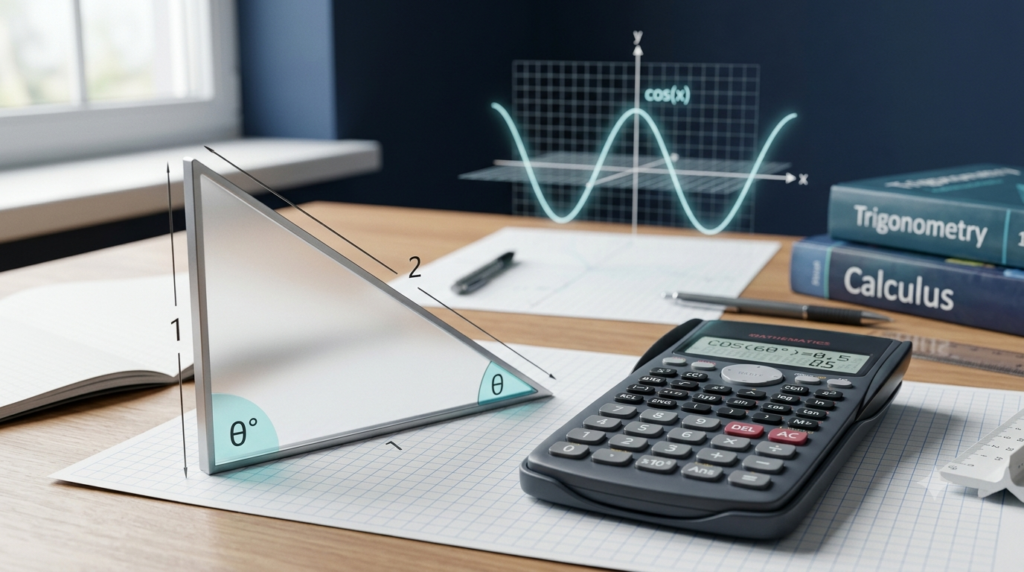
Inverse trigonometric functions are widely used in mathematics, geometry, physics, engineering, navigation, and many other scientific applications. They are particularly useful when you know the ratio between the sides of a right triangle and want to determine an angle.
The Inverse Trigonometric Calculator on this page is designed to make these calculations easier for students, teachers, professionals, and anyone learning trigonometry. It supports common inverse trigonometric functions and displays results in a convenient format.
What Is an Inverse Trigonometric Calculator?
An Inverse Trigonometric Calculator is a tool that calculates the inverse of a trigonometric function for a given input value. It helps you determine an angle when the sine, cosine, tangent, or another trigonometric ratio is known.
For example, suppose the sine of an angle is 0.5. To find the corresponding principal angle, you can calculate the inverse sine of 0.5. The result is 30° or π/6 radians.
This calculation is written as:
sin⁻¹(0.5) = 30°
The symbol sin⁻¹ represents the inverse sine function. It should not be confused with 1/sin(x), which represents the reciprocal of the sine function.
An inverse trigonometric calculator performs these operations automatically. You do not need to remember every inverse function formula or perform lengthy calculations by hand.
What Are Inverse Trigonometric Functions?
Inverse trigonometric functions are mathematical functions that help determine an angle from a known trigonometric ratio. They reverse the operation of their corresponding trigonometric functions within their defined principal ranges.
The six commonly used inverse trigonometric functions are inverse sine, inverse cosine, inverse tangent, inverse cotangent, inverse secant, and inverse cosecant.
1. Inverse Sine (sin⁻¹)
Inverse sine, also called arcsine, determines an angle whose sine equals a given number.
Its mathematical form is:
θ = sin⁻¹(x)
For example:
sin⁻¹(0.5) = 30°
The real-valued input must be between −1 and 1, including both endpoints.
2. Inverse Cosine (cos⁻¹)
Inverse cosine, also called arccosine, calculates an angle whose cosine equals the specified input.
Its mathematical form is:
θ = cos⁻¹(x)
For example:
cos⁻¹(0.5) = 60°
The valid real input range is −1 to 1, inclusive. The principal output angle ranges from 0° to 180°.
3. Inverse Tangent (tan⁻¹)
Inverse tangent, also called arctangent, finds an angle whose tangent equals the given number.
Its mathematical form is:
θ = tan⁻¹(x)
For example:
tan⁻¹(1) = 45°
Inverse tangent accepts every real number as an input. Its principal output lies between −90° and 90°, excluding the endpoints.
4. Inverse Cotangent (cot⁻¹)
Inverse cotangent determines an angle corresponding to a specified cotangent value.
Its mathematical form is:
θ = cot⁻¹(x)
For example:
cot⁻¹(1) = 45°
The principal range used by this calculator is greater than 0° and less than 180°. Different mathematical conventions may use different principal ranges, so it is important to check the convention used by your textbook or calculator.
5. Inverse Secant (sec⁻¹)
Inverse secant, also called arcsecant, determines an angle whose secant equals the given value.
Its mathematical form is:
θ = sec⁻¹(x)
For example:
sec⁻¹(2) = 60°
For real-valued results, the input must satisfy x ≤ −1 or x ≥ 1. Inputs between −1 and 1 are outside the real domain of inverse secant, except for the endpoints.
6. Inverse Cosecant (csc⁻¹)
Inverse cosecant, also called arccosecant, finds an angle whose cosecant equals a given value.
Its mathematical form is:
θ = csc⁻¹(x)
For example:
csc⁻¹(2) = 30°
The valid real input values satisfy x ≤ −1 or x ≥ 1. Values strictly between −1 and 1 do not produce real inverse cosecant results.
How to Use the Inverse Trigonometric Calculator
Using the calculator is straightforward. Follow these steps to obtain your result.
Select the inverse function: Choose inverse sine, inverse cosine, inverse tangent, inverse cotangent, inverse secant, or inverse cosecant from the function menu.
Enter the input value: Type the numerical value for which you want to calculate the inverse trigonometric function. For example, enter 0.5 for inverse sine.
Choose the output unit: Select degrees or radians according to your requirements.
Calculate the result: Click the Calculate button to process the input.
Read the answer: The calculator displays the calculated value in your selected unit. It also shows the corresponding result in degrees and radians.
Clear or change the input: Use the Clear button to reset the calculator or enter a different value to perform another calculation.
Make sure that your input belongs to the valid domain of the selected function. If a value is outside that domain, the calculator will display an error instead of a real-valued answer.
Degrees and Radians in Inverse Trigonometry
Degrees and radians are two different units used to measure angles. An inverse trigonometric calculator may provide results in either unit, depending on the selected setting.
Degrees
A complete rotation measures 360°. A right angle measures 90°, and a straight angle measures 180°.
Degrees are commonly used in school-level geometry, practical angle measurements, construction, and many everyday applications.
For example:
sin⁻¹(0.5) = 30°
Radians
Radians measure angles using the relationship between the radius and the arc length of a circle. They are widely used in advanced mathematics, calculus, physics, and engineering.
A complete rotation equals 2π radians, while a straight angle equals π radians.
For example:
sin⁻¹(0.5) = π/6 radians
Converting Degrees to Radians
To convert an angle from degrees to radians, multiply the degree value by π/180.
Radians = Degrees × π/180
For example:
30° = 30 × π/180 = π/6 radians
Converting Radians to Degrees
To convert an angle from radians to degrees, multiply the radian value by 180/π.
Degrees = Radians × 180/π
For example:
π/4 radians = π/4 × 180/π = 45°
Understanding these conversions helps you interpret calculator results correctly and use the appropriate angle unit in mathematical problems.
Inverse Trigonometric Calculator Examples
The following examples demonstrate how inverse trigonometric functions work.
Example 1: Finding an Angle Using Inverse Sine
Suppose the sine of an angle is 0.5. Find the principal angle.
Given:
sin θ = 0.5
Apply the inverse sine function:
θ = sin⁻¹(0.5)
Therefore:
θ = 30°
The principal angle is 30°, which is equivalent to π/6 radians.
Example 2: Finding an Angle Using Inverse Cosine
Suppose the cosine of an angle is 0.5.
Given:
cos θ = 0.5
Apply inverse cosine:
θ = cos⁻¹(0.5)
Therefore:
θ = 60°
The principal result is 60°, or π/3 radians.
Example 3: Finding an Angle Using Inverse Tangent
Suppose the tangent of an angle is 1.
Given:
tan θ = 1
Apply inverse tangent:
θ = tan⁻¹(1)
Therefore:
θ = 45°
The result is 45°, or π/4 radians.
Example 4: Calculating Inverse Sine for a Negative Value
Suppose the input value is −0.5.
Apply inverse sine:
θ = sin⁻¹(−0.5)
Therefore:
θ = −30°
The corresponding radian value is −π/6.
This example demonstrates that inverse trigonometric functions can produce negative angles, depending on the input and the function’s principal range.
Example 5: Calculating Inverse Secant
Suppose the input value is 2.
Apply inverse secant:
θ = sec⁻¹(2)
Since secant is the reciprocal of cosine, this is equivalent to:
θ = cos⁻¹(1/2)
Therefore:
θ = 60°
This method also illustrates the relationship between inverse secant and inverse cosine.
Domain and Range of Inverse Trigonometric Functions
The domain describes the valid input values of a function, while the range describes its possible output values. These restrictions are important because inverse trigonometric functions do not all accept the same inputs.
The standard principal domains and ranges used by this calculator are summarized below.
| Function | Valid Input Domain | Principal Output Range |
|---|---|---|
| sin⁻¹(x) | −1 ≤ x ≤ 1 | −90° to 90°, inclusive |
| cos⁻¹(x) | −1 ≤ x ≤ 1 | 0° to 180°, inclusive |
| tan⁻¹(x) | All real numbers | Between −90° and 90° |
| cot⁻¹(x) | All real numbers | Between 0° and 180° |
| sec⁻¹(x) | x ≤ −1 or x ≥ 1 | 0° to 180°, excluding 90° |
| csc⁻¹(x) | x ≤ −1 or x ≥ 1 | −90° to 90°, excluding 0° |
For inverse tangent, the output approaches but never reaches −90° or 90° for any finite real input. Similarly, inverse cotangent approaches but does not reach 0° or 180°.
These principal ranges ensure that each inverse function returns a consistent angle rather than multiple possible angles.
Applications of Inverse Trigonometric Functions
Inverse trigonometric functions are useful in a wide range of academic, scientific, and practical situations.
Geometry and Triangle Calculations
Inverse trigonometric functions help calculate unknown angles in triangles when side lengths or trigonometric ratios are known. For example, if the opposite side and hypotenuse of a right triangle are known, inverse sine can be used to determine an angle.
Physics
In physics, inverse trigonometric functions help determine the direction of forces, velocities, and other vector quantities. They are also useful in analyzing projectile motion, waves, and periodic systems.
Engineering
Engineers use inverse trigonometric calculations in structural design, mechanical systems, electrical circuits, and signal processing. These calculations can help determine orientations, angles, and phase relationships.
Navigation and Surveying
Inverse trigonometric functions can help calculate directions, bearings, and angles from measured distances or coordinate differences. Surveyors and navigation professionals use related mathematical techniques to analyze spatial relationships.
Computer Graphics and Programming
In computer graphics, inverse trigonometric functions help determine the orientation of objects, calculate viewing angles, and process coordinate relationships. They are commonly available in programming languages and mathematical libraries.
Astronomy
Inverse trigonometric calculations are useful in determining angular relationships between celestial objects and interpreting geometric measurements in astronomical applications.
The accuracy of these applications depends on the quality of the input data, the mathematical model, and the correct interpretation of angle units.
Advantages of Using an Inverse Trigonometric Calculator
An online inverse trigonometric calculator offers several benefits for learning and solving mathematical problems.
Fast calculations: Obtain results without performing lengthy manual calculations.
Multiple functions: Calculate inverse sine, cosine, tangent, cotangent, secant, and cosecant using one tool.
Flexible angle units: View results in degrees or radians.
Domain validation: Identify input values that do not produce real-valued results for the selected function.
Useful for learning: Compare your manual calculations with calculator results to improve your understanding.
Convenient access: Perform calculations on compatible mobile phones, tablets, laptops, and desktop computers.
Reduced arithmetic errors: Let the calculator handle numerical computation while you focus on understanding the mathematical process.
Although the calculator is useful for obtaining answers, learning the underlying formulas, domains, and principal ranges remains important for solving problems independently.
Common Mistakes to Avoid
When using inverse trigonometric functions, a few common mistakes can lead to incorrect answers.
Confusing Inverse Functions with Reciprocals
The expression sin⁻¹(x) means inverse sine, whereas 1/sin(x) means cosecant. These expressions represent different mathematical operations.
Using an Invalid Input
Inverse sine and inverse cosine accept real input values only between −1 and 1. Inverse secant and inverse cosecant require the absolute value of the input to be at least 1.
Mixing Degrees and Radians
A result of π/4 radians is equal to 45°, not 0.785°. The numerical values differ because the angle units are different.
Ignoring Principal Ranges
An inverse trigonometric function returns a principal angle. Other angles may have the same trigonometric value, but they are not necessarily returned by the inverse function.
For example, both 30° and 150° have a sine of 0.5. However, the principal result of sin⁻¹(0.5) is 30°.
Rounding Too Early
Rounding intermediate values too soon may affect the accuracy of a final answer. Keep sufficient precision during calculations and round the result only when necessary.
Conclusion
An Inverse Trigonometric Calculator is a practical tool for finding angles from known trigonometric values. It supports inverse sine, inverse cosine, inverse tangent, inverse cotangent, inverse secant, and inverse cosecant, making it useful for a wide range of mathematical and scientific calculations.
By entering a valid numerical value and selecting the appropriate function, you can obtain the corresponding principal angle in degrees or radians. Understanding the domain, range, and difference between inverse functions and reciprocal functions will help you use the calculator more effectively.
Whether you are studying trigonometry, solving geometry problems, working with physics equations, or exploring engineering applications, this calculator can save time and simplify numerical calculations while helping you develop a stronger understanding of inverse trigonometric functions.
FAQs
1. What is an Inverse Trigonometric Calculator?
An Inverse Trigonometric Calculator is an online tool used to find an angle when a trigonometric value is known. It calculates inverse sine, inverse cosine, inverse tangent, inverse cotangent, inverse secant, and inverse cosecant. Users can enter a numerical value, select the required function, and obtain the corresponding principal angle. Results can be displayed in degrees or radians. This calculator is useful for students, teachers, engineers, and anyone working with trigonometry. It simplifies calculations, saves time, and helps users check their answers when solving mathematical, geometric, and scientific problems.
2. How do I use an Inverse Trigonometric Calculator?
To use an Inverse Trigonometric Calculator, first select the required function, such as inverse sine or inverse tangent. Next, enter the numerical value into the input field. Choose whether you want the answer in degrees or radians. Click the Calculate button to display the result. The calculator may also show the equivalent angle in both units for comparison. If you enter a value outside the valid domain of the selected function, it will display an error. You can clear the input and repeat the process whenever you need to solve another inverse trigonometric calculation.
3. What are the six inverse trigonometric functions?
The six commonly used inverse trigonometric functions are inverse sine, inverse cosine, inverse tangent, inverse cotangent, inverse secant, and inverse cosecant. Their mathematical notations are sin⁻¹(x), cos⁻¹(x), tan⁻¹(x), cot⁻¹(x), sec⁻¹(x), and csc⁻¹(x), respectively. Each function determines a principal angle associated with a given trigonometric value. For example, inverse sine finds an angle whose sine equals the input value. These functions are important in geometry, algebra, physics, engineering, and other scientific fields. An inverse trigonometric calculator allows users to calculate all six functions conveniently using one tool.
4. What is the difference between inverse trigonometric functions and reciprocal functions?
Inverse trigonometric functions and reciprocal functions represent different mathematical operations. An inverse function helps determine an angle from a known trigonometric value, while a reciprocal function calculates the reciprocal of a trigonometric ratio. For example, sin⁻¹(x) represents inverse sine, whereas 1/sin(x) represents cosecant. Similarly, cos⁻¹(x) is inverse cosine, while 1/cos(x) is secant. Confusing these expressions can lead to incorrect answers. When using an inverse trigonometric calculator, select the inverse function you need rather than assuming that the negative-one exponent means division by the original trigonometric function.
5. Can an Inverse Trigonometric Calculator calculate answers in degrees and radians?
Yes, an Inverse Trigonometric Calculator can provide results in degrees or radians, depending on the selected output unit. Degrees are commonly used in school mathematics, geometry, and everyday angle measurements. Radians are frequently used in calculus, advanced mathematics, physics, and engineering. For example, inverse sine of 0.5 equals 30 degrees or π/6 radians. Both values represent the same angle, expressed in different units. To convert degrees into radians, multiply the degree value by π/180. To convert radians into degrees, multiply the radian value by 180/π.
6. Why does an inverse trigonometric function sometimes show an invalid input error?
An inverse trigonometric function displays an invalid input error when the entered value lies outside its real-valued domain. For inverse sine and inverse cosine, the input must be between −1 and 1, including both endpoints. Inverse secant and inverse cosecant require an input whose absolute value is at least 1. Inverse tangent and inverse cotangent accept all real numbers. For example, inverse sine of 2 does not produce a real angle because no real angle has a sine of 2. Checking the valid input range before calculating helps prevent errors and improves understanding.
7. What is the principal angle in inverse trigonometry?
The principal angle is the specific angle returned by an inverse trigonometric function according to its defined output range. A trigonometric value can correspond to multiple angles, but an inverse function returns only one principal value. For example, the sine of both 30 degrees and 150 degrees is 0.5. However, inverse sine of 0.5 returns 30 degrees because the principal range of inverse sine is from −90 degrees to 90 degrees, including both endpoints. Understanding principal angles is important when solving trigonometric equations, interpreting calculator results, and determining whether additional solutions are required.
8. What is the difference between sin⁻¹(x) and arcsin(x)?
There is no mathematical difference between sin⁻¹(x) and arcsin(x) when both expressions represent the inverse sine function. They are two different notations for the same operation. For example, sin⁻¹(0.5) and arcsin(0.5) both equal 30 degrees or π/6 radians. The notation arcsin is often preferred in programming languages, scientific writing, and situations where confusion with reciprocal functions is possible. Remember that sin⁻¹(x) does not mean 1/sin(x). The reciprocal of sine is cosecant, written as csc(x), which is a different mathematical function.
9. Where are inverse trigonometric functions used in real life?
Inverse trigonometric functions are used in geometry, physics, engineering, navigation, surveying, astronomy, and computer graphics. They help calculate unknown angles from known ratios, distances, coordinates, or measurements. For example, an engineer may use inverse tangent to determine the angle of a slope from its vertical rise and horizontal distance. In physics, inverse trigonometric functions can help determine the direction of a force or velocity vector. Surveyors use related calculations to analyze land measurements, while computer graphics applications use them to determine object orientations and viewing angles. These functions connect mathematical calculations with practical problems.
10. Are the results from an Inverse Trigonometric Calculator accurate?
An Inverse Trigonometric Calculator generally provides accurate numerical results when the correct function and a valid input are selected. However, displayed answers may be rounded to a limited number of decimal places. Small differences between calculator results and manual calculations can occur because of rounding or differences in numerical precision. It is also important to choose the correct output unit and understand the principal range of the selected function. For important academic or engineering calculations, verify the input, formula, and required precision. Remember that a mathematically correct result may still be unsuitable if the original measurements or assumptions are incorrect.