Rounding Calculator
Round any number to decimal places, significant figures, or the nearest tens, hundreds, thousands, and other place values.
123.456 → 123.46 (2 decimal places)
123.456 → 120 (2 significant figures)
1,567 → 1,600 (nearest hundred)
A rounding calculator is a simple and useful online tool that helps you round numbers to a desired level of precision. Whether you are working with decimals, significant figures, or whole numbers, rounding makes numerical values easier to read, understand, and use in everyday calculations. Instead of rounding numbers manually, you can use a rounding calculator to obtain a result quickly and conveniently.
Rounding is an important mathematical skill used in school mathematics, science, engineering, finance, statistics, and daily life. For example, you might round a price to the nearest rupee, a measurement to two decimal places, or a large population figure to the nearest thousand. In scientific calculations, rounding is also useful for presenting measurements with an appropriate level of precision.
This Rounding Calculator allows you to enter a number and choose how you want to round it. You can round to decimal places, significant figures, or the nearest place value, such as tens, hundreds, thousands, tenths, and hundredths. Understanding how rounding works will help you interpret the results correctly and choose the right method for different mathematical problems.
What Is a Rounding Calculator?
A rounding calculator is an online mathematical tool that changes a number into a simpler or more convenient value while following a selected rounding rule. It reduces the number of digits in a value when appropriate without unnecessarily changing its overall magnitude.
For example, the number 8.736 can be rounded to 8.74 when rounding to two decimal places. Similarly, 1,476 can be rounded to 1,500 when rounding to the nearest hundred.
The result depends on the rounding method you select. Rounding to decimal places focuses on the digits after the decimal point, while rounding to significant figures focuses on the meaningful digits in a number. Rounding to the nearest place value, on the other hand, may involve tens, hundreds, thousands, or fractional place values.
An online rounding calculator performs these calculations automatically. You enter your number, select a rounding method, choose the required precision or place value, and calculate the result.
How to Use the Rounding Calculator
Using the Rounding Calculator is straightforward. Follow these steps to obtain your rounded result.
Step 1: Enter a Number
Type the number you want to round into the input field. You can enter a whole number, a decimal number, or a negative number.
For example:
456.789
98.7654
1,567
-24.678
Enter the number carefully to avoid calculation errors.
Step 2: Select the Rounding Method
Choose the method that matches your calculation. The calculator provides three main options:
Decimal Places
Significant Figures
Nearest Place Value
Each method serves a different purpose, so selecting the correct one is important.
Step 3: Choose the Required Precision
Depending on the selected method, choose the number of decimal places, significant figures, or the place value to which the number should be rounded.
For example, you might choose two decimal places, three significant figures, or the nearest thousand.
Step 4: Calculate the Result
Click the Calculate Rounded Number button. The calculator processes the entered value according to your selected settings and displays the rounded result.
Step 5: Copy the Result
If you need to use the answer in a document, assignment, report, or another calculation, use the Copy Result button to copy the displayed value.
Types of Rounding Available in the Calculator
Different mathematical situations require different rounding methods. Understanding these options will help you select the appropriate setting.
1. Rounding to Decimal Places
Rounding to decimal places means keeping a specified number of digits after the decimal point.
For example, consider the number 12.5678.
To 0 decimal places: 13
To 1 decimal place: 12.6
To 2 decimal places: 12.57
To 3 decimal places: 12.568
When rounding to two decimal places, the calculator keeps the hundredths digit and examines the next digit to determine whether the retained value should increase.
This method is useful when working with prices, measurements, averages, and numerical results that require a consistent number of digits after the decimal point.
2. Rounding to Significant Figures
Significant figures represent the meaningful digits in a number. They are particularly important in science, experimental measurements, engineering, and laboratory calculations.
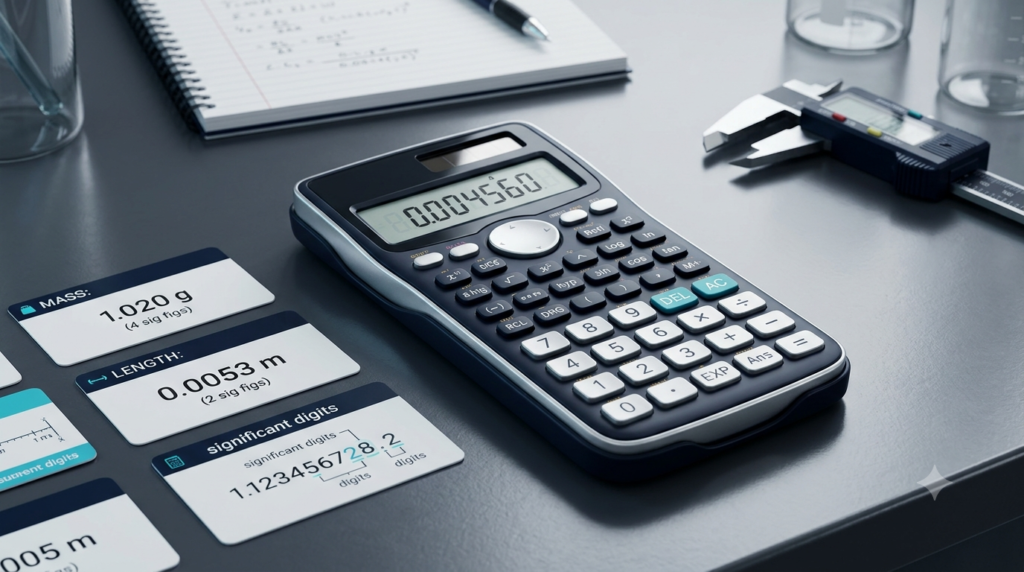
For example, the number 0.004567 contains four significant figures: 4, 5, 6, and 7. The zeros before the digit 4 are leading zeros and do not count as significant figures.
If 0.004567 is rounded to two significant figures, the result is 0.0046.
Another example is 7,846:
To 1 significant figure: 8,000
To 2 significant figures: 7,800
To 3 significant figures: 7,850
To 4 significant figures: 7,846
Significant figures help communicate an appropriate level of precision without displaying unnecessary digits.
3. Rounding to the Nearest Place Value
Rounding to the nearest place value means rounding a number to a particular position, such as tens, hundreds, thousands, tenths, or hundredths.
For example, consider 4,673.
Nearest ten: 4,670
Nearest hundred: 4,700
Nearest thousand: 5,000
For decimal values, consider 6.784:
Nearest tenth: 6.8
Nearest hundredth: 6.78
Nearest thousandth: 6.784
This method is helpful when simplifying large numbers, estimating quantities, and presenting measurements at a chosen level of detail.
How Does Rounding Work?
Rounding generally involves identifying the digit you want to keep and examining the digit immediately to its right.
Under the common half-up rounding rule, the following guidelines apply:
If the next digit is 0, 1, 2, 3, or 4, keep the retained digit unchanged.
If the next digit is 5, 6, 7, 8, or 9, increase the retained digit by one.
For example, round 46.32 to one decimal place.
The tenths digit is 3, and the next digit is 2. Since 2 is less than 5, the tenths digit remains unchanged. The answer is 46.3.
Now round 46.38 to one decimal place.
The tenths digit is 3, and the next digit is 8. Since 8 is greater than or equal to 5, increase the tenths digit by one. The answer is 46.4.
A similar process applies to whole numbers. To round 7,648 to the nearest hundred, examine the tens digit. It is 4, so the hundreds digit remains unchanged, producing 7,600.
If the number is 7,658, the tens digit is 5. The hundreds digit increases by one, producing 7,700.
These examples illustrate the standard half-up rule used by this calculator. Other rounding conventions, such as round-half-to-even, may produce different answers in exact halfway cases.
Rounding Calculator Formula
Rounding can be expressed mathematically by identifying the place value to which a number should be rounded.
For rounding to a specified decimal position, a general mathematical expression is:
Rounded Value = Round(Number × 10ⁿ) ÷ 10ⁿ
Here:
Number is the original value.
n represents the number of decimal places.
Round represents the chosen rounding operation.
For example, to round 23.456 to two decimal places:
First, multiply the number by 100.
23.456 × 100 = 2345.6
Round the result to the nearest whole number.
2345.6 → 2346
Then divide by 100.
2346 ÷ 100 = 23.46
Therefore, 23.456 rounded to two decimal places is 23.46.
For rounding to the nearest tens, hundreds, or thousands, a similar approach can be used by scaling the number according to the required place value. However, the calculator handles these steps automatically, so you do not need to perform them manually.
Examples of Rounding Numbers
The following examples demonstrate how different rounding settings affect the same or similar numbers.
| Original Number | Rounding Method | Rounded Result |
|---|---|---|
| 45.678 | 1 decimal place | 45.7 |
| 45.678 | 2 decimal places | 45.68 |
| 45.678 | 3 decimal places | 45.678 |
| 1,246 | Nearest ten | 1,250 |
| 1,246 | Nearest hundred | 1,200 |
| 1,246 | Nearest thousand | 1,000 |
| 8.764 | 2 significant figures | 8.8 |
| 0.006784 | 2 significant figures | 0.0068 |
| 98.765 | 3 significant figures | 98.8 |
| -12.36 | 1 decimal place | -12.4 |
These results follow the common half-up convention for rounding. Notice that rounding to decimal places and rounding to significant figures can produce different results because the two methods preserve different aspects of a number.
Why Is Rounding Important?
Rounding is useful because numbers can contain more digits than are necessary for a particular task. A rounded value can make calculations, comparisons, and reports easier to understand.
Everyday Calculations
People use rounding when estimating shopping expenses, calculating travel distances, comparing prices, and working with time. For example, a distance of 9.87 kilometres might be described as approximately 10 kilometres when an exact measurement is unnecessary.
Mathematics Education
Students learn rounding to improve their understanding of place value, estimation, decimals, and numerical operations. A rounding calculator can help students check their answers and compare different rounding methods.
Science and Laboratory Work
Scientific measurements often contain several digits, but the final result may need to be presented at a suitable level of precision. Rounding to significant figures is particularly useful when reporting experimental measurements and calculated quantities.
However, rounding should be performed carefully. Rounding intermediate values too early can introduce small errors into later calculations. In many situations, it is better to retain extra digits during calculations and round only the final result.
Business and Finance
Businesses may use rounded values in summaries, reports, budgets, and estimates. Currency calculations, tax calculations, and financial records may also require specific rounding conventions, depending on the applicable rules.
A general-purpose rounding calculator is useful for estimates and everyday arithmetic, but official financial calculations should follow the rounding method required by the relevant accounting system or regulation.
Data Analysis
Statistical reports often contain averages, percentages, and other calculated values with many decimal digits. Rounding makes these results easier to read and compare.
For example, an average score of 78.6667 may be reported as 78.67 when two decimal places are appropriate. The required precision depends on the purpose of the analysis.
Decimal Places vs Significant Figures
Decimal places and significant figures are related concepts, but they are not interchangeable.
Decimal places count the digits after the decimal point. Significant figures count the meaningful digits in a number, beginning with the first nonzero digit.
For example, consider 0.004567.
Rounded to two decimal places, the result is 0.00. Rounded to two significant figures, the result is 0.0046.
Although both answers use the number 2 in their settings, they represent different rounding requirements.
Decimal places are often suitable for prices and calculations requiring a fixed number of digits after the decimal point. Significant figures are often suitable for scientific measurements where the number of meaningful digits matters more than the position of the decimal point.
Before using the calculator, determine whether your task requires a fixed number of decimal places or a specified number of significant figures.
Common Rounding Mistakes to Avoid
Even though rounding is a basic mathematical process, several common mistakes can affect the accuracy of a result.
Choosing the Wrong Method
Rounding 0.007856 to two decimal places is different from rounding it to two significant figures. Always check the requested method before calculating.
Ignoring the Next Digit
When rounding, examine the digit immediately to the right of the last digit you want to retain. Looking at the wrong digit can lead to an incorrect answer.
Removing Digits Without Rounding
Simply deleting unwanted digits is truncation, not necessarily rounding. For example, truncating 8.79 to one decimal place gives 8.7, whereas rounding it using the half-up rule gives 8.8.
Rounding Too Early
Repeated rounding during a long calculation can cause the final result to differ from the more accurate answer. Keep additional digits during intermediate steps whenever practical.
Confusing Precision With Accuracy
A number with many decimal places is not automatically more accurate. Precision refers to the level of detail expressed, while accuracy describes how close a result is to the true or accepted value.
For scientific work, the reported precision should be appropriate for the measurement and the calculation.
Advantages of Using an Online Rounding Calculator
An online rounding calculator provides several practical benefits:
Saves time: It rounds numbers without requiring repeated manual calculations.
Easy to use: You only need to enter a number and select the required options.
Supports different methods: You can work with decimal places, significant figures, and place values.
Useful for learning: You can test different settings and observe how rounding changes the result.
Convenient across devices: A mobile-friendly calculator can be used on smartphones, tablets, and computers.
Helps check calculations: You can compare your manually calculated answers with the calculator’s results.
These advantages make the tool useful for students, teachers, professionals, and anyone who regularly works with numerical values.
Frequently Used Rounding Place Values
Understanding place values makes it easier to select the correct option in the calculator.
| Place Value | Example Number | Rounded Result |
|---|---|---|
| Nearest ten | 347 | 350 |
| Nearest hundred | 347 | 300 |
| Nearest thousand | 3,647 | 4,000 |
| Nearest tenth | 5.76 | 5.8 |
| Nearest hundredth | 5.768 | 5.77 |
| Nearest thousandth | 5.7684 | 5.768 |
For whole numbers, the selected place value determines which digits are retained and which are replaced by zeros. For decimals, it determines the final decimal position.
Conclusion
A rounding calculator is a practical tool for simplifying numbers while following a selected rounding method. It can round values to decimal places, significant figures, and common place values, including tens, hundreds, thousands, tenths, and hundredths. These methods are useful in mathematics, science, education, business, and everyday calculations.
To obtain a reliable result, enter the correct number, choose the appropriate rounding method, and select the required precision. Remember that decimal places and significant figures serve different purposes, and that rounding conventions can vary in exact halfway cases.
Use the Rounding Calculator above to check your answers, explore different rounding options, and make numerical calculations easier. For work requiring strict scientific or financial precision, retain sufficient digits during intermediate calculations and apply the rounding convention appropriate to your task.
FAQs
1. What is a rounding calculator?
A rounding calculator is an online tool that simplifies numbers by rounding them to a specified level of precision. It can round numbers to decimal places, significant figures, or the nearest place value, such as tens, hundreds, and thousands. Users enter a number, select the required rounding method, and calculate the result instantly. This tool is useful for students, teachers, scientists, and professionals who regularly work with numerical values. It reduces manual effort and helps users check their calculations. Understanding the selected rounding method is important because different methods can produce different results.
2. How do I use the rounding calculator?
To use the rounding calculator, enter the number you want to round into the input field. Next, select a rounding method, such as decimal places, significant figures, or nearest place value. Choose the required precision or place value from the available options. Click the Calculate Rounded Number button to display your answer. If you need the result for an assignment, report, or calculation, use the Copy Result button. Always check that you have selected the correct rounding method before calculating, as rounding to two decimal places is different from rounding to two significant figures.
3. What is the difference between decimal places and significant figures?
Decimal places count the digits appearing after the decimal point, whereas significant figures count the meaningful digits in a number, beginning with its first nonzero digit. For example, rounding 0.004567 to two decimal places produces 0.00, while rounding it to two significant figures produces 0.0046. Decimal places are commonly used for prices, averages, and measurements requiring a fixed number of decimal digits. Significant figures are particularly useful in scientific calculations and experimental measurements. Choosing the correct method depends on whether you need a fixed decimal position or a specific number of meaningful digits.
4. How do I round a number to two decimal places?
To round a number to two decimal places, keep the first two digits after the decimal point and examine the third decimal digit. If that digit is between 0 and 4, leave the second decimal digit unchanged. If it is between 5 and 9, increase the second decimal digit by one. For example, 14.263 becomes 14.26, while 14.267 becomes 14.27. The rounding calculator performs this process automatically. Select Decimal Places, choose two decimal places, enter your number, and calculate the result.
5. How do I round a number to the nearest whole number?
To round a number to the nearest whole number, examine the first digit after the decimal point. If the digit is less than 5, keep the whole-number part unchanged. If the digit is 5 or greater, increase the whole-number part by one. For example, 7.3 rounds to 7, while 7.8 rounds to 8. Under the common half-up rule, 7.5 rounds to 8. You can use the rounding calculator by selecting Decimal Places and choosing zero decimal places. This method is useful for estimating quantities and simplifying decimal calculations.
6. How do I round a number to significant figures?
To round a number to significant figures, identify the first nonzero digit and count the required number of significant digits from that position. Examine the digit immediately after the last significant digit you want to keep. If it is 5 or greater, increase the last retained digit by one; otherwise, leave it unchanged. For example, 8,746 rounded to three significant figures becomes 8,750. Similarly, 0.006784 rounded to two significant figures becomes 0.0068. Select Significant Figures in the calculator, choose the required number of figures, and enter your number to obtain the result.
7. Can a rounding calculator handle negative numbers?
Yes, the rounding calculator can handle negative numbers as well as positive numbers and decimals. Negative values follow the selected rounding convention, although the direction of rounding can sometimes be confusing. For example, using the half-up rule, -4.6 rounded to the nearest whole number becomes -5, while -4.3 becomes -4. This convention rounds halfway values away from zero. Enter the negative number with a minus sign and select your preferred rounding method. Remember that some software and mathematical systems use different rules for exact halfway values, so check the convention when working on precision-sensitive calculations.
8. Why is rounding important in mathematics and science?
Rounding helps simplify numerical values, making calculations and results easier to read, communicate, and compare. In mathematics, it supports estimation and helps students understand place value. In science, rounding and significant figures are used to present measurements at an appropriate level of precision. Businesses may use rounded figures in summaries and estimates, while statisticians often round averages and percentages for reports. However, rounding too early in a calculation can introduce errors into the final result. Whenever possible, retain additional digits during intermediate calculations and round the final answer according to the requirements of the problem.
9. What is the difference between rounding and truncation?
Rounding and truncation are two different ways of shortening a number. Rounding considers the digit immediately after the last position to be retained and adjusts the result according to a rounding rule. Truncation simply removes the remaining digits without changing the retained digits. For example, 8.79 rounded to one decimal place becomes 8.8, while truncating it to one decimal place produces 8.7. Rounding usually provides a closer approximation to the original number, although the result depends on the chosen convention. A rounding calculator is designed to round values rather than simply remove unwanted digits.
10. Is an online rounding calculator accurate?
An online rounding calculator can provide reliable results for ordinary numerical calculations when the correct number and rounding method are entered. However, digital calculators may encounter floating-point limitations when representing certain decimal values, especially in extremely large or very small calculations. Different tools may also use different conventions for exact halfway values. The rounding calculator is suitable for everyday mathematics, educational exercises, and general numerical tasks. For scientific research, financial records, or other precision-sensitive applications, verify the required rounding rules and retain sufficient precision during calculations. Always confirm that the displayed result matches the requirements of your particular problem.