Fraction Calculator
Add, subtract, multiply, or divide fractions easily.
Calculation Result
Step-by-Step Solution
How to Use the Fraction Calculator
1. Enter the numerator and denominator of each fraction.
2. Select addition, subtraction, multiplication, or division.
3. Click Calculate Fraction to see the simplified answer, decimal, mixed number, and calculation steps.
Note: The denominator cannot be zero. Enter whole numbers in the numerator and denominator fields.
A fraction calculator is a useful online tool that helps you calculate fractions quickly and accurately. It allows you to add, subtract, multiply, and divide fractions without performing every calculation manually. Whether you are learning basic mathematics, solving homework problems, checking calculations, or working with fractions in everyday situations, a fraction calculator can make the process easier.
Fractions are an important part of mathematics. They are used to represent parts of a whole, compare quantities, measure ingredients, calculate distances, and solve many mathematical problems. However, working with fractions can sometimes be confusing, especially when the fractions have different denominators or require simplification.
A fraction calculator simplifies these tasks by performing the necessary calculations and displaying the result. Many calculators also provide decimal equivalents, simplified fractions, mixed numbers, and step-by-step solutions to help users understand how the answer is obtained.
In this guide, you will learn what a fraction calculator is, how to use it, how different fraction operations work, and how to simplify fractions correctly.
What Is a Fraction Calculator?
A fraction calculator is an online mathematical tool designed to perform calculations involving fractions. A fraction consists of two numbers separated by a fraction bar. The number above the bar is called the numerator, while the number below it is called the denominator.
For example, in the fraction 3/4, the numerator is 3 and the denominator is 4. This fraction represents three out of four equal parts of a whole.
A fraction calculator accepts two or more fraction values, depending on the calculator’s features, and performs the selected mathematical operation. The most common operations are addition, subtraction, multiplication, and division.
For example, if you want to calculate 1/2 + 1/3, you can enter both fractions into the calculator and select addition. The calculator finds a common denominator, performs the calculation, and displays the simplified result, which is 5/6.
Using this tool can save time and reduce common calculation mistakes. It is also helpful for students who want to check their answers and understand the steps involved in solving fraction problems.
Understanding the Parts of a Fraction
Before using a fraction calculator, it is helpful to understand the basic parts of a fraction.
Numerator
The numerator is the number written above the fraction bar. It indicates how many equal parts are being considered.
For example, in 5/8, the numerator is 5. This means five parts out of eight equal parts are being represented.
Denominator
The denominator is the number written below the fraction bar. It indicates the total number of equal parts into which a whole is divided.
In the fraction 5/8, the denominator is 8. It means the whole is divided into eight equal parts.
A denominator cannot be zero because division by zero is undefined in mathematics.
Fraction Bar
The fraction bar separates the numerator from the denominator. It also represents division.
For example:
3/4 = 3 ÷ 4 = 0.75
Understanding these three elements makes it easier to enter fractions correctly into a calculator and interpret the results.
How to Use a Fraction Calculator
Using a fraction calculator is straightforward. You do not need advanced mathematical knowledge to perform basic fraction operations.
Follow these steps to calculate fractions.
Step 1: Enter the First Fraction
Enter the numerator and denominator of the first fraction into the appropriate input fields.
For example, if the fraction is 2/5, enter 2 as the numerator and 5 as the denominator.
Step 2: Select the Mathematical Operation
Choose the operation you want to perform. Most fraction calculators support four basic operations:
Addition (+)
Subtraction (−)
Multiplication (×)
Division (÷)
Select the operation that matches your mathematical problem.
Step 3: Enter the Second Fraction
Enter the numerator and denominator of the second fraction.
For example, if you want to calculate 2/5 + 1/3, enter 1 as the second numerator and 3 as the second denominator.
Step 4: Calculate the Result
Click the Calculate button. The calculator processes the entered values and displays the answer.
Depending on its features, the result may include a simplified fraction, a decimal value, a mixed number, and the steps used to complete the calculation.
Step 5: Review the Answer
Check the result to understand how the fractions combine. If the calculator provides a step-by-step solution, review each step to learn the mathematical method.
You can change the input values or select another operation to solve additional problems.
Adding Fractions Using a Fraction Calculator
Addition is used when two or more fractional quantities are combined.
There are two common situations: adding fractions with the same denominator and adding fractions with different denominators.
Adding Fractions With the Same Denominator
When two fractions have the same denominator, add their numerators and keep the denominator unchanged.
The formula is:
a/b + c/b = (a + c)/b
For example:
2/7 + 3/7 = (2 + 3)/7 = 5/7
The denominators are the same, so only the numerators need to be added.
Adding Fractions With Different Denominators
When fractions have different denominators, first convert them into equivalent fractions with a common denominator.
For example:
1/2 + 1/3
The denominators are 2 and 3. Their least common denominator is 6.
Convert the fractions:
1/2 = 3/6
1/3 = 2/6
Now add the numerators:
3/6 + 2/6 = 5/6
Therefore, the answer is 5/6.
A fraction calculator performs these steps automatically, making it especially useful when the denominators are large or difficult to compare.
Subtracting Fractions Using a Fraction Calculator
Subtraction is used to find the difference between fractional quantities.
Subtracting Fractions With the Same Denominator
When the denominators are equal, subtract the second numerator from the first numerator and keep the common denominator.
For example:
5/8 − 2/8 = (5 − 2)/8 = 3/8
The answer is 3/8.
Subtracting Fractions With Different Denominators
Fractions with different denominators must first be converted into equivalent fractions with a common denominator.
For example:
3/4 − 1/6
The least common denominator of 4 and 6 is 12.
Convert the fractions:
3/4 = 9/12
1/6 = 2/12
Subtract the numerators:
9/12 − 2/12 = 7/12
Therefore, the answer is 7/12.
A fraction calculator can help you perform these calculations without manually finding a common denominator.
Multiplying Fractions Using a Fraction Calculator
Multiplying fractions is generally simpler than adding or subtracting them because you do not need to find a common denominator.
To multiply two fractions, multiply their numerators together and their denominators together.
The formula is:
a/b × c/d = (a × c)/(b × d)
For example:
2/3 × 3/5
Multiply the numerators:
2 × 3 = 6
Multiply the denominators:
3 × 5 = 15
The resulting fraction is:
6/15
Simplify the fraction by dividing both the numerator and denominator by 3.
6/15 = 2/5
Therefore, the final answer is 2/5.
A fraction calculator performs multiplication and simplification automatically, helping you obtain the result quickly.
Dividing Fractions Using a Fraction Calculator
Dividing fractions requires an additional step compared with multiplication. You must invert the second fraction and then multiply.
The reciprocal of a fraction is obtained by exchanging its numerator and denominator.
The formula is:
a/b ÷ c/d = a/b × d/c
For example:
2/3 ÷ 4/5
First, keep the first fraction unchanged and invert the second fraction.
2/3 × 5/4
Next, multiply the numerators and denominators.
(2 × 5)/(3 × 4) = 10/12
Simplify the result by dividing the numerator and denominator by 2.
10/12 = 5/6
Therefore, the answer is 5/6.
Remember that division by a fraction equal to zero is not allowed. If the second fraction has a numerator of zero, the calculation is undefined.
Simplifying Fractions
Simplifying a fraction means expressing it in its lowest terms without changing its value.
A fraction is in its simplest form when the numerator and denominator have no common positive factor other than 1.
For example:
12/18
Both 12 and 18 are divisible by 6.
12 ÷ 6 = 2
18 ÷ 6 = 3
Therefore:
12/18 = 2/3
The fraction 2/3 is the simplified form.
One common method is to find the greatest common divisor (GCD) of the numerator and denominator and divide both numbers by it.
A fraction calculator can simplify the result automatically after addition, subtraction, multiplication, or division. This is useful because the result of a calculation may not initially be in its lowest terms.
Converting Fractions Into Decimals
A decimal represents a number using a decimal point. Any fraction with a non-zero denominator can be converted into a decimal by dividing its numerator by its denominator.
The formula is:
Decimal = Numerator ÷ Denominator
For example:
3/4 = 3 ÷ 4 = 0.75
Similarly:
1/2 = 0.5
1/5 = 0.2
Some fractions produce terminating decimals, while others produce repeating decimals.
For example, 1/3 equals 0.333… because the digit 3 repeats indefinitely.
A fraction calculator can display the decimal equivalent of a fraction, making it easier to compare fractional and decimal values. However, repeating decimals may need to be rounded when displayed on a screen.
Converting Improper Fractions Into Mixed Numbers
An improper fraction is a fraction whose numerator is greater than or equal to its denominator, assuming a positive denominator.
For example, 7/4 is an improper fraction because 7 is greater than 4.
A mixed number combines a whole number with a proper fraction.
To convert 7/4 into a mixed number, divide 7 by 4.
The quotient is 1, and the remainder is 3.
Therefore:
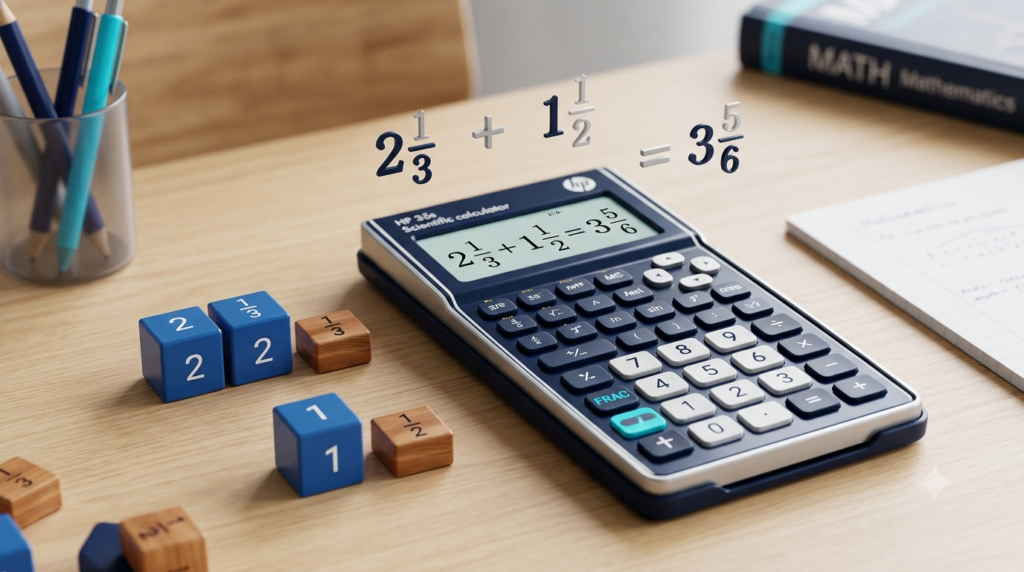
7/4 = 1 3/4
Mixed numbers are useful when expressing quantities in a form that is easier to understand in everyday situations.
For example, a measurement of 1 3/4 metres may be easier to interpret than 7/4 metres.
A fraction calculator that supports mixed numbers can display the same result in both improper-fraction and mixed-number form.
Proper Fractions, Improper Fractions, and Mixed Numbers
Understanding the different types of fractions helps you interpret calculator results correctly.
Proper Fractions
A proper fraction has a numerator whose absolute value is smaller than the denominator when the denominator is positive.
Examples include 1/2, 3/5, and 7/10.
Positive proper fractions have values between 0 and 1.
Improper Fractions
An improper fraction has a numerator whose absolute value is greater than or equal to the denominator when the denominator is positive.
Examples include 5/3, 8/4, and 11/6.
An improper fraction can be converted into a mixed number when appropriate.
Mixed Numbers
A mixed number contains a whole-number part and a fractional part.
Examples include 2 1/3, 4 1/2, and 5 3/4.
All three forms can represent the same numerical value in different ways. A fraction calculator helps you work with fractions and understand their equivalent representations.
Advantages of Using a Fraction Calculator
A fraction calculator offers several benefits for students, teachers, and anyone who regularly works with fractions.
Saves Time
Manual fraction calculations can take several steps, especially when denominators are different. A calculator performs the necessary operations quickly.
Reduces Calculation Errors
Mistakes can occur when finding common denominators, multiplying numbers, or simplifying fractions. A calculator helps reduce arithmetic errors when the correct values are entered.
Supports Learning
A calculator that displays step-by-step solutions helps users understand the process instead of showing only the final answer.
Simplifies Fractions Automatically
The calculator can reduce fractions to their lowest terms, saving the effort of finding common factors manually.
Displays Decimal Equivalents
Decimal results are useful when comparing values, interpreting measurements, or working with other mathematical calculations.
Useful on Different Devices
A mobile-friendly online fraction calculator can be accessed through a web browser on a smartphone, tablet, or desktop computer without requiring separate software installation.
Common Mistakes to Avoid When Calculating Fractions
Although fractions follow clear mathematical rules, some common mistakes can lead to incorrect answers.
Adding Denominators Directly
A frequent mistake is adding both numerators and denominators.
For example, 1/2 + 1/3 is not equal to 2/5.
The correct answer is 5/6 because the fractions must first be expressed using a common denominator.
Forgetting to Simplify
A result such as 6/8 is mathematically correct, but it can be simplified to 3/4.
Always check whether the numerator and denominator share a common factor.
Inverting the Wrong Fraction During Division
When dividing fractions, only the second fraction is inverted before multiplication.
For example, 2/3 ÷ 4/5 becomes 2/3 × 5/4, not 3/2 × 4/5.
Entering Zero as a Denominator
A denominator of zero is invalid. Always ensure that each denominator is a non-zero number.
Confusing a Decimal Approximation With an Exact Value
A displayed decimal may be rounded. For instance, 1/3 cannot be represented exactly by a finite decimal. The fraction 1/3 is exact, while 0.333333 is an approximation.
Understanding these mistakes can help you use a fraction calculator more effectively and check your results with confidence.
Practical Uses of Fractions in Everyday Life
Fractions are not limited to school mathematics. They are used in many ordinary activities.
Cooking and Baking
Recipes often use fractional measurements such as 1/2 cup of milk or 3/4 teaspoon of salt. A fraction calculator can help you adjust ingredient quantities when preparing a larger or smaller serving.
Measurements
Fractions are commonly used in measurements involving length, distance, and dimensions. For example, a piece of wood may measure 5 1/2 feet.
Time Calculations
Fractions can represent parts of an hour or a time period. For example, half an hour is 1/2 of an hour.
Sharing and Dividing Quantities
When a quantity is shared equally among several people, fractions can describe each person’s share. If a pizza is divided into eight equal slices and one person takes three slices, that person receives 3/8 of the pizza.
School and Competitive Examinations
Fraction calculations appear in arithmetic, ratios, percentages, algebra, and many aptitude tests. Practising with a fraction calculator can help learners check answers and understand calculation methods.
Fraction Calculator vs Manual Calculation
Both a fraction calculator and manual calculation are useful, but they serve slightly different purposes.
Manual calculation helps you practise mathematical rules and develop problem-solving skills. It is particularly valuable when learning how fractions work.
A fraction calculator is useful when you need to verify an answer, complete repetitive calculations, or obtain a result quickly. If it provides working steps, it can also support learning by showing the process.
The best approach is to understand the mathematical method first and then use the calculator to check your work. This allows you to benefit from both mathematical practice and the convenience of an online tool.
Conclusion
A fraction calculator is a practical tool for performing addition, subtraction, multiplication, and division with fractions. It can also help simplify fractions, convert them into decimals, and express improper fractions as mixed numbers.
By understanding numerators, denominators, common denominators, reciprocals, and simplification, you can use a fraction calculator more effectively and interpret its results correctly.
Whether you are solving school problems, checking homework, working with measurements, or adjusting recipe quantities, this tool can make fraction calculations faster and easier. Use it to verify your answers, explore step-by-step solutions, and build confidence in your understanding of fractions.
Although a calculator can save time, learning the underlying mathematical rules remains important. Combining manual practice with an online fraction calculator is an effective way to improve accuracy and strengthen your basic mathematics skills.
FAQs
1. What is a fraction calculator?
A fraction calculator is an online mathematical tool that helps you perform calculations involving fractions. It can add, subtract, multiply, and divide fractions quickly and accurately. Depending on its features, it can also simplify fractions, convert them into decimal values, and display improper fractions as mixed numbers. To use it, enter the numerator and denominator of each fraction, select the required mathematical operation, and calculate the result. A fraction calculator is useful for students, teachers, and anyone who wants to solve fraction problems without performing every step manually.
2. How do you use a fraction calculator?
To use a fraction calculator, enter the numerator and denominator of the first fraction and then enter the second fraction. Choose the required operation, such as addition, subtraction, multiplication, or division. Click the Calculate button to display the result. Some calculators also provide a simplified fraction, decimal equivalent, mixed number, and step-by-step explanation. Make sure that both denominators are non-zero and that the entered values are correct. You can change the numbers and select another operation whenever you need to solve a different fraction problem.
3. Can a fraction calculator add fractions with different denominators?
Yes, a fraction calculator can add fractions with different denominators. It finds a common denominator, converts both fractions into equivalent fractions, and adds their numerators. For example, to calculate 1/2 + 1/3, the common denominator is 6. The fractions become 3/6 and 2/6. Adding the numerators gives 5/6. A fraction calculator performs these steps automatically, so you do not need to find the common denominator manually. Understanding this process is still useful because it helps you learn the correct mathematical method for adding fractions.
4. How does a fraction calculator simplify fractions?
A fraction calculator simplifies a fraction by dividing its numerator and denominator by their greatest common divisor. The greatest common divisor is the largest positive whole number that divides both values without leaving a remainder. For example, the fraction 12/18 can be simplified by dividing both numbers by 6. The resulting fraction is 2/3. Both fractions represent the same value, but 2/3 is in its simplest form. Automatic simplification makes fraction calculations easier to understand and helps you express answers in their lowest terms.
5. Can a fraction calculator multiply and divide fractions?
Yes, a fraction calculator can perform both multiplication and division. To multiply fractions, multiply the numerators together and the denominators together. For example, 2/3 × 3/5 equals 6/15, which simplifies to 2/5. To divide fractions, keep the first fraction unchanged, invert the second fraction, and multiply. For example, 2/3 ÷ 4/5 becomes 2/3 × 5/4, giving 5/6. The calculator performs these operations automatically and can simplify the final result, reducing the effort required for manual calculations.
6. How can I convert a fraction into a decimal?
You can convert a fraction into a decimal by dividing its numerator by its denominator. For example, 3/4 becomes 3 ÷ 4, which equals 0.75. Similarly, 1/2 equals 0.5, and 1/5 equals 0.2. Enter the fraction into a calculator that supports decimal conversion to obtain its decimal equivalent. Some fractions produce repeating decimals, such as 1/3, which equals 0.333… In these cases, the calculator may display a rounded decimal rather than the complete repeating value. The original fraction remains an exact representation.
7. What is the difference between a proper fraction and an improper fraction?
A proper fraction has a numerator whose absolute value is smaller than its positive denominator. Examples include 1/2, 3/4, and 5/8. An improper fraction has a numerator whose absolute value is greater than or equal to its positive denominator. Examples include 5/3, 7/4, and 8/8. A proper positive fraction has a value between zero and one, while an improper fraction has a value of one or greater. A fraction calculator can calculate both types and may also convert improper fractions into mixed numbers.
8. Can a fraction calculator convert improper fractions into mixed numbers?
Yes, a fraction calculator with mixed-number support can convert an improper fraction into a mixed number. A mixed number contains a whole-number part and a fractional part. For example, consider 7/4. Dividing 7 by 4 gives a quotient of 1 and a remainder of 3. Therefore, 7/4 equals 1 3/4. This conversion is helpful when expressing measurements, quantities, and other everyday values. Not every calculator displays mixed numbers automatically, so check whether the tool includes this feature before using it.
9. Why can’t the denominator of a fraction be zero?
The denominator of a fraction cannot be zero because a fraction represents division, and division by zero is undefined in mathematics. For example, 3/0 does not have a valid numerical value. However, a fraction with a zero numerator and a non-zero denominator equals zero. For instance, 0/5 = 0. This distinction is important when entering values into a fraction calculator. If you accidentally enter zero as a denominator, the calculator should display an error message instead of providing an invalid answer. Always check your denominators before calculating.
10. Is an online fraction calculator useful for students?
Yes, an online fraction calculator can be useful for students learning arithmetic and other mathematical topics. It helps them check answers, simplify fractions, convert fractions into decimals, and solve different types of fraction problems. Calculators that provide step-by-step solutions can also demonstrate how common denominators, multiplication, division, and simplification work. However, students should not rely entirely on automated answers. Practising calculations manually helps develop mathematical understanding and problem-solving skills. Using a fraction calculator to verify completed work is a practical way to improve accuracy and build confidence in mathematics.