Equation Result Checker
Check whether both sides of a mathematical equation have equal values.
Use * for multiplication and ^ for powers.
Supported mathematical operations
- Arithmetic: +, -, *, /
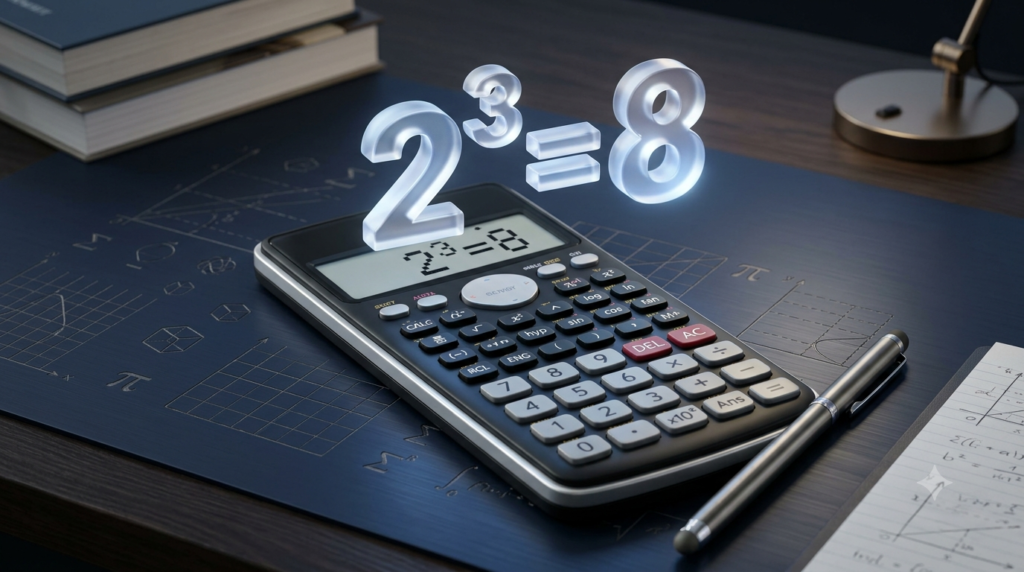
- Powers: x^2, 2^3
- Parentheses: (x + 2) * 3
- Roots: sqrt(25), cbrt(27)
- Functions: abs(x), sin(x), cos(x), tan(x)
- Logarithms: ln(x), log(x), log10(x), exp(x)
- Constants: pi, e
Trigonometric functions use radians. Multiplication must be entered explicitly, for example, 2*x. Function names are case-insensitive.
An Equation Result Checker is a useful online mathematics tool that helps you determine whether the two sides of an equation have equal numerical values. It is especially helpful when checking homework, verifying calculations, practicing algebra, or learning how mathematical expressions work. Instead of calculating both sides separately, you can enter an equation, provide values for its variables, and check the result within seconds.
Equations are an important part of mathematics. They are used in arithmetic, algebra, geometry, physics, chemistry, engineering, and many other scientific fields. Understanding how to check an equation helps you identify calculation errors and develop a better understanding of mathematical relationships.
The Equation Result Checker makes this process simple. Enter the left-hand side and right-hand side of an equation, assign values to any variables, and click the check button. The tool calculates both expressions and compares their results. It then tells you whether the equation is balanced for the selected values.
What Is an Equation Result Checker?
An Equation Result Checker is an online tool designed to compare the numerical results of two mathematical expressions connected by an equals sign. It evaluates the left-hand side (LHS) and right-hand side (RHS) and determines whether their values are equal or sufficiently close within a selected numerical tolerance.
For example, consider the equation:
5 + 3 = 8
The left-hand side is 5 + 3, which equals 8. The right-hand side is also 8. Since both sides have the same value, the equation is correct.
Now consider another equation:
5 + 3 = 10
The left-hand side equals 8, while the right-hand side equals 10. Because the two values are different, the equation is not correct for this calculation.
An Equation Result Checker performs this comparison automatically. It is particularly useful when expressions become more complicated and contain variables, powers, parentheses, or mathematical functions.
However, checking an equation for particular variable values is different from proving that it is true for every possible value. The tool checks the numerical result for the values you provide.
How to Use the Equation Result Checker
Using the Equation Result Checker is straightforward. You do not need to install additional software or perform lengthy calculations manually.
Follow these steps to check an equation.
Step 1: Enter the Left-Hand Side
The left-hand side is the mathematical expression written before the equals sign.
For example, in the equation 2x + 4 = 12, the left-hand side is 2x + 4.
Enter this expression in the left-hand-side field. Use an asterisk () for multiplication when working with variables. For example, enter 2x instead of 2x.
Step 2: Enter the Right-Hand Side
The right-hand side is the expression written after the equals sign.
For the equation 2x + 4 = 12, enter 12 in the right-hand-side field.
The checker evaluates this expression separately from the left-hand side and compares the two numerical results.
Step 3: Enter Values for Variables
Some equations contain variables such as x, y, or z. These letters represent numerical values that can change.
For example, consider:
x + 5 = 10
If x = 5, the left-hand side becomes 5 + 5, which equals 10. Both sides are equal, so the equation is correct for this value.
When you enter an equation containing variables, the tool provides fields where you can assign numerical values to them.
Step 4: Select the Comparison Tolerance
The comparison tolerance determines how close the two calculated values must be to count as equal.
This setting is useful when calculations involve decimal numbers, roots, or trigonometric functions. Small differences can occur because computers represent many decimal values using finite precision.
For ordinary calculations, the standard tolerance is generally sufficient. A stricter tolerance is useful when you need greater numerical precision, while a looser tolerance allows a larger difference between the results.
Step 5: Check the Equation
Click the Check Equation button. The tool evaluates both expressions and displays the results.
You can see the left-hand-side value, right-hand-side value, absolute difference, and selected tolerance. If the results match within the chosen tolerance, the tool reports that the equation is balanced. Otherwise, it reports that the equation is not balanced.
How Does an Equation Result Checker Work?
The tool follows a simple mathematical process to determine whether an equation is correct for the supplied values.
First, it reads the expressions entered on both sides of the equals sign. Next, it identifies the variables and substitutes the numerical values provided by the user. It then evaluates each expression according to standard mathematical operation rules.
Finally, it compares the calculated values.
The basic process can be represented as:
Left-hand side = LHS
Right-hand side = RHS
Difference = |LHS − RHS|
Here, the vertical bars represent the absolute value of the difference. Absolute value measures the size of a difference without considering whether it is positive or negative.
If the absolute difference is zero, the two calculated values are exactly equal. If the difference is greater than zero, the values are different. In practical computer calculations, the tool also considers the selected tolerance.
For example, suppose the left-hand side equals 15 and the right-hand side equals 15.
Difference = |15 − 15| = 0
Both sides are equal, so the equation is balanced.
Now suppose the left-hand side equals 15 and the right-hand side equals 18.
Difference = |15 − 18| = 3
The difference is greater than the selected tolerance, so the equation is not balanced.
This method allows the checker to evaluate simple arithmetic expressions as well as more complicated mathematical calculations.
Examples of Checking Equations
Working through examples is one of the easiest ways to understand how an Equation Result Checker can be used.
Example 1: Checking a Basic Arithmetic Equation
Consider the equation:
12 + 8 = 20
The left-hand side is 12 + 8, which equals 20. The right-hand side is also 20.
Since both sides produce the same result, the equation is correct.
This type of calculation is useful for checking addition, subtraction, multiplication, and division.
Example 2: Checking an Equation With a Variable
Consider the equation:
x + 7 = 12
Suppose x = 5.
Substituting the value gives:
5 + 7 = 12
The left-hand side equals 12, and the right-hand side equals 12. Therefore, the equation is correct when x = 5.
If you change x to 4, the left-hand side becomes 11 while the right-hand side remains 12. The equation is no longer balanced.
This example demonstrates why the values assigned to variables matter when checking equations.
Example 3: Checking a Quadratic Expression
Consider the equation:
x² + 2x = 8
Suppose x = 2.
The left-hand side becomes:
2² + 2 × 2 = 4 + 4 = 8
The right-hand side is 8. Since both sides are equal, the equation is balanced for x = 2.
The checker can evaluate powers and multiplication to perform this comparison.
Example 4: Checking an Equation With Parentheses
Consider the equation:
3 × (4 + 2) = 18
The expression inside the parentheses is evaluated first.
4 + 2 = 6
Then:
3 × 6 = 18
The right-hand side is also 18, so the equation is correct.
Parentheses are particularly important when an expression contains several mathematical operations.
Example 5: Checking an Incorrect Equation
Consider the equation:
4x + 3 = 15
Suppose x = 2.
The left-hand side becomes:
4 × 2 + 3 = 11
The right-hand side remains 15.
The difference is:
|11 − 15| = 4
Since the two values are different, the equation is not balanced for x = 2.
The checker helps identify this mismatch without requiring you to compare the results manually.
Mathematical Operations Supported by the Tool
The Equation Result Checker supports several common mathematical operations and functions.
Arithmetic Operations
Basic arithmetic operations include addition, subtraction, multiplication, and division.
For example, you can enter 10 + 5, 20 – 8, 4*6, or 24/3.
These operations are useful for checking everyday calculations and simple mathematical expressions.
Powers and Exponents
Powers represent repeated multiplication or more general exponentiation.
For example, 3^2 represents 3 raised to the power of 2, which equals 9. Similarly, 2^4 equals 16.
The checker supports the caret symbol (^) for entering powers.
Parentheses
Parentheses control the order in which parts of an expression are evaluated.
For example, (2 + 3) * 4 equals 20, while 2 + 3 * 4 equals 14.
Using parentheses correctly helps ensure that the checker evaluates your intended expression.
Square Roots and Cube Roots
The square root function can be entered as sqrt(x), while the cube root function can be entered as cbrt(x).
For example, sqrt(25) equals 5, and cbrt(27) equals 3.
These functions are useful when checking equations involving roots. The current tool evaluates real numerical results, so invalid operations such as the square root of a negative number produce an error.
Trigonometric Functions
The checker supports sine, cosine, and tangent through the functions sin(x), cos(x), and tan(x).
These functions are commonly used in geometry, physics, and engineering. The tool uses radians rather than degrees, so angle values must be entered in radians.
Logarithmic and Exponential Functions
The tool also supports natural logarithms, base-10 logarithms, and exponential functions.
Use ln(x) for the natural logarithm, log(x) or log10(x) for the base-10 logarithm, and exp(x) for the exponential function.
For example, log10(100) equals 2, while ln(1) equals 0.
These functions are useful for checking equations involving growth, scientific measurements, and advanced mathematical expressions.
Why Is an Equation Result Checker Useful?
An Equation Result Checker can help students, teachers, professionals, and anyone learning mathematics.
Checking Homework and Practice Problems
Students can use the tool to check whether their calculations produce the expected result. It is especially helpful when practicing arithmetic and algebra.
By comparing the two sides of an equation, learners can identify mistakes and review the steps that led to an incorrect answer.
Verifying Mathematical Calculations
Long expressions are more difficult to check manually. A small arithmetic error can affect the final result.
The checker evaluates both sides separately, making it easier to identify whether a numerical equation is balanced.
Learning Algebra
Algebra involves variables, expressions, and relationships between quantities. The checker helps learners understand how changing a variable affects an equation.
By trying different values for a variable, users can observe when the two sides become equal and when they produce different results.
Supporting Science and Engineering
Equations are widely used in physics, chemistry, engineering, and other scientific fields. Researchers and learners often need to verify calculations before using the results in a larger problem.
The checker can help with basic numerical verification, provided the expressions are entered correctly and the supported functions are suitable for the calculation.
For complex scientific work, specialized software and independent verification may still be necessary.
Understanding the Results
After checking an equation, it is important to understand what the displayed results mean.
Left-hand-side value: This is the numerical result obtained by evaluating the expression before the equals sign.
Right-hand-side value: This is the numerical result obtained by evaluating the expression after the equals sign.
Absolute difference: This indicates how far apart the two calculated values are.
Comparison tolerance: This is the maximum permitted difference for the tool to treat the values as equal.
Balanced equation: The two numerical results are equal or sufficiently close according to the selected tolerance.
Not balanced: The difference between the two results exceeds the selected tolerance.
These results help you understand not only whether an equation passes the numerical check but also how much the two sides differ.
Limitations of an Equation Result Checker
Although the tool is useful for numerical verification, it has some limitations.
First, it does not automatically solve equations. You must enter values for the variables before checking an expression that contains them. If you want to find an unknown variable, you need an equation solver.
Second, a successful numerical check does not prove that an equation is true for every possible value. For example, x² = 4 is true when x = 2, but it is not true for every value of x. A single successful check is not sufficient to establish a general mathematical identity.
Third, the tool supports a defined set of mathematical operations and functions. Expressions outside that supported set cannot be evaluated.
Fourth, the comparison tolerance affects the result. A loose tolerance may classify slightly different values as equal, while a very strict tolerance may be unsuitable for some approximate calculations.
Finally, the tool evaluates numerical expressions rather than providing a complete symbolic proof. For advanced algebra, calculus, or scientific calculations, use an appropriate symbolic mathematics tool when necessary.
Tips for Getting Accurate Results
To get reliable results, enter both sides of the equation carefully. Check that every parenthesis is closed and that mathematical operators are used correctly.
Use an asterisk for multiplication involving variables, such as 3*x. Enter powers using the caret symbol, such as x^2. When using trigonometric functions, remember that the tool uses radians.
Always assign the intended numerical values to variables before checking the equation. If the result is unexpected, compare the displayed left-hand-side and right-hand-side values to identify the source of the difference.
For calculations involving decimals, roots, or logarithms, choose a suitable comparison tolerance. If the result will be used in scientific or engineering work, independently verify important calculations rather than relying on one numerical check.
Conclusion
The Equation Result Checker provides a simple way to verify mathematical equations by comparing the numerical values of their left-hand and right-hand sides. It supports common arithmetic operations, variables, powers, parentheses, roots, trigonometric functions, and logarithms, making it useful for many basic mathematical calculations.
Whether you are practicing algebra, checking homework, or verifying a numerical expression, the tool can save time and help you identify mistakes. By entering expressions carefully, choosing appropriate variable values, and understanding the comparison tolerance, you can use the Equation Result Checker more effectively.
Remember that checking an equation for a particular set of values is not the same as solving it or proving it for every possible value. Use the tool as a practical aid for numerical verification and as a learning resource for developing stronger mathematical skills.
FAQs
1. What is an Equation Result Checker?
An Equation Result Checker is an online mathematics tool that checks whether the left-hand side and right-hand side of an equation have equal numerical values. It evaluates both expressions and compares their results. Users can enter mathematical expressions, assign values to variables, and check whether an equation is balanced. The tool supports common operations such as addition, subtraction, multiplication, division, powers, parentheses, square roots, and selected mathematical functions. It is useful for students, teachers, and anyone who wants to verify calculations quickly without performing every comparison manually.
2. How do I use an Equation Result Checker?
To use an Equation Result Checker, enter the expression on the left-hand side and the expression on the right-hand side. If the equation contains variables, provide a numerical value for each variable. Select a suitable comparison tolerance and click the Check Equation button. The tool calculates both expressions and displays their numerical values, absolute difference, and comparison result. If the values are equal or sufficiently close within the selected tolerance, the equation is considered balanced. Otherwise, the tool reports that the equation is not balanced for the supplied variable values.
3. Can an Equation Result Checker solve equations automatically?
An Equation Result Checker generally verifies an equation using the variable values supplied by the user rather than solving for unknown variables automatically. For example, it can check whether x + 5 = 10 is correct when x = 5. However, it does not necessarily calculate the value of x that makes the equation true. To find unknown variables, you need an equation solver. A result checker is primarily designed for numerical verification, while an equation solver is designed to determine solutions. Both tools can be useful when learning algebra and checking mathematical work.
4. Can I check equations containing variables?
Yes, an Equation Result Checker can evaluate equations containing variables when you provide numerical values for those variables. For example, consider 2*x + 3 = 11. If you enter x = 4, the left-hand side becomes 2 × 4 + 3, which equals 11. Both sides are equal, so the equation is balanced for that value. You can change the variable value to see how the result changes. Remember that checking an equation with one value does not prove that it is true for every possible value of the variable.
5. What mathematical operations does the Equation Result Checker support?
The Equation Result Checker supports common arithmetic operations, including addition, subtraction, multiplication, and division. It can also evaluate powers, parentheses, square roots, cube roots, absolute values, and selected trigonometric, logarithmic, and exponential functions. Constants such as pi and e are supported as well. The exact operations depend on the implementation of the tool. Enter multiplication explicitly using an asterisk, such as 3*x, and use the correct function syntax, such as sqrt(25). Trigonometric functions in this tool use radians rather than degrees, so enter angle values accordingly.
6. What does it mean when an equation is balanced?
An equation is balanced when its left-hand side and right-hand side have equal values. For example, 6 + 4 = 10 is balanced because both sides equal 10. If an equation produces different numerical results, it is not balanced for the values used. In an online checker, a small difference may be accepted when it falls within the selected comparison tolerance. This is particularly useful for calculations involving decimal numbers and mathematical functions. A balanced result confirms numerical equality for the tested values, but it does not automatically establish that the equation is universally true.
7. What is comparison tolerance in an Equation Result Checker?
Comparison tolerance is the maximum permitted difference between two calculated values for the tool to treat them as equal. For example, a strict tolerance is useful when comparing results that should match closely, while a larger tolerance may be appropriate for approximate calculations. Computers sometimes produce tiny differences when representing decimal values or evaluating mathematical functions. The tolerance helps account for these numerical effects. However, choosing a tolerance that is too large can cause noticeably different values to be treated as equal. For reliable results, select a tolerance appropriate for the accuracy required by your calculation.
8. Can I use an Equation Result Checker for physics and chemistry equations?
Yes, an Equation Result Checker can help verify numerical expressions used in physics and chemistry, provided the required operations and functions are supported. For example, you can compare the results of arithmetic calculations involving speed, distance, mass, or other measured quantities. However, you must enter the expressions correctly and ensure that the quantities use compatible units. The tool does not automatically verify physical laws, chemical reaction balancing, unit consistency, or scientific assumptions. For advanced scientific calculations, use a specialized calculator when necessary and independently check important results before using them in experiments, reports, or engineering applications.
9. Why does the Equation Result Checker show an error?
An Equation Result Checker may display an error when an expression contains unsupported symbols, missing parentheses, incorrect function syntax, or a variable without an assigned numerical value. Errors can also occur when a calculation produces a non-finite real result, such as division by zero or an invalid logarithm. To fix the problem, check both expressions carefully, close all parentheses, enter multiplication explicitly, and provide values for every variable. Ensure that functions use the correct syntax, such as log10(100) or sqrt(25). Correcting the expression usually allows the tool to evaluate and compare both sides successfully.
10. Is an Equation Result Checker accurate and free to use?
An Equation Result Checker can provide quick and reliable numerical comparisons when expressions are entered correctly and the supported mathematical operations are used appropriately. Its accuracy depends on numerical precision, the selected comparison tolerance, and the implementation of the tool. A balanced result confirms that the calculated values match within the chosen tolerance, not that the equation has been proved for all possible values. If the tool is available on a website without payment requirements, visitors can use it for free without installing additional software. For important academic or professional calculations, verify the results independently.