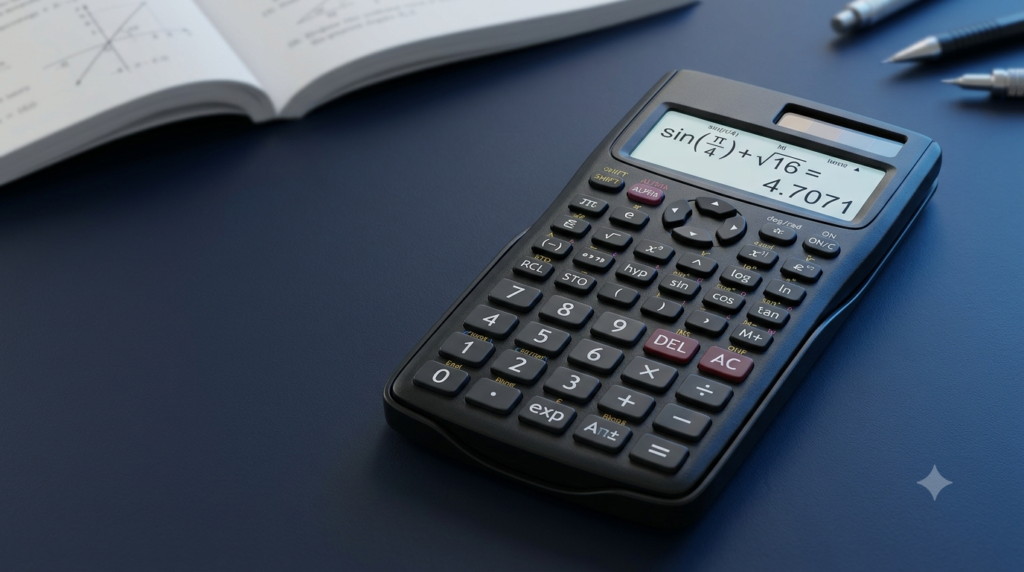
Basic Calculator
Perform quick and simple calculations
Simple • Fast • Mobile Friendly
A basic calculator is a simple and useful mathematical tool that helps people perform everyday calculations quickly and accurately. It is commonly used by students, teachers, office workers, business owners, and anyone who needs to work with numbers. Whether you want to add the prices of several products, calculate a discount, divide a bill, or check a multiplication result, a basic calculator makes the process easier.
An online basic calculator allows you to perform calculations directly on a website without downloading an application or carrying a physical calculator. You can use it on a computer, laptop, tablet, or smartphone. Most basic calculators include essential mathematical operations such as addition, subtraction, multiplication, and division. Many also provide percentage and decimal functions for everyday calculations.
This article explains what a basic calculator is, how it works, which functions it provides, and how to use it effectively for mathematics and daily activities.
What Is a Basic Calculator?
A basic calculator is a mathematical device or digital tool designed to perform fundamental arithmetic operations. It processes numerical inputs and displays the calculated result on a screen.
The main purpose of a basic calculator is to simplify calculations that would otherwise require manual arithmetic. Instead of calculating every step on paper, you can enter the numbers and select the required mathematical operation to obtain the result.
For example, if you want to calculate the total cost of three products priced at ₹150, ₹250, and ₹100, you can enter the numbers and add them together. The calculator displays the total of ₹500.
Basic calculators are available in different forms. Traditional calculators use physical buttons and an electronic display, while online calculators work through a web browser. Smartphone calculators are also widely used because they are readily available on most mobile devices.
Although a basic calculator does not include every advanced mathematical function, it is sufficient for many common calculations involving whole numbers, decimals, percentages, and the four fundamental arithmetic operations.
What Is an Online Basic Calculator?
An online basic calculator is a calculator that you can access through a website using an internet browser. It provides a convenient way to perform mathematical calculations without installing additional software.
Most online basic calculators have a numerical display and a set of buttons representing numbers, mathematical operators, and other functions. You enter the numbers by clicking the buttons, select an operation, and view the result on the display.
An online calculator is particularly useful when working on a computer or when you need a quick calculation while browsing the internet. It can also be used on a smartphone, provided the website is designed to fit smaller screens.
Many online calculators are free to use and do not require registration. Some work entirely within the browser after the page has loaded, allowing you to perform calculations without sending the entered numbers to an external service.
A well-designed online basic calculator should be easy to understand, responsive on different screen sizes, and simple to operate with either a mouse or a touchscreen.
Main Functions of a Basic Calculator
A basic calculator provides several essential functions that cover common mathematical requirements.
Addition
Addition is the mathematical operation used to combine two or more numbers to find their total. It is represented by the plus symbol (+).
For example:
25 + 15 = 40
In this calculation, 25 and 15 are added together to produce 40.
Addition is useful when calculating shopping totals, combining measurements, adding marks, calculating expenses, and finding the total number of items in different groups.
Suppose you purchase a notebook for ₹40 and a pen for ₹20. To find the total cost, enter 40 + 20 into the calculator. The result is ₹60.
Subtraction
Subtraction is used to find the difference between numbers or determine how much remains after a quantity is removed from another quantity. It is represented by the minus symbol (−).
For example:
80 − 30 = 50
The result shows that subtracting 30 from 80 leaves 50.
Subtraction is commonly used to calculate remaining money, price differences, changes in measurements, savings, and the amount left after spending.
For example, if you have ₹500 and spend ₹175, you can calculate the remaining amount by entering 500 − 175. The result is ₹325.
Multiplication
Multiplication is a mathematical operation used to calculate the total when a number is repeated a certain number of times. It is represented by the multiplication symbol (×) or an asterisk (*) in many digital calculators.
For example:
12 × 5 = 60
This calculation means that 12 is taken five times, giving a total of 60.
Multiplication is useful for calculating the total price of several identical products, finding the area of a rectangle, working with repeated quantities, and solving arithmetic problems.
For instance, if one book costs ₹120 and you purchase four books at the same price, you can calculate the total cost by multiplying 120 by 4. The result is ₹480.
Division
Division is used to divide a quantity into equal parts or determine how many times one number fits into another. It is represented by the division symbol (÷) or a forward slash (/).
For example:
72 ÷ 8 = 9
The result shows that 72 divided into eight equal groups gives nine in each group.
Division is useful for sharing expenses, calculating averages, distributing items equally, and determining unit costs.
For example, if four people share a bill of ₹800 equally, enter 800 ÷ 4. The result is ₹200 per person.
Division by zero is undefined in ordinary arithmetic. A calculator should therefore display an appropriate error message instead of presenting a normal numerical result when you attempt to divide a number by zero.
Percentage
Percentage is a way of expressing a number as a fraction of 100. It is represented by the percent symbol (%).
For example, 25% means 25 out of every 100.
Percentage calculations are useful for finding discounts, calculating examination marks, comparing values, understanding tax rates, and measuring increases or decreases.
To calculate 20% of 500, convert the percentage into a decimal and multiply it by 500.
20% of 500 = 0.20 × 500 = 100
Therefore, 20% of 500 is 100.
A calculator with a percentage button can make certain percentage operations quicker. However, the exact behavior of the percentage button can differ between calculators. For a clearly defined result, you can calculate the percentage by dividing it by 100 and multiplying it by the original number.
Decimal Calculations
Decimals represent numbers that include a fractional part. They are important in measurements, prices, scientific calculations, and financial transactions.
For example:
12.5 + 3.75 = 16.25
A decimal point allows you to enter numbers that are not whole numbers. This makes the calculator useful for working with money, lengths, weights, temperatures, and other measurements.
When entering decimal numbers, ensure that you use the correct decimal point and check the displayed result. Some calculations may produce long decimal results, which a calculator may shorten for display purposes.
How to Use a Basic Calculator
Using a basic calculator is straightforward. Although the exact button arrangement may vary, the general process remains similar across most digital calculators.
Step 1: Open the Calculator
Open the online basic calculator on your website or launch the calculator application on your device.
Check that the display is visible and that the buttons respond correctly. If the calculator shows a previous number, use the clear button before starting a new calculation.
Step 2: Enter the First Number
Click the number buttons to enter the first value.
For example, if you want to add 25 and 15, start by entering 25.
The entered number should appear on the calculator display.
Step 3: Select the Mathematical Operation
Choose the required operation, such as addition, subtraction, multiplication, or division.
For the example above, select the addition button (+).
Step 4: Enter the Second Number
Enter the second value using the numerical buttons.
In this example, enter 15.
The calculator now has the numbers and operation needed to complete the calculation.
Step 5: Calculate the Result
Press the equals button (=) to display the result.
For the example, the result is:
25 + 15 = 40
You can use the same process for other arithmetic operations. Always check the numbers and selected operator before accepting the result, especially when performing calculations involving money, measurements, or several steps.
Step 6: Clear the Calculator
Use the AC or clear button to reset the calculator and begin a new calculation. Some calculators also provide a delete button that removes the last entered digit.
Clearing the calculator before starting another unrelated calculation helps prevent mistakes caused by previous entries.
Practical Uses of a Basic Calculator in Daily Life
A basic calculator is useful in many everyday situations. Its simple functions make it suitable for both personal and professional tasks.
Shopping and Budgeting
You can use a calculator to add product prices, compare costs, calculate discounts, and estimate shopping expenses.
For example, if you purchase items costing ₹250, ₹180, and ₹70, their total cost is:
250 + 180 + 70 = 500
The total is ₹500 before any additional charges or discounts.
A calculator can also help you track monthly expenses by adding amounts spent on food, transport, utilities, and other needs.
Splitting Bills
When several people share a restaurant bill or another common expense, division helps determine each person’s share.
If a group of five people shares a bill of ₹1,500 equally, the calculation is:
1,500 ÷ 5 = 300
Each person pays ₹300, assuming the amount is divided equally.
Calculating Discounts
Retail discounts are commonly expressed as percentages. A calculator helps you determine the amount saved and the final price.
Suppose a product costs ₹2,000 and has a discount of 15%.
Discount amount = 2,000 × 15 ÷ 100 = 300
Final price = 2,000 − 300 = 1,700
The discounted price is ₹1,700 before any additional taxes or charges.
Education and Homework
Students can use basic calculators to check arithmetic answers, practise calculations, verify multiplication tables, and solve numerical exercises.
Teachers can use them to prepare examples, check totals, and demonstrate basic mathematical operations.
However, learning the underlying methods remains important. A calculator can provide a result, but understanding how addition, subtraction, multiplication, and division work helps learners develop stronger mathematical skills.
Measurements and Home Projects
A calculator can help when adding lengths, calculating material costs, or working with measurements for simple household projects.
For example, if three pieces of wood measure 1.5 metres, 2.25 metres, and 1.75 metres, their combined length is:
1.5 + 2.25 + 1.75 = 5.5 metres
For area, volume, and more advanced measurement problems, you may need to apply the appropriate mathematical formula before entering the values into the calculator.
Office and Business Work
Office workers and business owners often use basic calculators to calculate totals, compare quantities, check invoices, divide expenses, and verify simple financial figures.
For example, if a business sells 25 products at ₹80 each, the total sales value before other adjustments is:
25 × 80 = 2,000
A basic calculator is useful for quick arithmetic, but complex accounting, tax compliance, and financial reporting may require specialised tools.
Advantages of Using an Online Basic Calculator
An online basic calculator offers several practical advantages.
Easy access: You can open a calculator directly in a web browser without installing a separate application.
Quick calculations: Arithmetic operations can be completed in seconds, saving time compared with manual calculations.
Mobile-friendly use: A responsive calculator can fit the screen of a smartphone or tablet, making it convenient for calculations while travelling or shopping.
Simple interface: Clearly labelled buttons make a basic calculator suitable for beginners and users with different levels of mathematical knowledge.
Useful for everyday tasks: It can help with shopping totals, budgeting, percentage calculations, measurements, and other routine activities.
Reduced arithmetic effort: A calculator helps reduce common manual calculation errors, particularly when working with several numbers. However, incorrect input or selecting the wrong operation can still produce an incorrect answer.
No special equipment required: When an online calculator is available, you do not need to carry a separate physical calculator.
These advantages make online calculators useful educational and productivity tools. Their effectiveness depends on clear design, correct input, and appropriate use.
Basic Calculator vs Scientific Calculator
A basic calculator and a scientific calculator are designed for different levels of mathematical work.
A basic calculator focuses on fundamental arithmetic operations, including addition, subtraction, multiplication, division, percentages, and decimals. It is suitable for everyday calculations and introductory mathematics.
A scientific calculator includes additional functions such as trigonometry, logarithms, powers, roots, and other mathematical operations. Depending on the model, it may also support scientific notation, statistical calculations, and different angle modes.
For example, adding prices or dividing a bill usually requires only a basic calculator. Calculating a trigonometric value or solving a more advanced mathematical problem may require a scientific calculator.
The best choice depends on the calculation you need to perform. For routine arithmetic, a basic calculator is generally sufficient. For advanced school mathematics, engineering, physics, or other technical subjects, a scientific calculator may be more appropriate.
Common Mistakes to Avoid When Using a Calculator
Although a calculator simplifies arithmetic, a few common mistakes can affect the accuracy of the result.
Entering the Wrong Number
Pressing an incorrect digit changes the calculation. Before pressing the equals button, check that the displayed numbers match the values you intended to enter.
Selecting the Wrong Operation
Addition, subtraction, multiplication, and division produce different results. Confirm that you have selected the correct operator for the problem.
Misunderstanding Percentages
Percentage calculations depend on the original value. For example, 10% of 200 is 20, while 10% of 500 is 50. Always identify the number from which the percentage must be calculated.
Ignoring Decimal Points
A misplaced decimal point can significantly change a result. For example, 2.5 is different from 25. Pay particular attention to decimals when calculating prices, measurements, or scientific values.
Forgetting to Clear Previous Entries
Some calculators retain earlier values or operations. Clear the calculator before beginning an unrelated calculation to avoid confusion.
Relying on the Result Without Checking
A calculator performs the operation you enter, not necessarily the operation you intended. For important calculations, review the input and consider whether the result is reasonable.
Tips for Getting Accurate Results
You can improve the reliability of your calculations by following a few simple practices.
Enter each number carefully and check the display.
Select the correct mathematical operator before entering the next value.
Use the decimal point only where required.
Clear the calculator when beginning a new, unrelated calculation.
Break complicated arithmetic into smaller steps when necessary.
Check percentage calculations against the original amount.
Review the result when working with financial figures or measurements.
Use a scientific or specialised calculator when the calculation requires functions that a basic calculator does not provide.
For calculations involving multiple operations, remember that mathematical order of operations matters. A simple calculator may process consecutive operations differently depending on its design. If the intended calculation is not straightforward, calculate the separate parts carefully or use a calculator that supports the required expression and parentheses.
How a Basic Calculator Supports Mathematics Learning
A basic calculator can support mathematics learning by helping learners verify their work and understand numerical relationships.
For example, learners can calculate several addition problems and compare the results with their manual answers. They can also explore multiplication and division to understand how the operations are related.
A calculator can be useful when checking decimal arithmetic, finding percentages, or solving practical word problems. It allows learners to spend more time interpreting a problem and checking whether an answer makes sense.
However, a calculator should support mathematical understanding rather than replace it. Learning multiplication tables, mental arithmetic, estimation, and fundamental calculation methods remains valuable.
A useful approach is to solve a problem manually first, use the calculator to verify the answer, and then identify any differences. This method helps develop accuracy, confidence, and problem-solving skills.
Limitations of a Basic Calculator
A basic calculator is designed for simple arithmetic and does not replace every mathematical tool.
It generally cannot solve complex algebraic equations, calculate trigonometric functions, evaluate logarithms, or perform advanced statistical analysis unless those features are specifically included.
It may also display rounded decimal results when a calculation produces a long or repeating decimal. In such cases, the displayed value may be an approximation rather than the exact mathematical result.
Online calculators can have additional limitations. Their availability may depend on the website, browser, device, and internet connection. Some calculators work offline after loading, while others require an active connection.
For more complicated problems, a scientific calculator, graphing calculator, spreadsheet, or specialised mathematical application may be more suitable.
Understanding these limitations helps you select the right tool for each task and avoid expecting a basic calculator to perform functions beyond its design.
Conclusion
A basic calculator is a practical tool for performing everyday mathematical calculations quickly and conveniently. Its main functions include addition, subtraction, multiplication, division, percentage calculations, and decimal arithmetic. These operations are useful for shopping, budgeting, education, measurements, office work, and many other daily activities.
An online basic calculator provides additional convenience because it can be accessed through a web browser on a computer, tablet, or smartphone. Its simple interface makes it easy for beginners and experienced users alike.
To get accurate results, enter numbers carefully, choose the correct operation, and review the displayed answer. Although a basic calculator cannot replace advanced mathematical tools or a clear understanding of mathematics, it is an effective solution for routine arithmetic. By using it correctly, you can save time, check your calculations, and handle everyday numerical tasks with greater confidence.
FAQs
1. What is a basic calculator?
A basic calculator is a mathematical tool used to perform common arithmetic operations, including addition, subtraction, multiplication, and division. It helps users calculate numbers quickly without performing every step manually. Many basic calculators also support percentages and decimal calculations. They are available as physical devices, smartphone applications, and online tools. A basic calculator is useful for students, teachers, business owners, office workers, and anyone who needs to perform everyday calculations. It can help calculate shopping totals, divide bills, check homework answers, and manage simple expenses. Its straightforward design makes it easy for beginners to use.
2. How do you use an online basic calculator?
To use an online basic calculator, open the calculator on a website and enter the first number using the number buttons. Select the mathematical operation you need, such as addition, subtraction, multiplication, or division. Then enter the second number and press the equals button to display the result. For example, to calculate 25 plus 15, enter 25, select addition, enter 15, and press equals. The result is 40. Use the clear button to start a new calculation. Before accepting the answer, check that you entered the correct numbers and selected the appropriate mathematical operation.
3. What mathematical operations can a basic calculator perform?
A basic calculator performs four fundamental arithmetic operations: addition, subtraction, multiplication, and division. Addition combines numbers to find their total, while subtraction calculates the difference between values. Multiplication finds the product of numbers, and division determines how a quantity can be divided into equal parts. Many basic calculators also include percentage and decimal functions. These features are useful for calculating discounts, adding prices, dividing expenses, and working with measurements. However, a standard basic calculator may not support advanced operations such as logarithms, trigonometric functions, or complex equations. Those calculations generally require a scientific or specialised calculator.
4. Can I use a basic calculator on my mobile phone?
Yes, you can use a basic calculator on a mobile phone. Many smartphones include a built-in calculator application, and online calculators can be accessed through a mobile web browser. A mobile-friendly online calculator adjusts its layout to fit smaller screens, making the buttons easier to tap. You can use it to add expenses, calculate percentages, divide bills, or check mathematical answers while travelling. Most simple calculator operations require only a few taps. Some online calculators also work after the webpage has loaded, even without a continuing internet connection. Offline functionality depends on how the particular calculator is designed.
5. How do you calculate percentages using a basic calculator?
To calculate a percentage, divide the percentage value by 100 and multiply the result by the original number. For example, to find 20% of 500, calculate 20 ÷ 100 × 500. The answer is 100. You can also calculate discounts using this method. If an item costs ₹1,000 and has a 10% discount, the discount amount is ₹100. Subtracting ₹100 from ₹1,000 gives a final price of ₹900 before any additional charges. A calculator’s percentage button may behave differently depending on its design, so using the percentage formula is a reliable approach for clearly defined calculations.
6. What is the difference between a basic calculator and a scientific calculator?
A basic calculator is designed for everyday arithmetic, including addition, subtraction, multiplication, division, percentages, and decimal calculations. It is suitable for shopping, budgeting, simple homework, and routine numerical tasks. A scientific calculator provides additional mathematical functions, such as trigonometry, logarithms, powers, roots, and scientific notation. Some scientific calculators also support statistical calculations and more complex expressions. A basic calculator is generally sufficient for simple arithmetic, while a scientific calculator is more appropriate for advanced school mathematics, physics, chemistry, engineering, and other technical subjects. The right choice depends on the type and complexity of the calculations you need to perform.
7. Can a basic calculator calculate decimal numbers?
Yes, most basic calculators support decimal calculations. A decimal point allows you to enter numbers containing fractional parts, such as 2.5, 3.75, or 10.25. You can add, subtract, multiply, and divide these values just as you would with whole numbers. For example, 2.5 + 3.75 equals 6.25. Decimal calculations are particularly useful when working with prices, distances, weights, measurements, and other quantities that are not whole numbers. Some calculations produce long or repeating decimal results, which the calculator may round for display. For important work, check whether the displayed precision is sufficient.
8. Why does a calculator show an error when dividing by zero?
A calculator displays an error when you attempt to divide a number by zero because division by zero is undefined in ordinary arithmetic. Division asks how many times one quantity fits into another or how a quantity can be divided into equal groups. Dividing by zero does not produce a valid numerical result under standard arithmetic rules. For example, 10 ÷ 2 equals 5, but 10 ÷ 0 has no defined value. Depending on its design, a calculator may display an error message, show an error symbol, or refuse to complete the operation. This behaviour prevents an invalid result from being presented as a normal number.
9. Is an online basic calculator free to use?
Many online basic calculators are completely free to use and do not require registration, payment, or software installation. You can open a calculator webpage in a browser and perform common arithmetic calculations directly on your device. Free online calculators are useful for students, teachers, professionals, and anyone who needs quick numerical results. However, availability and features depend on the website providing the tool. Some websites may display advertisements or offer additional functions through paid services. Before entering sensitive information into any online tool, consider its privacy practices. A simple arithmetic calculator generally does not need personal information to calculate ordinary numerical expressions.
10. Are the results from a basic calculator always accurate?
A basic calculator can produce accurate results when the numbers and mathematical operations are entered correctly. However, incorrect input, a misplaced decimal point, or selecting the wrong operator can lead to an unexpected answer. Some calculators also round long decimal results because their displays have limited space or precision. To improve accuracy, check your entries, confirm the selected operation, and review whether the result makes sense. For financial calculations or important measurements, consider verifying the answer independently. A calculator is a useful tool for reducing manual arithmetic errors, but it cannot automatically determine whether the calculation you entered correctly represents the problem you intended to solve.